Author:



You have a video idea in your head. You type it in, hit Generate, and then you wait. When the clip finally lands it is close, but not quite right, so you tweak the prompt and wait again. Seedance 2.5 Flash is built for exactly that loop: ByteDance says it renders about twice as fast as its flagship Seedance 2.5, at roughly 34% lower cost, while staying close to the flagship look.
Here is what that means in plain English, what we saw when we tried it ourselves, and where you can use it in the YouCam apps.
Some images may be AI-generated for illustration purposes.

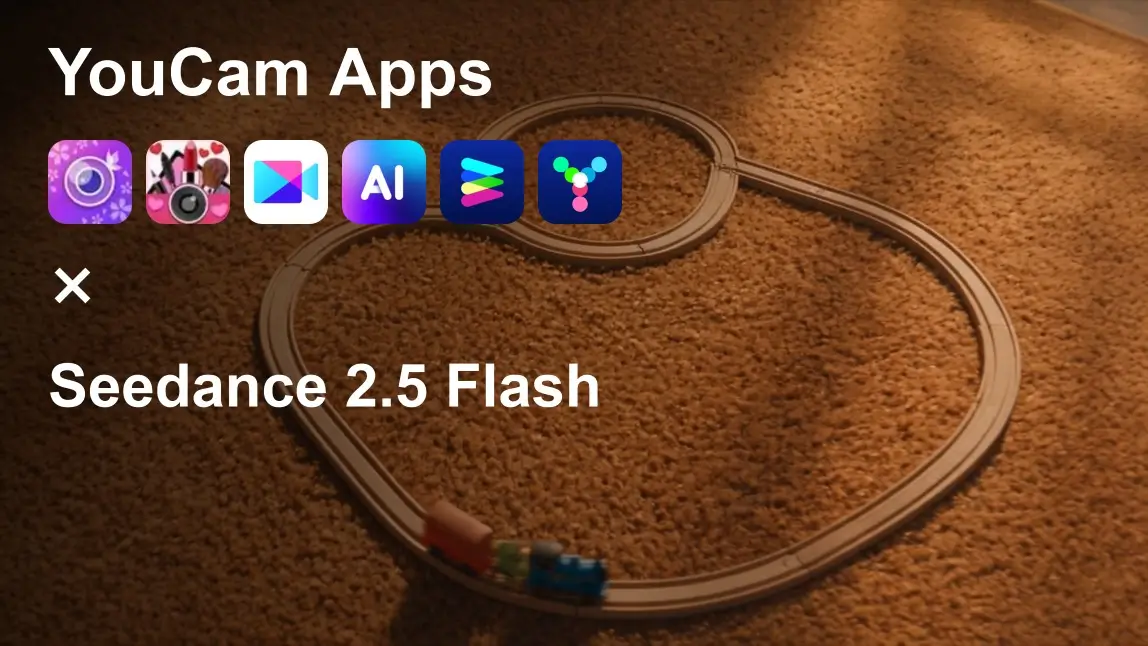
Frames from our own Seedance 2.5 Flash test clips: toy trains racing around a track.

AI Video Editor
Turn stills into cinematic clips and keep editing in the same app.
Now with Seedance 2.5 Flash — faster, lower-cost AI video.
- ⚡ Faster: ByteDance says Flash generates about twice as fast as Seedance 2.5. In our two test runs, a 5-second 720p clip with sound was ready in under 100 seconds.
- 💸 Cheaper: about 34% lower cost than Seedance 2.5 at 720p, according to ByteDance.
- 🎯 Close to the flagship: ByteDance calls it the closest model yet to Seedance 2.5, and says it beats Seedance 2.0 on instruction following, motion and audio.
- 🎬 Long and flexible: up to 30 seconds, 480p or 720p, with up to 10 images, 5 videos and 5 audio clips as references.
- 📱 One model, many apps: look for it in the AI model list of YouCam Video, Perfect, Makeup, Enhance, AI Pro and the online editor.
Where Can You Try Seedance 2.5 Flash?
Seedance 2.5 Flash is not tied to a single app. Whichever YouCam app you already use, look for it in the AI model dropdown of the video tools. Availability can vary by app and version while it rolls out, so update to the latest version first.

AI Photo Editor
Edit, retouch, and restyle your photo — then bring it to life with Seedance 2.5 Flash.
Now with Seedance 2.5 Flash — faster, lower-cost AI video.

Virtual Makeup & Beauty Camera
Try on a full look, then animate it with Seedance 2.5 Flash in Image to Video.
Now with Seedance 2.5 Flash — faster, lower-cost AI video.
AI Video Editor
Turn stills into cinematic clips and keep editing in the same app.
Now with Seedance 2.5 Flash — faster, lower-cost AI video.
AI Photo & Video Enhancer
Sharpen and restore a photo first, then animate it with Seedance 2.5 Flash.
Now with Seedance 2.5 Flash — faster, lower-cost AI video.

AI Photo & Video Generator
Generate AI images and videos with the latest models, including Seedance 2.5 Flash.
Now with Seedance 2.5 Flash — faster, lower-cost AI video.

Online AI Photo & Video Editor
Edit, enhance, and reimagine any photo in seconds. Upload a photo, pick a tool, and let YouCam's AI handle the rest, right in your browser.
How to Use Seedance 2.5 Flash (Example: YouCam Video)
Menus differ slightly from app to app. Here is the typical flow:
- Open YouCam Video and tap Image to Video on the home screen.
- Choose Seedance 2.5 Flash in the AI Model dropdown.
- Add a photo, then describe the motion, the camera move and the sound you want.
- Pick a length and tap Generate. Save the clip, or keep editing it in the same app.
What Is New in Plain English
1. Twice the speed
Speed is the headline. ByteDance says Flash generates about twice as fast as Seedance 2.5 (BytePlus words it as nearly twice). There are no independent timings yet. In our own two test runs, a 5-second 720p clip with audio finished in under 100 seconds, which makes trying a second or third version of a shot feel a lot more relaxed.

Five frames from one of our test clips. Timing is from our own two runs, not a benchmark.
2. About 34% lower cost
ByteDance puts Flash at roughly 34% below Seedance 2.5 for 720p text-to-video and image-to-video. Public price estimates published by BytePlus work out to about $0.76 for a 5-second 720p clip on Flash versus about $1.16 on Seedance 2.5. Failed or rejected clips still count toward cost, so cheaper retries matter. Prices inside YouCam apps are shown in YouCam coins and can differ.

Estimates from BytePlus public pricing for a 16:9, 5-second, 720p clip without video input.
3. Close to the flagship look, with sound
Flash was built to keep as much of Seedance 2.5’s core creative ability as possible, and ByteDance calls it the closest model yet to the flagship. It also generates synchronized audio. In our tests the toy trains kept their shape and colors from shot to shot, the shag rug had believable texture, and the clip came with wheel clicks and a light soundtrack.

A frame from our own test clip, generated from a text prompt at 720p.
4. Photos, videos and sound as references
You can give Flash up to 10 images, 5 video clips and 5 audio clips in one request, and refer to them in your prompt (for example, @Image1 for the product you want to keep exactly the same). It can also edit an existing video from a prompt. We tried the simplest version of this: we started from the last frame of our first clip and asked for a new camera move. The new clip opened on that exact frame and kept the same track and trains.

Left: the start image. Right: a frame from the clip Flash generated from it.
5. Up to 30 seconds in one go
Flash handles clips from 4 up to 30 seconds, in 480p or 720p. That is long enough for a short ad, a one-shot story beat or a social post without stitching several clips together. It does not output 1080p or 4K, and it has no draft mode, so it is built for fast iteration and everyday delivery rather than final masters.

Limits as stated by ByteDance for Seedance 2.5 Flash.
Seedance 2.5 Flash vs the Previous Versions
| Seedance 2.5 Flash | Seedance 2.5 | |
|---|---|---|
| Speed | About 2x faster than Seedance 2.5 (ByteDance claim) | Baseline |
| Price at 720p (5 s clip, estimate) | About $0.76 | About $1.16 |
| Resolution | 480p and 720p | 480p, 720p and 1080p |
| Length | 4 to 30 seconds | 4 to 30 seconds |
| Reference inputs | Up to 10 images, 5 videos, 5 audio clips | Up to 30 images, 10 videos, 10 audio clips |
| Draft preview mode | No | Yes, via Seedance 2.5 Draft (480p preview, then a final render) |
Compared with Seedance 2.0, ByteDance says Flash is better overall at following instructions, physical motion and audio. No benchmark has been published, so treat that as the vendor view until more people test it.
Seedance 2.5 Flash vs Other Models in YouCam Apps
YouCam lets you switch models in the same dropdown, so you can pick the one that fits the shot. Descriptions below follow the model list in YouCam Online Editor.
| Model | What the YouCam Online Editor model list says | Reach for it when |
|---|---|---|
| Seedance 2.5 Flash | Not in the Online Editor list yet. ByteDance positions it as the faster, lower-cost 2.5 | You want many quick tries at 720p |
| Seedance 2.5 | 30-second AI video with all-round generation | You need 1080p or larger reference sets |
| Seedance 2.0 / Fast / Mini | Full control and cinematic vision (2.0), speed (Fast), quick and affordable (Mini) | You want an older, proven Seedance tier |
| Kling 4.0 | 30-second cinematic video with up to 10 key frames | You want to steer a shot with key frames |
| Vidu Q4 | Up to 4K, smooth camera moves, rich detail | You want high resolution and camera motion |
| Wan 3.0 | Realistic video with synced sound | You want realistic footage with audio |
Flash is the model you reach for when you want to try many versions, not polish one.
Social clips, product teasers, storyboards, quick tests of an idea, and anything that ends at 720p.
You need 1080p or 4K masters, more than 10 reference images, or a draft-then-final workflow.
Worth knowing: speed and price figures are ByteDance and BytePlus claims. We only timed two short clips ourselves.
How Popular Is It Already?
It is brand new, so there are no download or usage numbers to quote, and we will not invent any. What we can point to is how quickly it has spread:
- Launch: announced by ByteDance Volcano Engine on November 12, 2026, with creator access starting the same day on Dreamina (Jimeng), LibTV and Updream.
- Creator tools: early coverage also lists Creao AI and TapNow, and WaveSpeedAI has opened text-to-video, image-to-video, reference-to-video and video-edit endpoints.
- Developers: the API launches on BytePlus ModelArk on November 15 under the model ID dreamina-seedance-2-5-flash-261115.
- Still missing: independent speed tests, quality benchmarks and international pricing confirmations.
What People Are Making with It
ByteDance shows five kinds of work in its own feature page. Here is how they translate into everyday ideas:
Turn product features into a short story, keep the same product across scenes, or show one product in several settings.
Continuous takes across spaces, camera moves with a crowd, and quick trailer-style cuts.
Skill effects, level environments and first-person scenes for concept videos.
Reimagine one idea in several styles, from 2D to 3D to felt and ink looks.
One concept, several languages. ByteDance demos a coffee-shop ad narrated in Japanese with the same bag of beans in every shot.
5 Tips for Better Results
- Start small. Explore at 480p, then re-run the winner at 720p.
- Write beats, not a paragraph. ByteDance prompts break a clip into time ranges, for example 0 to 3 seconds: open the bag, 3 to 7 seconds: grind the beans.
- Name your references. Use tags such as @Image1 so the product or face stays the same.
- Describe the camera and the sound. Say whether the camera sweeps, pushes in or stays fixed, and what you want to hear.
- Change one thing per run. With quick turnarounds it is easier to see what each tweak does.
Why Seedance 2.5 Flash Matters
The best AI video model is not always the one with the highest resolution. It is the one you can afford to use ten times in an afternoon. A faster, cheaper model that stays close to flagship quality makes experimenting normal, and that is where most good clips come from.
Try It Now
Open YouCam Video, pick Seedance 2.5 Flash in the AI model list and turn one photo into a clip. Prefer your browser? Try Seedance 2.5 Flash Online. For the full details straight from ByteDance, see its Seedance 2.5 Flash feature page.
AI Video Editor
Turn stills into cinematic clips and keep editing in the same app.
Now with Seedance 2.5 Flash — faster, lower-cost AI video.
FAQ
What is Seedance 2.5 Flash?
It is a lighter, faster version of ByteDance’s Seedance 2.5 video model. It creates videos from text, photos and reference clips, with sound, in 480p or 720p.
Is it really twice as fast?
That is ByteDance claim, and BytePlus words it as nearly twice. There are no independent timings yet. In our two test runs, 5-second 720p clips were ready in under 100 seconds.
How much cheaper is it?
About 34% lower than Seedance 2.5 at 720p, according to ByteDance. Inside YouCam apps, prices appear in YouCam coins.
What resolution and length does it support?
480p and 720p, with clips from 4 up to 30 seconds. It does not support 1080p or 4K.
Does it add sound?
Yes. Synchronized audio is part of the model, and our test clips came with sound.
Which YouCam apps support it?
YouCam Video, YouCam Perfect, YouCam Makeup, YouCam Enhance, YouCam AI Pro and YouCam Online Editor. Availability can vary by app and version while it rolls out.
How is Flash different from Seedance 2.5?
Flash is faster and cheaper but tops out at 720p, takes fewer reference files and has no draft mode. Seedance 2.5 goes up to 1080p.
Can I still use other models?
Yes. The same AI model dropdown also lists other models, such as Kling, Vidu and Wan, so you can switch per project.