


Virtual Glasses Try-On for Eyewear eCommerce

 TRY ON NOW
AI-Powered Virtual Eyewear Try-On for Glasses and Sunglasses
Give customers a realistic way to preview eyewear online before purchase. Perfect Corp.’s virtual eyewear try-on technology uses AI and AR to create an interactive experience for glasses, sunglasses, and eligible prescription eyewear products across compatible devices.
Online PD Measurement for a Better Virtual Eyewear Try-On Experience
Online PD Measurement for a Better Virtual Eyewear Try-On Experience
Pupillary distance (PD) is the distance between the centers of a shopper’s pupils and is an important measurement for eyewear fitting. Perfect Corp.’s AI-powered virtual try-on technology uses facial analysis to estimate PD within the online experience, helping brands offer a more personalized way for shoppers to preview compatible glasses and sunglasses.
Virtual try-on supports product visualization and shopping confidence. Brands should continue to follow their own optical, prescription, and regulatory requirements for prescription-lens orders.
How Virtual Glasses Try-On Supports Eyewear eCommerce
Virtual eyewear try-on can help online retailers make frame discovery more visual and interactive. By allowing shoppers to preview frames before purchase, brands can reduce uncertainty in the online buying journey and create more opportunities for product exploration.

Help Shoppers Compare Frames With More Confidence
Let customers preview eligible frames online, compare styles, and make more informed eyewear selections before checkout.

Create a More Interactive Product-Discovery Experience
A real-time virtual try-on invites shoppers to explore frames, lens tints, and supported product attributes directly on the product page.

Support Product Exploration and Add-to-Carts
Make it easier for shoppers to evaluate eyewear online and continue their purchase journey with the frames they want to consider.
Launch Virtual Glasses Try-On in Three Steps

Create Virtual Eyewear SKUs
Automatically create the virtual glasses SKU with just 3 flat images

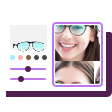
Review the Live Preview
Use the AR eyewear editor to review how the virtual frame appears before publishing it to your storefront.

Add a Virtual Try-On Button to Product Pages
Place a branded virtual try-on entry point on relevant product pages so shoppers can launch the experience while browsing your collection.
Create Virtual Eyewear SKUs From 2D Product Images
Create Virtual Eyewear SKUs From 2D Product Images
Build virtual eyewear SKUs by uploading 3 flat images of an eligible frame. This workflow can reduce the need for traditional 3D product scanning or modeling when preparing compatible frames for an online virtual try-on experience.
Customize Your Online Glasses Try-On Experience
Customize Your Online Glasses Try-On Experience
Configure supported eyewear attributes to create a branded, realistic virtual try-on experience for your online catalog. Depending on the product setup, shoppers can explore attributes such as the following:

Add Virtual Glasses Try-On to Shopify, Wix, and Squarespace



Let's Grow Your Online Eyewear Business Together
Virtual Glasses Try-On FAQ for Eyewear Brands
What is virtual glasses try-on software for eyewear eCommerce?

Virtual glasses try-on software is an AI- and AR-powered solution that lets shoppers preview eligible eyewear products digitally while browsing an online store. Eyewear brands can add the experience to product pages to make frame discovery more interactive and help shoppers evaluate styles before continuing to checkout.
How does virtual glasses try-on work on an eCommerce product page?
A shopper selects a compatible frame and launches the virtual try-on experience from the product page. With camera permission on a compatible device, the technology maps the shopper’s face and displays a digital frame preview. Shoppers can then compare available options and continue browsing or add products to their cart.
Can eyewear brands create virtual glasses SKUs from product images?
Yes. Perfect Corp.’s Online Service allows brands to create eligible virtual eyewear SKUs by uploading three flat product images of a frame. Teams can review the virtual result in the AR eyewear editor before making the try-on experience available on relevant online product pages.
What is online PD measurement in a virtual eyewear try-on experience?
Pupillary distance, or PD, is the distance between the centers of a person’s pupils. In a virtual eyewear try-on experience, AI-powered facial analysis can estimate PD to support a more personalized digital frame preview. Retailers should maintain their own professional and regulatory processes for prescription-lens orders.
Can virtual glasses try-on be added to Shopify, Wix, or Squarespace?
Yes. Perfect Corp. provides platform-specific integration options for Shopify, Wix, and Squarespace. Shopify is available as a ready-to-use plugin, while Wix and Squarespace have installation guidance. The appropriate setup depends on a brand’s storefront configuration, catalog, and implementation requirements.
Which eyewear products can shoppers preview with virtual try-on?
Virtual eyewear try-on can support eligible eyeglasses, sunglasses, and other frame types included in a brand’s configured product catalog. Supported attributes may include frame color, frame size, lens tint, and reflections, depending on how each virtual SKU is prepared.


