 Author:



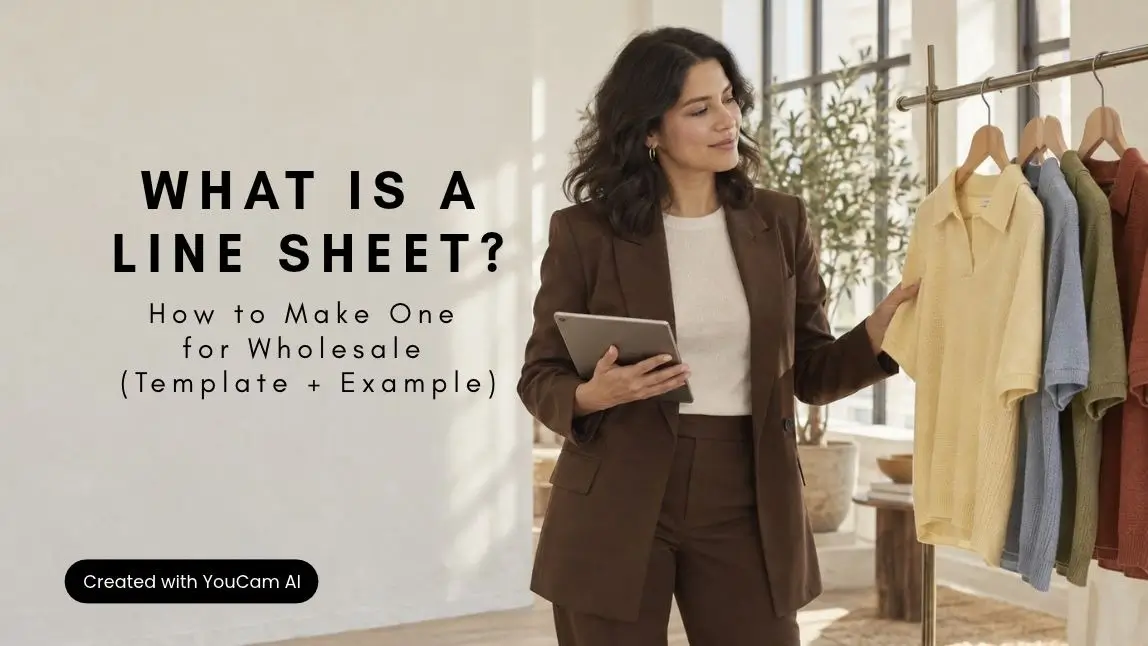
A line sheet is the wholesale sales document a fashion brand sends to retail buyers so they can choose styles and place an order. Every product gets a photo, a style number, its colorways, the size range, the wholesale price and the suggested retail price. The last page sets out your order terms: minimums, delivery windows and payment.
This guide covers what to include, a line sheet template you can copy, an annotated example and a seven-step process for making one. It also shows how brands create matching on-model images for every colorway from a single model photo with the AI Clothes Changer API, so each color reads the same way on the page.
What Is a Line Sheet?

A line sheet (also written "linesheet") is a fashion brand's order document for wholesale. It lists every style in a collection with the facts a buyer needs to write a purchase order. A fashion line sheet is deliberately plain: clear product images, numbers and terms, with no editorial styling getting in the way.
Who uses it:
- Brands selling wholesale to boutiques, department stores and online retailers.
- Sales reps and showrooms who present several brands to buyers.
- Retail buyers, who review it before an appointment and order from it afterward.
When you need one: before a market week or trade show, when you pitch a new stockist, and after every buyer meeting. Buyers order months before the season, often from samples, so the line sheet becomes their reference once the meeting is over. If you are still planning your first collection, the guide on how to start a clothing brand covers where wholesale fits in the launch.
A line sheet is not a lookbook, a catalog or a tech pack. The comparison table below shows what each document does.
What to Include in a Wholesale Line Sheet
A wholesale line sheet answers three buyer questions on every style: what is it, what does it cost me, and when can I have it. These are the fields to include.
| Field | What to write | Why buyers need it |
|---|---|---|
| Product image | One clear image per style, plus each colorway. Same angle, background and crop throughout. | Buyers judge the image before they read the price. |
| Style name and number | A unique style number (SKU base) and a short name. | The style number is what they write on the order. |
| Colorways | Color names exactly as they appear on sample tags and in your system. | Each colorway is usually its own line on the order. |
| Size range | The size run (e.g. XS–XL) and any prepacks or size ratios. | Buyers plan quantities per size. |
| Fabric and care | Fiber content, key details (lined, pockets, stretch) and care. | Answers quality questions without a call. |
| Wholesale price | The price per unit to the retailer, in the buyer's currency. | The number the order is built on. |
| Suggested retail price (MSRP) | Your recommended selling price. | Shows the buyer their margin at a glance. |
| Order minimums | Opening order and reorder minimums, by units or value. | Avoids orders you can't accept. |
| Delivery window and cancel date | Ship-start and ship-end dates per delivery, plus the cancel date. | Buyers plan floor sets around delivery dates. |
| Payment and shipping terms | Deposit, payment terms, who pays freight, damages policy. | Removes the back-and-forth after the order. |
| Contact and ordering path | Sales contact, email and the order form or portal link. | Makes the next step obvious. |
Two pages frame the product pages: a cover (brand, season, date or version number) and a short brand page that says who you are and where you are already stocked.
Line Sheet Template (Copy This Layout)
A line sheet template has the same structure in any tool, whether that's a spreadsheet, a slide deck, a document or a design app. Use these five parts in this order:
- Cover: brand name and logo, season (e.g. Spring/Summer 2027), one strong image, and the version date.
- Brand page: two or three sentences about the brand, current stockists, and contact details.
- Product pages: grouped by delivery or category, with 4 to 8 styles per page so images stay large enough to read.
- Terms page: minimums, delivery windows, cancel dates, payment and shipping terms.
- Order form (optional): style number, color, quantity per size, and totals.
For the product pages, copy this column layout. The example row uses illustrative values.
| Image | Style # | Style name and details | Colorways | Sizes | Fabric | Wholesale | MSRP | Delivery |
|---|---|---|---|---|---|---|---|---|
| One image per colorway | SS27-104 | Tiered poplin midi dress: puff sleeves, side pockets | Sage, Dusty Blue, Terracotta | XS–XL | 100% cotton poplin | $48 | $98 | Delivery 1: Feb 1–28 |
Keep one master spreadsheet as the source of truth for style numbers, colors and prices, and build the designed line sheet from it. When a price changes, you change it once, and the next version stays consistent.
Line Sheet Example: One Style in Three Colorways
Here is how a single product block looks in practice. The same model appears in all three colorways, in the same pose and crop, so the buyer compares color and nothing else.

Actual results from Perfect Corp.'s AI clothes virtual try-on tool.
What this line sheet example gets right:
- Style number above the images, so the buyer can't attach it to the wrong product.
- Color names under each image, matching the sample tags exactly.
- Prices side by side: wholesale first, MSRP next to it.
- Delivery on the product block, not only on the terms page.
How to Make a Line Sheet in 7 Steps
1. Lock the assortment
List only styles and colorways you can produce at your minimums. A buyer who orders a colorway you later cancel is harder to win back than one who never saw it.
2. Set wholesale and retail prices
Work from landed cost to wholesale, then to retail, and check that the margin works for the stores you target. The clothing brand guide walks through a common rule of thumb with a worked example.
3. Write your terms
Decide order minimums, delivery windows, cancel dates, deposit and payment terms before you design anything, because they shape how you group the product pages.
4. Produce consistent images
Every image needs the same angle, background, light and crop. Decide early between flats, packshots or on-model images per colorway (see the images section).
5. Lay out the pages
Use the template above. Group styles by delivery when you sell in drops, or by category when everything ships together.
6. Proof every number
Check style numbers, color names and prices against the master spreadsheet, and check each image against its physical sample. Ask someone outside the design team to read it as a buyer would.
7. Export, send and version it
Send a compressed PDF named with brand, season and version (e.g. brand-ss27-line-sheet-v2.pdf), or a digital link if you use a wholesale ordering platform. Date every version and send an update whenever prices, colors or deliveries change.
Line Sheet Images: Flats, Packshots or On-Model by Colorway
The one rule for line sheet images is consistency. Buyers scan a page of styles side by side, so a different background or crop on one product makes it look like it belongs to another collection.
Brands usually choose between three image types:
- Flats or packshots on white: the classic line sheet image. Clear, fast to produce and good for showing construction details.
- Sketches or CADs: used before production photos exist.
- On-model images: show proportion, length and how each color reads when worn. Many brands use a packshot for every style and add on-model images per colorway for key styles.
For a full comparison of flat lay, ghost mannequin and on-model photography, see the guide to clothing photography for ecommerce. The challenge with on-model images is scale: every colorway multiplies the shoot, and colorway samples often arrive at different times.
Matching on-model images for every colorway with the AI Clothes Changer API
Perfect Corp.'s AI Clothes Changer API places a garment from a product image onto a person photo you provide. Because every colorway goes onto the same model photo, every result keeps the same pose, crop and light, which is exactly the matched set a line sheet needs.

Actual results from Perfect Corp.'s AI clothes virtual try-on tool.
How brands set it up:
- Choose one model photo your brand owns: full-body or half-body, front-facing, in even light. Output resolution follows the input photo, so use a high-resolution file if the line sheet will be printed.
- Prepare one product image per colorway: front-facing and showing the full garment, as JPG or PNG up to 10MB. Product-only images and photos of the garment on a model both work.
- Test it in the API Playground with your own images or its sample model photos.
- Connect the API: it's a RESTful API with Bearer authentication and JSON responses, and returns a result image URL. Supported frameworks include JavaScript, Java, Flutter, Python, PHP, Node.js and cURL. Get a key in the API Console and follow the AI Clothes documentation.
- Approve and place: check each image against its sample, as you would with any line sheet photo, then drop it into the template.

Actual results from Perfect Corp.'s AI clothes virtual try-on tool.
Each colorway needs its own product image: the API places the garment you supply rather than creating new colors, and it produces on-model images, not flats or ghost-mannequin shots. Brands keep their own images and results, and the same set can go straight onto product detail pages and into seasonal campaigns such as holiday lookbooks. For the wider catalog workflow, see AI on-model product photography.
Wholesale ordering platforms and PLM tools can also build this into their own software, so the brands using them can create colorway images inside the line sheet builder. Plans are pay-per-use; see API pricing.
One model photo, every color
Upload a model photo and a product image, and see the on-model result before you build.
Footwear Line Sheets: On-Foot Images for Every Colorway
A footwear line sheet uses the same structure, with a few extra fields: heel or platform height, upper, lining and sole materials, the size run including half sizes, and any width options. Images are usually a side profile on white, often with a second angle for key styles.
For on-foot images, the AI Shoes Virtual Try-On API works the same way as the clothes API. You send a photo of a person with their shoes visible, plus a product image of the new pair, and get back the same photo with the shoes replaced. It keeps the color, pattern and finish from the product image and renders leather, suede and canvas, across sneakers, running shoes, loafers, heels, sandals and boots. Run each colorway onto one base photo and you get a matched on-foot set for the line sheet. The AI Shoes Virtual Try-On V3.0 release note covers the current workflow.

Actual results from Perfect Corp.'s AI Shoes Virtual Try-On API.
On-foot shots for each colorway
Test your shoe images on a base photo in the Shoes API Playground.
Line Sheet vs. Lookbook vs. Catalog
These documents are often confused, but each has a different job in a wholesale sale.
| Document | Job | Audience | Images | Prices |
|---|---|---|---|---|
| Line sheet | Take the order | Wholesale buyers | Plain, consistent product images | Wholesale and MSRP |
| Lookbook | Sell the season's story | Buyers, press, customers | Styled editorial photos | Usually none |
| Catalog | Show the full range | Retail customers or buyers | Product and lifestyle mix | Retail prices |
| Sell sheet | Pitch one product | Buyers, distributors | One hero product | Sometimes |
| Tech pack | Brief the factory | Manufacturers | Technical sketches | None (costing is separate) |
In practice, many brands send the lookbook first to win the buyer's attention, then the line sheet to write the order.
Common Line Sheet Mistakes
- Mismatched images: different backgrounds, crops or models across styles make the collection look unfinished.
- Color names that don't match the samples: "Navy" on the line sheet and "Midnight" on the tag causes order errors.
- Missing terms: no minimums, delivery window or cancel date means extra emails before an order is confirmed.
- No MSRP: buyers can't see their margin without it.
- Undated versions: buyers order from an old price list.
- Files too heavy to email: compress images and keep the PDF small enough for an inbox.
- Lookbook styling on product pages: busy backgrounds and props hide the product details buyers need.
FAQ
What should be on a line sheet?
Each style needs a product image, style number, colorways, size range, fabric, wholesale price and suggested retail price. The line sheet also needs a cover, contact details and a terms page with minimums, delivery windows, cancel dates and payment terms.
What is the difference between a line sheet and a lookbook?
A lookbook sells the collection's mood with styled editorial photos and usually shows no prices. A line sheet is the order document: plain product images with style numbers, wholesale prices and terms.
Do line sheets include retail prices?
Yes. Most wholesale line sheets show the wholesale price and the suggested retail price (MSRP) side by side, so the buyer can see the margin. Never send the wholesale version to consumers.
How many products should be on each page of a line sheet?
Most brands fit 4 to 8 styles per page. Fewer styles per page keeps images large enough for buyers to judge color and detail.
Can you use on-model images on a line sheet?
Yes, as long as every image follows the same pose, crop and background. Many brands use flats for every style and add on-model images per colorway for key styles. A virtual try-on API can create those matched on-model images from one model photo and a product image of each colorway.
What format should a line sheet be?
A compressed PDF is the most common format because buyers can open, print and forward it. Brands that sell through a wholesale ordering platform often share a digital line sheet link instead, which buyers can order from directly.
Conclusion
A line sheet turns a buyer's interest into an order: one image per colorway, the style number, sizes, wholesale and retail prices, and clear terms. Keep a single master spreadsheet, use the five-part template, proof every number and date each version. The detail that makes a line sheet look professional is consistent imagery, and with a try-on API every colorway can appear on the same model in the same pose without a reshoot.
On-model images from product photos
Create matched colorway images for line sheets, product pages and lookbooks.
This article was edited and reviewed by the Perfect Corp. editorial team. Welcome to contact us or give us more suggestions.