 Author:


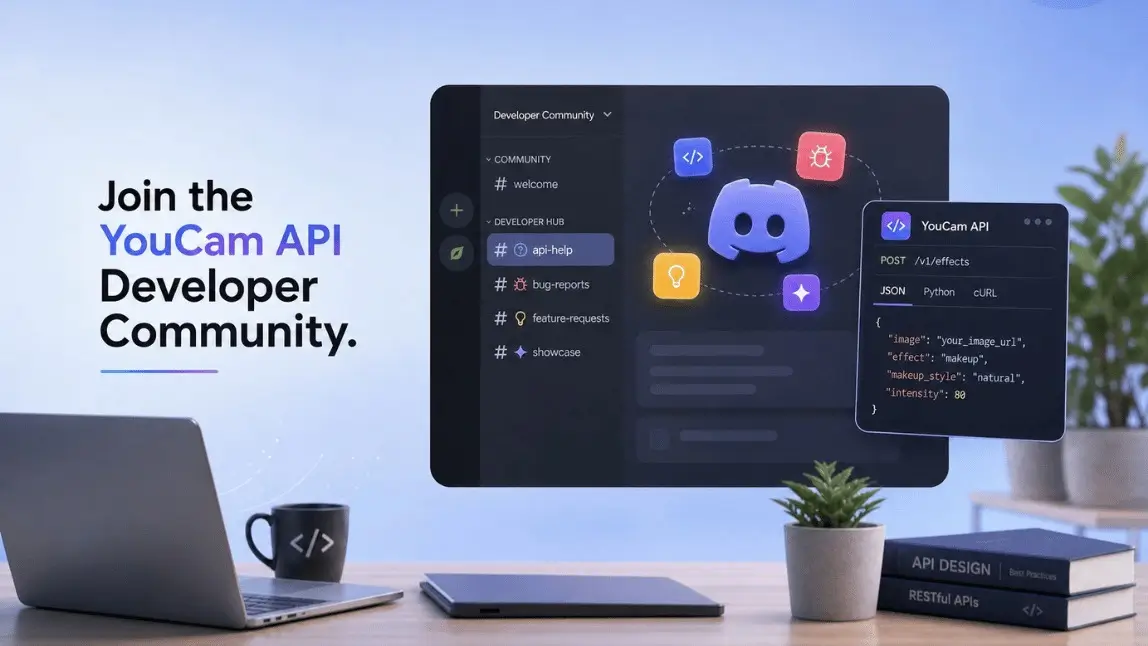
The YouCam API Discord community is a free space where developers can ask integration questions, report bugs, suggest new features, discuss API use cases, and share projects built with YouCam APIs.
Documentation can tell you what an endpoint does. It cannot always explain why your integration is returning a 403 at 11 p.m. or whether another developer has already solved the same problem. That is why we created the YouCam API Discord community: a shared space for developers building with our AI APIs and members of the YouCam API team.
Developer Help, Feedback and Project Showcases
Connect with developers, ask YouCam API integration questions, report bugs, request features, and share what you build.
What Is the YouCam API Discord Community?

The YouCam API Discord community is the official developer community for people building with Perfect Corp.’s AI APIs. These include virtual try-on, Skin Analysis, AI Clothes Changer, image editing, and other solutions available through the YouCam API platform.
Think of it as the space between the official YouCam API developer portal and a formal support request. It provides a conversational environment for technical questions, troubleshooting, product feedback, and discussions with other developers working on similar integrations.
Inside the community, developers can find dedicated channels for API help, bug reports, feature requests, and project showcases. Members of the YouCam API team may also participate in discussions and review technical feedback shared in the appropriate channels.
If you are still exploring the platform, the YouCam API Playground guide explains how to create an account, access the Playground, and test available AI features before starting an integration.
Why We Launched the YouCam API Discord Community
API support should not live entirely in a ticket queue. Some questions are easier to understand through a quick exchange, a code snippet, a request ID, or a screenshot than through a long email thread.
Developers building similar products also tend to encounter similar edge cases. For example, two teams integrating Skin Analysis into different skincare platforms may have questions about image input, request formatting, API testing, or response handling. A shared developer community makes useful answers easier to discover and discuss.
The community also gives our team a more direct view of how developers use the APIs. Bug reports with reproduction details and well-explained feature requests provide valuable context when the team evaluates technical issues and future improvements.
In short: developers get a collaborative place to discuss integrations, while our team receives clearer feedback from the people building with the platform.
Who Should Join the YouCam API Discord?
The community is designed for anyone working with or evaluating the YouCam API, including:
- Developers integrating virtual try-on, Skin Analysis, AI Clothes Changer, or other YouCam APIs into a production app
- Engineers testing YouCam APIs through the API Playground
- Technical founders and independent developers building an MVP with AI beauty, fashion, skincare, or image-editing features
- Agencies and technology partners implementing YouCam API solutions for clients
- Product teams researching possible AI API use cases
- Developers who want to see examples and projects created by other community members
You do not need to be a paying customer to join. Developers who are evaluating the API can participate, ask general questions, and learn from discussions in the community.
If you are new to API integrations, our guide to API use cases and how APIs work provides a practical introduction to requests, authentication, endpoints, responses, and common implementation scenarios.
What Can Developers Ask in the Community?
Developers can ask questions related to building with the YouCam API. Common discussion topics include:
- Authentication and setup: API keys, headers, permissions, request formatting, and account configuration
- API integration: SDK usage, endpoint selection, input requirements, and response handling
- Debugging: Unexpected status codes, unsuccessful tasks, unusual outputs, or behavior that differs from the documentation
- API Playground and production: Questions about testing workflows and moving an integration toward production
- Implementation practices: Structuring workflows, handling asynchronous tasks, and combining multiple APIs
- Feature requests: Suggestions for new endpoints, parameters, supported inputs, or use cases
- Bug reports: Reproducible technical issues that may require review by the YouCam API team
- Project feedback: Sharing demos, prototypes, and live implementations with other developers
If you want to see a complete implementation example, read our tutorial on building an AI Clothes Changer app with the YouCam API.
If you are unsure where your question belongs, post it in #api-help. A community member or moderator can direct you to a more appropriate channel if needed.
What Channels Are Available?

The YouCam API Discord server is organized into four core developer channels:
| Channel | What to Post |
|---|---|
| #api-help | Integration questions, setup help, unexpected API behavior, and general technical questions. |
| #bug-errors | Reproducible errors, inconsistent responses, and behavior that may not match the documentation. |
| #feature-requests | Suggestions for new endpoints, parameters, supported categories, and other API capabilities. |
| #showcase | Live products, prototypes, experiments, and other projects built with the YouCam API. |
#api-help
Use #api-help for integration questions, unexpected behavior, and general “How do I do this?” moments. Include enough technical context for other members to understand the problem without needing to request the basic details first.
#bug-errors
Use #bug-errors when something appears to be broken: unexpected error codes, inconsistent responses, failed tasks, or behavior that does not match the current API documentation. Detailed reproduction information helps the team investigate the issue more efficiently.
How to Format a Support Request
For faster and more useful troubleshooting in #api-help, #bug-errors, and #feature-requests, copy the following template into your message and complete the relevant fields:
Product:
Endpoint:
SDK or programming language:
Environment: Production or API Playground
Error or status code:
Request ID:
Expected behavior:
Actual behavior:
What you already tried:Do not share API keys, access tokens, passwords, private user data, or other credentials.
Completing the template may take an extra minute, but it can prevent several rounds of follow-up questions. Include a minimal code example or screenshot when it helps reproduce the issue, after removing all secrets and personal data.
#feature-requests
Use #feature-requests to suggest a new endpoint, parameter, supported input, product category, or developer capability. Explain the problem you want to solve and how the proposed feature would fit into your product or workflow.
#showcase
Use #showcase to share what you are building with the YouCam API. You can post a live product, a weekend prototype, an MVP, or an unfinished demo you want feedback on. The channel can also help developers discover new ways to combine YouCam API capabilities.
How to Join the YouCam API Discord Community
There is no application form or waitlist. Follow these steps:
- Open the official YouCam API Discord invitation.
- Sign in to Discord or create a Discord account.
- Accept the server invitation.
- Review the community rules and pinned information.
- Introduce yourself and start exploring the developer channels.
Free and Open to Developers Evaluating or Using the API
Ask integration questions, report technical issues, submit feature requests, and meet other developers building with YouCam APIs.
After joining, review the pinned posts in #api-help before submitting a support question. They may contain current guidance or information that helps you resolve the issue immediately.
YouCam API Discord Community Rules
These rules help keep the developer community useful and safe:
- Do not share API keys, tokens, passwords, customer data, or private credentials.
- For technical support, include the product, endpoint, error code, environment, and request ID if available. Never paste secrets.
- Be respectful. No harassment, spam, self-promotion, or irrelevant promotion.
- Beta features, private roadmap details, and partner information must not be shared outside this server.
- Our team will never ask for your password, private token, or secret key.
That last rule is worth repeating on its own: if anyone in the server, including someone claiming to be on our team, asks you to DM them a key or token, that is not us. Report it to a moderator right away.
Frequently Asked Questions
Is the YouCam API Discord community free to join?
Yes. The YouCam API Discord community is free and open to developers who use or are interested in evaluating the YouCam API.
Do I need to be a paying YouCam API customer to join?
No. Developers testing the API in the Playground or researching whether the platform fits their product can also join and participate.
Can I get technical support through Discord?
You can use #api-help to discuss integration questions with the community and participating members of the YouCam API team. For account-specific, security-sensitive, or contractual issues, you may still be directed to an official private support channel.
How quickly will someone answer my question?
Response times depend on channel activity, time zones, and the complexity of the question. A complete support request that includes the relevant product, endpoint, environment, status code, request ID, and troubleshooting steps is easier for the community and team to review.
Can I report a YouCam API bug on Discord?
Yes. Post reproducible technical issues in #bug-errors. Include the endpoint, environment, error code, request ID, expected behavior, actual behavior, and reproduction steps without exposing credentials or private user data.
Can I request a new API feature?
Yes. Use #feature-requests and explain the capability you need, the problem it would solve, and the intended implementation or user experience. Submitting a request does not guarantee that it will be added, but it gives the team useful context when reviewing product feedback.
Where can I find the official YouCam API documentation?
Visit the YouCam API developer portal for current API documentation, API keys, integration resources, and API console access. Discord is best used for discussions and questions that require additional context.
What should I do if the Discord invitation does not work?
Confirm that you are signed in to Discord and try opening the invitation in a browser or the Discord app. If the invitation has expired or remains unavailable, contact the YouCam API team through an official Perfect Corp. support channel.
Connect With the YouCam API Developer Community
Join the conversation, get help with your integration, share product feedback, and show the community what you create.
This article was edited and reviewed by the Perfect Corp. editorial team.
Welcome to contact us or give us more suggestions.