 Author:


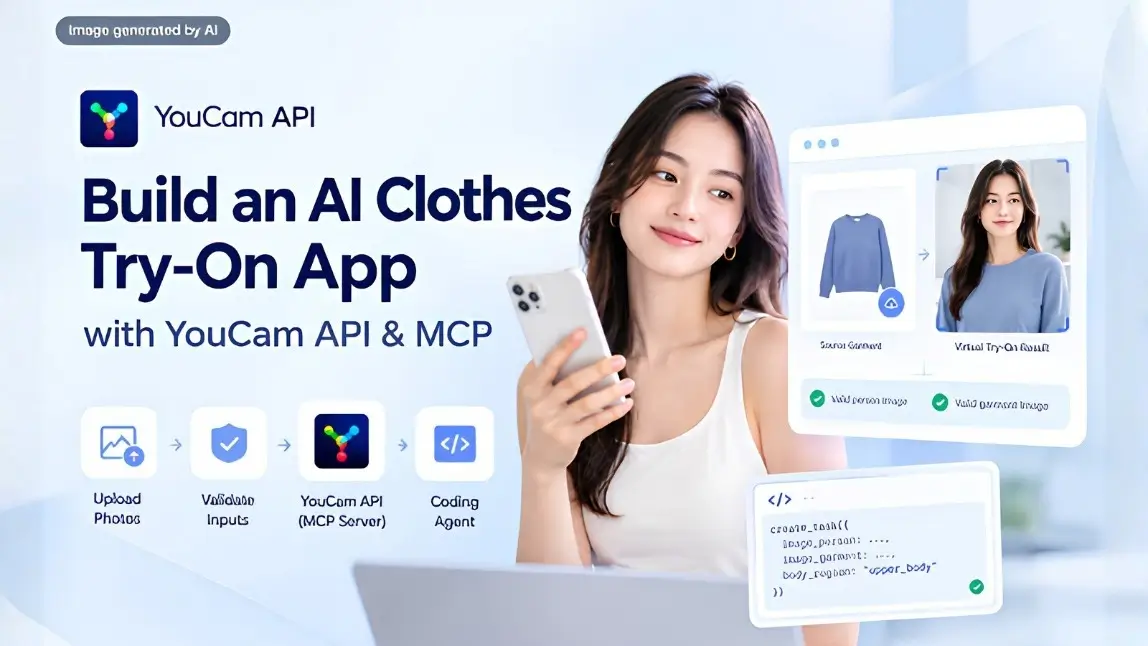
A virtual try on app looks like a two input problem and behaves like a validation problem. You send a photo of a person and a photo of a garment, you get back a composite. The part nobody warns you about is that most of your engineering time goes into deciding which uploads are good enough to send, because the model is excellent at the transformation and unforgiving about the inputs. Connect the Clothes Changer API through its MCP server and a coding agent will write the working prototype in minutes. This guide covers the part the agent will not get right on its own.
What this guide covers
What Are You Building?
A web app where a user uploads a photo of themselves, picks a garment from a catalogue or uploads one, and gets back a realistic image of themselves wearing it. Underneath, that is four pieces: two upload flows with validation, a task creation call, a polling loop, and a result view.
None of those four is hard. What makes the difference between a demo that works on your own test photo and a product that works for strangers is the validation layer, and the API tells you exactly what it needs if you read the error codes before you build rather than after.
Watch the full video here:
Why Is Virtual Try On Harder Than It Looks?
Because you are not validating one image, you are validating a relationship between two.
- Each image has its own rules. The person photo needs a pose, a visible face and a specific amount of body in frame. The garment photo needs a single item, front facing, not a composite.
- And then they have to agree. You can have two individually valid images and still fail, because the region the garment applies to is not present in the person photo. A full length dress on a headshot is a mismatch, not a bad photo.
- Users supply both. In a catalogue flow you control the garment side, which removes half the problem. In a user uploads anything flow you control neither, and your error handling is the product.
This is why the build goes quickly and the polish does not. Budget your time accordingly: the transformation is a dependency, the input contract is your job.
Which MCP Server Do You Need, and What Is On It?
The Model Context Protocol lets a coding agent discover real tools, their parameters and their return shapes at runtime instead of guessing from training data. YouCam exposes three servers split by domain, and clothes try on lives on the fashion one.
| Config name | Covers | Endpoint |
|---|---|---|
| youcam-fashion | Clothes, shoes, hats, scarves, bags, jewelry and watches, fabric textures | https://mcp-api-01.makeupar.com/mcp/fashion |
| youcam-beauty | Skin analysis, skin type, hair, makeup, face attributes | https://mcp-api-01.makeupar.com/mcp/beauty |
| youcam-creators | Image and video generation, background and object editing | https://mcp-api-01.makeupar.com/mcp/creators |
The fashion server carries more than clothes, which matters when you plan the roadmap.
| Category | What is available | Note |
|---|---|---|
| Apparel | Full body, upper body, lower body, outerwear, footwear, or auto detect | The body region is a required choice, so plan where it comes from in your UI |
| Footwear | Shoe try on | Takes an explicit gender parameter with no default |
| Headwear and scarves | Hat and scarf try on | Also require gender |
| Jewelry and watches | Ring, necklace, earring, bracelet, watch | Rings take finger and hand side, necklaces track the clavicle |
| Bags | Bag try on | Requires gender |
| Textiles | Fabric texture and print application, plus a template list | Useful for made to order and customisation flows |
| Utilities | File_Upload, Get_Upload_API_Info, Get_Running_Task_Status, Get_Feature_Cost | Get_Feature_Cost before you run anything is a habit worth forming |
Full looks can be chained, so a garment, a bag, a hat and a scarf compose into one image rather than four separate results.
How Do You Connect the Clothes Changer API MCP Server?
Get an API key from the YouCam API console first. Every client needs the same three things: the endpoint URL, an Authorization header, and the Bearer prefix. Omit the prefix and you get a 401, which is the single most common setup failure.
Cursor
Settings, then Tools and MCP, then Add Custom MCP:
{
  "mcpServers": {
    "youcam-fashion": {
      "url": "https://mcp-api-01.makeupar.com/mcp/fashion",
      "type": "http",
      "headers": {
        "Authorization": "Bearer YOUR_API_KEY"
      }
    }
  }
}
VS Code Copilot
Run MCP: Open User Configuration and add a servers block:
{
  "servers": {
    "youcam-fashion": {
      "url": "https://mcp-api-01.makeupar.com/mcp/fashion",
      "type": "http",
      "headers": {
        "Authorization": "Bearer YOUR_API_KEY"
      }
    }
  }
}
Claude Desktop
This one is different, because it needs a local command rather than a remote URL, so it bridges through mcp-remote and requires Node and npm. Edit the config under Settings, then Developer:
{
  "mcpServers": {
    "youcam-fashion": {
      "command": "npx",
      "args": [
        "-y",
        "mcp-remote",
        "https://mcp-api-01.makeupar.com/mcp/fashion",
        "--header",
        "Authorization:${AUTH_HEADER}"
      ],
      "env": {
        "AUTH_HEADER": "Bearer YOUR_API_KEY"
      }
    }
  }
}
Quit the app fully and reopen it, rather than closing the window. The configuration is static, so a rotated key also requires a client reload, and your network needs to reach mcp-api-01.makeupar.com. Keep the key in an environment variable or a secret manager, and use separate keys for development and production so you can read unit consumption per environment.
What Do the Two Input Images Need to Look Like?
Read this table before you write the upload component, not after your first batch of real users.
| Requirement | Person photo (src) | Garment photo (ref) |
|---|---|---|
| Format | JPG or PNG | JPG or PNG |
| File size | Under 10 MB | Under 10 MB |
| Dimensions | 1024 by 768 recommended, 512 by 384 minimum, long side up to 4096 px | Same as the person photo |
| Subject count | One person only | One garment, or one person wearing it |
| Framing | Upper body from the chest up, shoulders in, face fully visible, subject filling at least 80 percent of the frame | Front facing shot of the single item |
| Pose | Facing forward, standing | Facing forward, standing, if it is a worn photo |
| Not allowed | Lower body only, feet only, multiple people | Composite images such as a top and bottom together, or a standalone lower body product shot |
| Background | No requirement, but clean helps | Plain or transparent is best |
Two notes from reading the reference closely. Standalone lower body product images are not supported, so a flat lay of trousers will fail where a photo of someone wearing them succeeds. And the documentation is internally inconsistent about the minimum size, listing 512 by 384 in one place and a 128 px long side in an error table, so validate to the stricter figure and you will never meet the discrepancy.
How Does the API Call Actually Work?
Five steps, and the first two are the ones agents skip.
| Step | Call | What comes back |
|---|---|---|
| 1. Register the file | POST to the File API with content_type, file_name and file_size | A file_id plus a signed PUT URL and the headers to use with it |
| 2. Upload the bytes | PUT the image to the signed URL with matching Content-Type and Content-Length | Nothing useful. Getting the headers wrong fails here, silently in some clients |
| 3. Prepare the garment | Same two steps, or pass a public image URL, or a template_id | Exactly one of these three. Supplying two is an invalid_parameter error |
| 4. Create the task | POST to the clothes try on task endpoint with the source, the reference and the garment category | A task_id, not an image |
| 5. Poll | GET the task by id until the status resolves | On success, a result URL for the composed image |
Result URLs are temporary and must be passed through unmodified, so do not rewrite, proxy or re-sign them. If you need the image later than the window allows, download and store it yourself at the moment of success. Authentication is the same Bearer token on every call.
One output image comes back per task, so a product page offering four colourways is four tasks, which is also four times the units. That is a pricing decision disguised as a UI decision, and it is worth making deliberately.
What Prompts Build the App?
Staged prompts beat one long specification, because an agent handed the whole app at once will stub the upload handshake and the polling loop and you will not notice until a real user hits it.
| Step | What to ask for | Why separately |
|---|---|---|
| 1. Discovery | List the clothes try on tools on the connected MCP server and describe their parameters | Confirms the connection and loads the real contract into context |
| 2. Scaffold | A mobile first page with two upload slots, a garment category selector, and a result area | Layout and file handling are their own problem |
| 3. Validation | Client side checks for format, file size and dimensions before anything is sent | Rejecting locally is free. Rejecting at the API costs a round trip |
| 4. The call | File registration, signed PUT upload, task creation, then poll until resolved | The step that needs the agent's full attention |
| 5. Error mapping | Map every documented error code to a specific, actionable message | This is the difference between a demo and a product |
| 6. Test with bad inputs | Deliberately send a headshot with a full length dress, a group photo, a flat lay of trousers | Your happy path already works. The failures are what you have not seen |
A prompt worth copying for step four: ask the agent to treat the try on as an asynchronous task that returns an identifier, to perform the two stage file upload rather than posting the image directly to the task endpoint, and to surface each documented error code as its own user facing message.
What Do the Error Codes Mean, and What Should the UI Say?
Most failures in a try on app are input problems with a specific, fixable cause. Map them properly and your retry rate collapses.
| Error code | What actually happened | What to tell the user |
|---|---|---|
| error_pose | No pose detected in the person photo | Stand facing the camera with your upper body in frame |
| error_invalid_src | The person photo shows only the lower body or only feet | Use a photo that includes your face and shoulders |
| error_invalid_ref | The garment reference is empty or the subject is not fully visible | Use a clear front facing photo of the single item |
| error_apply_region_mismatch | The garment's region is not present in the person photo | This garment needs a fuller body shot. Name the region |
| error_multi_person | More than one person detected | Use a photo with just you in it |
| error_below_min_image_size | Image below the minimum dimensions | Catch this client side. The user should never see it |
| exceed_max_filesize | Over the size or long side limit | Also catch client side, and downscale rather than reject |
| invalid_parameter | Bad garment category, or a missing or duplicated reference input | Your bug, not theirs. Log it and show a generic retry |
| error_download_image | A supplied image URL could not be fetched | Your bug if you pass URLs. Prefer the File API |
| error_editing_failed | The result came back too similar to the source | Suggest a garment that differs more from what they are wearing |
| error_nsfw_content_detected | The result tripped the content filter | A neutral message and a different photo. Do not explain the filter |
| unknown_internal_error | Engine or scheduler failure | The only case that deserves a plain retry |
Two of those rows should never reach a user at all. Size and dimension checks belong in the browser before the upload starts, and downscaling a large photo is a better experience than refusing it.
What Does the Coding Agent Usually Get Wrong?
| Mistake | What you see | The fix |
|---|---|---|
| Posting the image straight to the task endpoint | Rejected requests that look like a malformed body | Register the file first, then PUT the bytes to the signed URL |
| Treating the task as synchronous | A task_id rendered where an image should be, or a hang | Poll until the status resolves |
| Supplying two reference inputs | invalid_parameter, usually after adding a template picker | Exactly one of file id, URL or template id |
| Rewriting the result URL | Images that load in development and break in production | Pass result URLs through unmodified, and download if you need to keep them |
| Forgetting the gender parameter | Failures only on shoes, hats, scarves and bags | These four require it and there is no default |
| One generic error message | Users retake the same unusable photo repeatedly | Map every documented code to specific guidance |
| Missing the Bearer prefix | 401 Unauthorized that reads like a bad key | The prefix is required. Check it before regenerating anything |
The last row costs people more time than it should, because the natural response to a 401 is to assume the key is wrong and generate a new one, which produces a second 401 and a theory about account provisioning.
What Else Can You Try On From the Same Server?
Once the upload, task and polling pattern works for clothes, every other try on on the fashion server is the same shape with different parameters. That makes the roadmap cheap.
- Shoes, hats, scarves and bags. Same flow, plus a required gender parameter.
- Rings, necklaces, earrings, bracelets and watches. Finer placement controls, including finger and hand side for rings.
- Fabric textures and prints. Applied from a template library, which suits made to order and customisation.
- Composed looks. Garment plus bag plus hat plus scarf resolved into a single image rather than four.
- Batch runs from a product feed, for generating try on assets across a catalogue rather than per session.
That last one is a different product entirely. A session based try on is a conversion feature; a batch run across a catalogue is an asset pipeline, and the unit economics are completely different.
How Much Does It Cost, and How Do You Keep It Down?
Every try on consumes units, and cost varies by feature and by how many outputs you generate. Clothes try on has been priced at 2 units per task on earlier versions, and Get_Feature_Cost on the MCP server answers the current figure for whichever feature you are about to call, which is more reliable than any number in an article.
Three things that genuinely move the bill:
- Validate client side. Every request you never send is free. Format, size and dimension checks belong in the browser.
- Decide how many variants you render. One output per task means a four colourway grid is four tasks. Render on demand rather than up front.
- Cache per user and garment. The same person in the same photo with the same item is the same result. Do not regenerate it on a page refresh.
You can test behaviour against real images in the YouCam API Playground before writing any integration code, which is the cheapest way to find out how the model handles your actual catalogue photography.
When Should You Move From MCP to the REST API?
MCP is a development accelerator. It is not a deployment architecture, and the two should not be confused.
| Use the MCP server when | Call the REST API directly when |
|---|---|
| You are prototyping with a coding agent | You are shipping a production backend |
| You want the agent to know the real contract | You need control over retries, timeouts and backoff |
| You are exploring which try on categories to support | Your category list is settled |
| You are building internal tools, demos or a sales prototype | You need your own queue, rate limiting and observability |
| You want something working today | You are storing user photos under your own retention policy |
For most teams the honest answer is both, in sequence. Prototype through MCP, learn what your real catalogue does to the model, then port the settled call pattern into your own service layer. The agent has already written most of that code by then, which is where the time actually gets saved.
What Can You Ship On Top of This?
| Product | What the try on does for it |
|---|---|
| Ecommerce product page | Removes the main reason people hesitate, and the main reason they return items |
| Fashion or styling app | Outfit experimentation without a wardrobe, which is the whole retention loop |
| Marketplace or resale platform | Standardises presentation across sellers with inconsistent photography |
| Campaign or social activation | A shareable output, which is cheaper reach than the media buy |
| In store or clienteling tool | Staff show items that are not in stock in that size or colour |
| Catalogue asset generation | Batch runs produce on model imagery without a shoot per item |
If you want the market side rather than the integration mechanics, our lab test of AI clothes changers covers how realistic current output actually is, and the AI Clothes Changer product page shows the consumer facing version. For the same MCP pattern applied to skin rather than apparel, see our skin analysis API and MCP integration guide.
AI Clothes Changer API FAQ
What is the AI Clothes Changer API?
An image based virtual try on service that takes a photo of a person and a photo of a garment and returns a composed image of that person wearing it. It is a REST API, and it is also exposed as MCP tools so a coding agent can call it directly.
How do I connect the clothes changer API to Claude or Cursor?
Add the fashion MCP server to your client config with the endpoint URL and an Authorization header containing Bearer plus your API key. Claude Desktop is the exception and bridges through npx mcp-remote, because it needs a local command rather than a remote URL.
Why am I getting a 401 Unauthorized?
Nine times out of ten the Bearer prefix is missing from the Authorization header. Check that before regenerating your key, because a fresh key without the prefix fails identically.
What image requirements does the clothes try on have?
JPG or PNG under 10 MB for both images, 1024 by 768 recommended with a 512 by 384 minimum and a long side up to 4096 px. The person photo needs one person, upper body from the chest up, face visible, facing forward, filling at least 80 percent of the frame.
Can I use a flat lay product photo of trousers?
No. Standalone lower body product images are not supported, and composite images showing a top and bottom together are not either. A photo of someone wearing the item works where the flat lay does not.
What does error_apply_region_mismatch mean?
The garment applies to a body region that is not present in the person photo, such as a full length garment against a headshot. Both images can be individually valid and still produce this, so tell the user which region is missing rather than asking them to try again.
Is the try on synchronous?
No. Creating a task returns a task id, and you poll until it resolves and returns a result URL. An agent that writes a synchronous call will render the identifier where the image should be.
How many images come back per request?
One. Multiple colourways or multiple garments means multiple tasks, which is also multiple units, so render variants on demand rather than generating a full grid up front.
How long are result URLs valid?
They are temporary and must be passed through unmodified. If your product needs the image later, download and store it yourself at the moment the task succeeds rather than keeping the URL.
How much does a clothes try on cost?
It is charged in API units and varies by feature and output count. Call Get_Feature_Cost on the MCP server for the current figure before you run anything, and check your balance in the API console.
The Model Is the Easy Part
A working virtual try on prototype is a short session with a coding agent and a connected MCP server. What separates it from something you can put in front of customers is entirely in the input layer: validating two images against their own rules and against each other, mapping twelve documented error codes to messages a person can act on, and deciding how many outputs you are willing to pay for. Build the validation before the polish, test with deliberately bad photos rather than your own good one, and the prototype you finish with is the one worth hardening.
Get a free API key and test the clothes changer in the YouCam AI Playground, read the MCP documentation for the full tool list, or contact Perfect Corp to talk through a production integration.