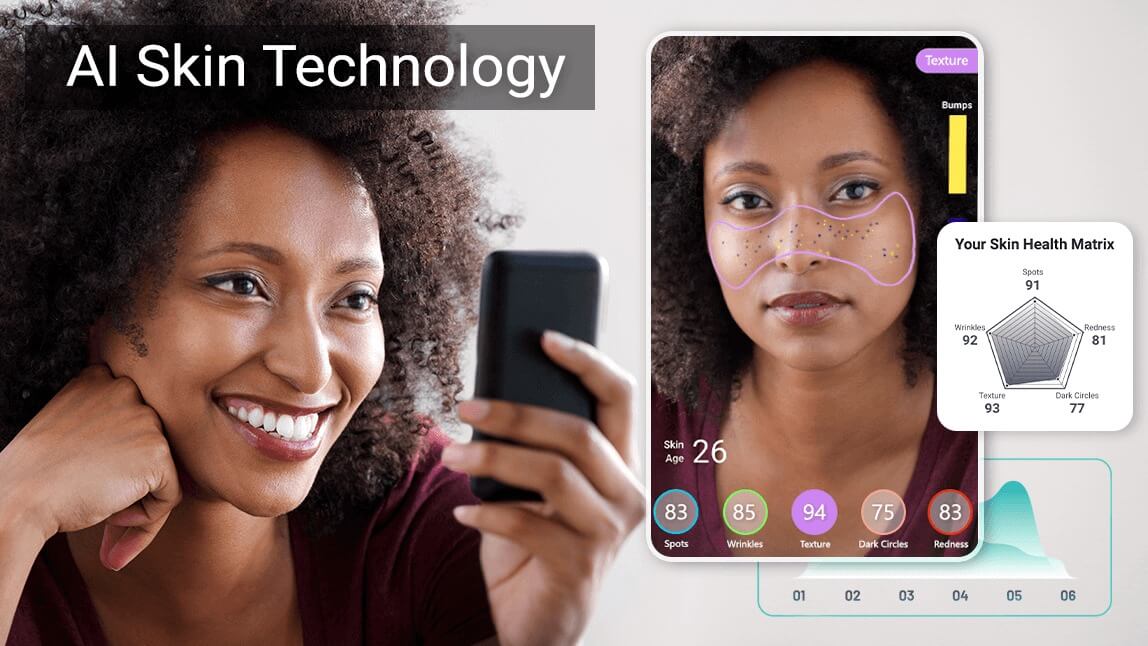
 Author:


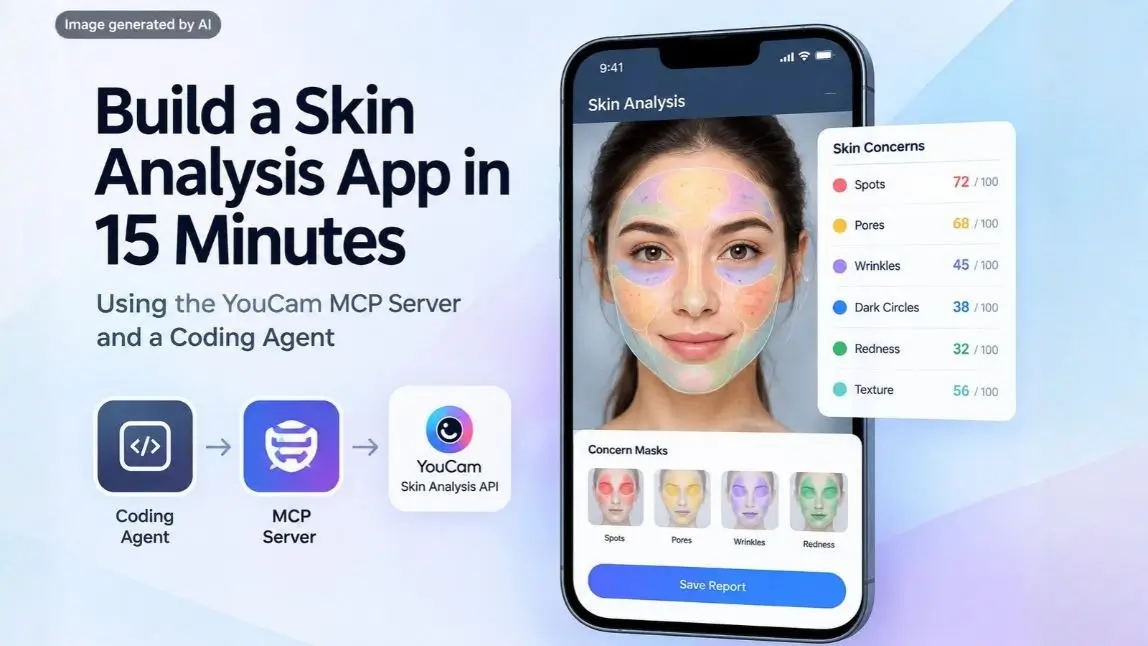
The gap between wanting a skin analysis feature and shipping one used to be measured in quarters. You needed dermatologist labelled training images, a model, an inference pipeline and someone who understood why the same face scores differently under a ring light. That work is now a dependency you install. With the YouCam MCP server connected to a coding agent, a working skin analysis app is roughly a fifteen minute build, and the Skin Analysis API does the part that used to need a research team.
This is the build walkthrough, including the configuration that actually works, the response shape your agent needs to understand, and the four things coding agents reliably get wrong on this particular API.
What this guide covers
What Are You Actually Building?
A mobile friendly web app that takes a selfie from the camera or an upload, sends it to the skin analysis API, and returns per concern scores from 1 to 100 with mask overlays showing where each concern sits on the face. Add a history view and the same app tracks change over time.
The reason this is a fifteen minute build rather than a fifteen week one is that the hard part is behind an API call. What you are writing is capture handling, an async polling loop, a scores view and a mask compositing layer. All four are things a coding agent is good at, provided it knows the response contract, which is what the MCP server gives it.
Watch the full video here:
Why Is Skin Analysis Hard to Build Yourself?
Three reasons, and they are worth stating because they are also the reasons the API is worth paying for.
- Labelled data. A usable model needs a large set of images scored by dermatologists across every skin tone, age and lighting condition. Collecting it is a multi year programme with a regulatory surface of its own.
- Calibration, not detection. Finding a pore is a vision problem. Deciding that this face's pore condition is a 62 rather than a 71, consistently, against professional assessment, is a calibration problem. The second one is where the work is.
- Compliance. Facial images for skin assessment carry data handling obligations. The YouCam API is GDPR compliant and its skin features are HIPAA aligned, which is a position that takes real effort to reach from scratch.
None of that is work you want on your critical path if the thing you are actually building is a product experience.
What Is an MCP Server, and Why Use One for a Skin Analysis API?
The Model Context Protocol is a standard way for an AI coding agent to call external tools. Instead of your agent guessing at an API from whatever it absorbed during training, the MCP server advertises the available tools, their parameters and their return shapes at runtime.
For this API that distinction matters more than usual, because the two things agents get wrong from memory are exactly the two things MCP fixes.
| Without MCP | With MCP |
|---|---|
| The agent invents endpoint names and parameter shapes | Tool definitions arrive at runtime, so the call is correct on the first attempt |
| The agent writes a synchronous call and the app hangs | Task polling is handled by the client, which already implements the request and response serialization |
| You paste docs into the context window | The agent queries the tools it needs, when it needs them |
| Concern names are guessed and 400s come back | Valid concern names are enumerated by the tool schema |
| You discover costs after the bill | Get_Feature_Cost is callable before you run anything |
There are three YouCam MCP servers, split by domain. For this build you only need the first.
| Config name | Covers | Endpoint |
|---|---|---|
| youcam-beauty | Skin analysis, skin simulation, skin type, hair, makeup, face attributes | https://mcp-api-01.makeupar.com/mcp/beauty |
| youcam-fashion | Clothes, shoes, jewelry and accessory try on | https://mcp-api-01.makeupar.com/mcp/fashion |
| youcam-creators | Image and video generation, background and object editing | https://mcp-api-01.makeupar.com/mcp/creators |
How Do You Connect the Skin Analysis API MCP Server?
Get an API key first, from the API console at yce.perfectcorp.com/api-console. Then configure your client. Authentication is a bearer token in the Authorization header in every case.
Cursor, VS Code, and any HTTP capable client
Add the server to your mcp.json:
{
  "mcpServers": {
    "youcam-beauty": {
      "url": "https://mcp-api-01.makeupar.com/mcp/beauty",
      "headers": {
        "Authorization": "Bearer YOUR_API_KEY"
      }
    }
  }
}
In Cursor that goes in Settings, then Tools and MCP, then Add Custom MCP, and you enable the tools you want under Installed MCP Servers. In VS Code Copilot, run MCP: Add Server, choose HTTP, and supply the URL plus the Authorization header.
Claude Desktop
Claude Desktop needs Node and npm, and bridges to the HTTP endpoint through mcp-remote. Edit claude_desktop_config.json under Settings, then Developer:
{
  "mcpServers": {
    "youcam-beauty": {
      "command": "npx",
      "args": [
        "-y",
        "mcp-remote",
        "https://mcp-api-01.makeupar.com/mcp/beauty",
        "--header",
        "Authorization:${AUTH_HEADER}"
      ],
      "env": {
        "AUTH_HEADER": "Bearer YOUR_API_KEY"
      }
    }
  }
}
Restart the app afterwards. Verify by checking that the YouCam API MCP service appears as a selectable tool provider in your client. If it does not, the usual cause is a stale process rather than a bad config, because the configuration is static and a changed key requires a client reload.
One operational note that bites teams later. Keep the key in an environment variable or a secret manager, not in a committed config file, and give staging and production separate keys so you can read unit consumption per environment.
What Does the Skin Analysis API Return?
This is the section worth reading before you prompt anything, because almost every agent mistake downstream comes from not knowing the response contract.
Concerns and diagnostics
You request concerns by name in dst_actions. There are 16 concern names, and they expand into 28 scored diagnostics once region level sub scores are counted, which is where the figure of 28 skin diagnostics across 16 skin concerns comes from.
| Concern group | Returned as | Note for your UI |
|---|---|---|
| Single value concerns | redness, oiliness, age_spot, radiance, moisture, dark_circle, eye_bag, droopy_upper_eyelid, droopy_lower_eyelid, firmness, tear_trough, texture, acne | One score each. Safe to render as a flat list |
| pore | forehead, nose, cheek, and whole | Region scores are the interesting ones. A single pore number hides the T zone story |
| wrinkle | forehead, glabellar, crowfeet, periocular, nasolabial, marionette, and whole | Seven values. Do not collapse these into one bar |
| skin_type | whole, t_zone, and u_zone | The zone split is what distinguishes combination skin from oily |
Scores
Each result carries a raw_score as a float from 1 to 100 and a ui_score as an integer from 1 to 100. They are not the same number. The ui_score is adjusted for user facing presentation, and the raw_score is what you store if you intend to compare scans over time. Higher means healthier looking skin in every category, which is the opposite of what most people assume on first read, so label your UI explicitly. There is also an overall score and an AI estimated skin_age.
Masks, not heatmaps
The API returns detection masks as PNGs whose alpha channel you blend onto the original photo. Each concern gets its own mask by default. Set enable_mask_overlay in miniserver_args and you get one blended image instead. Results come back as a ZIP containing a skinanalysisResult folder with score_info.json and the mask PNGs, and they are retained for 24 hours.
Capture requirements
| Requirement | Value | Error if violated |
|---|---|---|
| Format and size | JPG, JPEG or PNG, under 10 MB | error_exceed_max_image_size |
| Minimum short side | 480 px for SD, 1080 px for HD | error_below_min_image_size |
| Face width | More than 60 percent of image width, ideally 60 to 80 percent | error_src_face_too_small |
| Framing | Front facing, neutral expression, mouth closed, eyes open | error_src_face_out_of_bound |
| Lighting | Even, no motion blur, no occlusion | error_lighting_dark |
| Preparation | Glasses off, forehead clear of hair, makeup removed where possible | No error, just worse scores |
Build those five error codes into your capture UI as specific messages from the start. An app that says "something went wrong" when the real problem is that the user is standing in front of a window is an app people abandon on the first attempt.
What Prompts Build the App?
With the MCP server connected, the build is a short sequence of prompts rather than one long specification. Keeping them separate matters, because an agent given the whole app in one prompt tends to stub the async handling and you find out at test time.
| Step | What to ask for | Why separately |
|---|---|---|
| 1. Discovery | Ask the agent to list the skin analysis tools on the connected MCP server and describe their parameters | Confirms the connection and loads the real contract into context |
| 2. Scaffold | A mobile first single page app with camera capture and file upload, no analysis yet | Camera permissions and mobile layout are their own problem. Solve them clean |
| 3. The call | Wire up upload, request all available concerns, poll until the task completes, handle the error codes | This is the step that needs the agent's full attention |
| 4. Scores view | Render each concern with its score, grouped, with region sub scores nested under pore, wrinkle and skin type | Forces the agent to respect the nested response shape |
| 5. Masks | Composite the mask PNGs over the original photo with a toggle per concern | Alpha blending is where visual bugs hide |
| 6. Test on real faces | Run it on actual photos in actual lighting, not a stock image | Half the bugs only appear with a real camera on a real phone |
A prompt worth copying for step three, because it closes the three gaps an agent usually leaves open: ask it to treat the analysis as an asynchronous task, to surface each documented error code as its own user facing message, and to store raw_score alongside ui_score rather than only the display value.
What Does the Coding Agent Usually Get Wrong?
These four come up almost every time, and all four are cheap to prevent and annoying to debug.
| Mistake | What you see | The fix |
|---|---|---|
| Treating the call as synchronous | The request returns a task_id and the UI shows an empty result or hangs | Poll task_status until success or error. The create call only ever returns an identifier |
| Mixing SD and HD concerns in one request | A 400 InvalidParameters that looks like an auth problem | Pick one tier per request. They cannot be combined |
| Storing only ui_score | Progress tracking produces noisy, non comparable numbers later | Persist raw_score too, with the capture conditions |
| Inverting the score direction | The UI congratulates the user on a high wrinkle score | Higher is healthier in every category. Label it in the interface |
| Flattening the nested concerns | One pore bar and one wrinkle bar, losing eleven sub scores | Render regions. They are the most useful part of the payload |
| Generic error handling | Every failure reads "analysis failed", users retake badly lit photos forever | Map the five documented capture errors to specific guidance |
The second row deserves a note. A mixed SD and HD request fails in a way that reads like a credential problem, so the usual debugging instinct sends you to the API key first. Check your concern list before you check your token.
How Do You Add History and Progress Tracking?
This is the feature that converts a demo into something people reopen, and it is maybe three minutes of additional prompting. It is also where a naive implementation produces results that are quietly meaningless.
Storing scores is the easy half. The hard half is comparability, because skin analysis is sensitive to capture conditions, and a score difference between two scans taken under different light tells you about the rooms rather than the skin.
| Build this | Why |
|---|---|
| Persist raw_score, not ui_score | The display value is adjusted for presentation and is the wrong basis for a delta |
| Store capture metadata with every scan | Time of day, device, and whether flash fired. You will need it to explain outliers |
| Show a guide overlay on retake | Matching framing between scans removes a large share of the noise for free |
| Set a minimum interval between meaningful comparisons | Moisture moves in days, texture in weeks, pigment in months. A daily delta is mostly noise |
| Surface the trend, not the single delta | Three scans in a direction is a signal. Two scans is a coin flip |
| Keep your own copy of the results | API results are retained for 24 hours, so anything you want in a history view has to be persisted by you |
The last row is the one that catches people. If your history feature stores a URL rather than the data, it works perfectly on the day you build it and is empty the following week.
How Much Does It Cost to Run?
Each feature consumes units, and the MCP server exposes Get_Feature_Cost so you can check the cost of a call before you make it. Build that check into your development loop rather than discovering consumption at the end of a test session.
Two practical points. Units are consumed only when a task succeeds, so the failed captures during development are not billable, which makes thorough error path testing cheap. And requesting every concern in one call is more efficient than several narrow calls, so decide your concern list by what the UI shows rather than by what feels minimal.
You can also test behaviour against real images in the YouCam API Playground before writing any integration code at all, which is the cheapest way to find out whether the scores behave the way your product assumes.
When Should You Skip MCP and Call the REST API Directly?
MCP is a development accelerator, not a deployment architecture. The distinction matters.
| Use the MCP server when | Call the REST API directly when |
|---|---|
| You are prototyping with a coding agent | You are shipping a production backend |
| You want the agent to know the real contract | You need explicit control over retries, timeouts and backoff |
| You are exploring which concerns matter for your product | Your concern list is settled |
| You are building internal tools or demos | You need your own queue, rate limiting, and observability |
| You want a working app today | You are handling user images under your own retention policy |
The realistic path for most teams is both. Prototype through MCP, confirm the product logic against real faces, then port the settled call pattern into your own service layer. The agent has already written most of that code by then, which is the actual time saving.
What Can You Ship on Top of This?
| Product | What the scores drive |
|---|---|
| Skincare routine recommender | Route products on the concern combination rather than on a single headline score |
| Progress tracker for a brand app | Repeat scans give customers evidence a routine is working, and give you retention |
| In store or counter consultation tool | A tablet flow that gives staff an objective starting point for the conversation |
| Clinic or med spa intake | A consistent baseline before treatment, and a comparable scan after |
| Quiz or lead capture experience | Higher completion than a questionnaire because the result feels earned |
| Internal QA for product claims | Measure change across a panel under controlled capture conditions |
If you want the scoring logic behind the recommendations rather than the integration mechanics, our guide to turning skin scores into plain language advice covers that side, and the AI Skin Analysis product page covers what the engine measures. Perfect Corp works with 800+ brand partners on experiences of this kind, and the skin analysis demo has live examples.
Skin Analysis API and MCP FAQ
What is the YouCam MCP server?
An HTTP Model Context Protocol server that exposes YouCam API features as tools a coding agent can call directly. There are three, split by domain, and skin analysis lives on the beauty server at mcp-api-01.makeupar.com/mcp/beauty.
Do I need an MCP server to use the skin analysis API?
No. The REST API works on its own and is the right choice for production. MCP is for development speed, letting an agent discover the real tool contract instead of guessing at it, and most teams prototype through MCP and then port to direct calls.
How do I connect the MCP server to Claude Code or Cursor?
Add an entry to your mcp.json with the endpoint URL and an Authorization header carrying Bearer plus your API key. Claude Desktop is the exception and bridges through npx mcp-remote, because it needs a local command rather than a remote URL.
How long does it take to build a skin analysis app?
Around fifteen minutes for a working prototype with capture, analysis, scores and mask overlays, if the MCP server is connected and you prompt in stages. Production hardening, retention policy and your own service layer are a separate piece of work.
How many skin concerns does the API return?
16 concern names, which expand into 28 scored diagnostics once the region level sub scores under pore, wrinkle and skin type are counted. Each returns a raw score and a UI score from 1 to 100.
Does the skin analysis API return heatmaps?
It returns detection masks as PNGs, which you blend onto the original image using their alpha channel. Request one combined image instead by enabling mask overlay in the request arguments.
Why am I getting a 400 InvalidParameters error?
The two usual causes are an invalid concern name and mixing SD and HD concerns in a single request, which is not allowed. Check the concern list before the API key, because the error reads like an authentication failure.
Should I store the raw score or the UI score?
Both, and compare on the raw score. The UI score is adjusted for user facing presentation, so a delta calculated from it is not a reliable measure of change over time.
How long are results available?
24 hours after the task completes. Anything your app needs to show later, including a history or progress view, has to be persisted on your side.
Is the skin analysis API compliant for handling facial images?
The YouCam API is GDPR compliant and its skin features are HIPAA aligned. Your own application still needs its own retention and consent policy, since compliance of the API does not transfer automatically to whatever you build on top of it.
Ship the Feature, Not the Model
The interesting work in a skin analysis product was never the scoring. It is the capture flow, the way results are explained, and whether a second scan two weeks later tells the user something true. Connecting the MCP server moves the scoring to a dependency and puts your fifteen minutes where the product actually lives. Prompt in stages, respect the async contract, store the raw scores, and map the capture errors to real guidance, and the prototype you have at the end of the session is the one worth hardening.
Get a free API key and test the skin analysis API in the YouCam AI Playground, read the MCP documentation for the full tool list, or contact Perfect Corp to talk through a production integration.