


 Author:
 ![Use Claude AI for Video Creation: No Code, 1 Prompt [2026]](https://plugins-media.makeupar.com/smb/blog/post/2026-08-06/webp_b8b3529a-59dc-48ca-8eea-2eea902318bb.jpg)
Type "claude video generation" into Google and you will get a pile of MCP connectors, model round ups, and "best of" lists. Here is the short version: Claude does not generate video on its own. But if you give it one clear prompt, and it will build you a working video creation tool in a few minutes, no coding required.
That is what we are doing today. We will use Claude Cowork and the YouCam AI Video Generator API to turn a single photo into a moving video, with built-in motion templates and your own custom text prompts. One prompt to build it, one free API key to run it, and a batch tool that lives on your own computer.
Three steps. Let's go.
Step 1: Ask Claude to Build Your Video Creation Tool
Open Claude Cowork and paste in the prompt below.
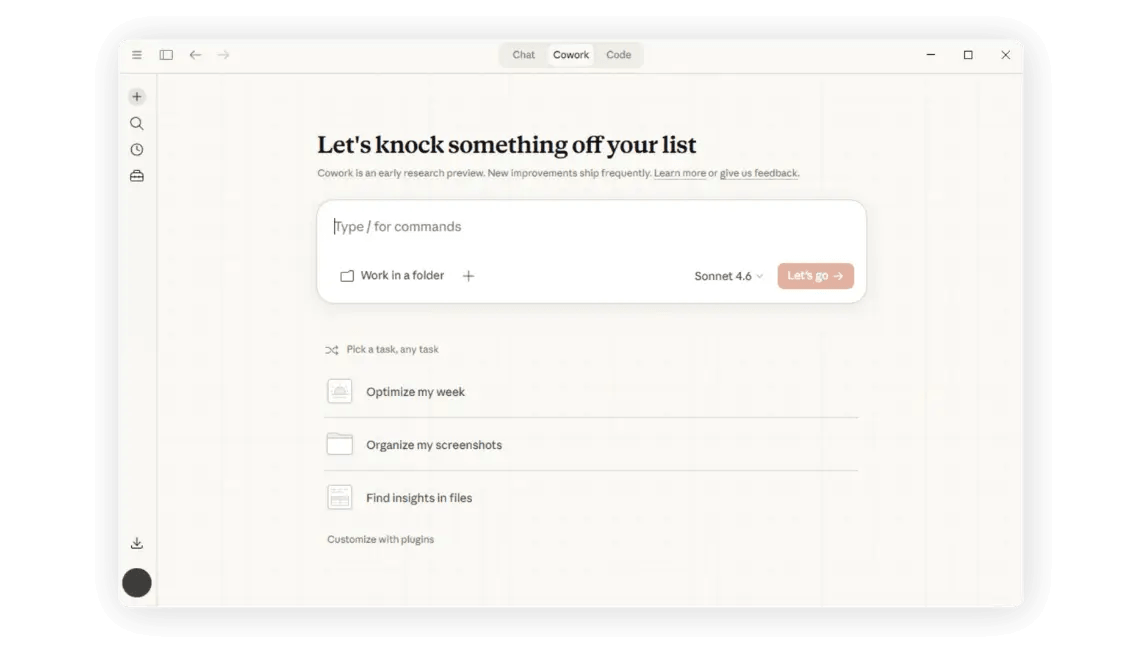
Claude will build a small local web tool where you upload one photo, pick one or more motion styles, and generate several video variations from that single image in one batch.
Paste the prompt, hit enter, and let Claude do the engineering.
Here's the prompt, copy the whole thing:
YouCam AI Video Generator (local tool)
Batch AI video generation using Perfect Corp's YouCam API (text-to-video). Runs entirely on your own machine — your API key never touches disk.
Run it
- macOS: double-click
start-mac.command. - Windows: double-click
start-windows.bat. First run installs dependencies automatically (using a project-local npm cache), then openshttp://localhost:3939in your browser.
Use it
- Paste your YouCam API key into the field at the top.
- Add up to 10 prompts (click the prompt box or paste a list, one prompt per line).
- Pick a clip length — 5s or 10s — and an aspect ratio: 16:9 (YouTube), 9:16 (TikTok / Reels), or 1:1 (Instagram).
- Click Generate batch. Each prompt gets its own card with a spinner, then the generated video and a full-size download link. Up to 3 prompts process at once — video generation takes longer than image generation, so a batch of 10 can take a few minutes; if one fails, the rest keep going.
Notes
- The browser only talks to the local server at
localhost:3939; the local server proxies requests toyce-api-01.makeupar.comserver-side (the API is server-to-server and blocks direct browser calls with CORS errors). - Your API key is held in a JS variable in the browser and sent per-request via the
Authorization: Bearerheader. The server never writes it to disk or logs it. - Generation is asynchronous — the tool creates a task via
POST /s2s/v2.0/task/text-to-video, then pollsGET /s2s/v2.0/task/text-to-video/{task_id}until each clip finishes rendering.
Prompt ends --------------
Step 2: Grab Your Free YouCam API Key (and 40 Free Credits)
The tool runs on the same engine behind YouCam's online AI Video Generator. To use it, head to the YouCam AI API page, sign up, and claim your 40 free credits, yours the moment you register.
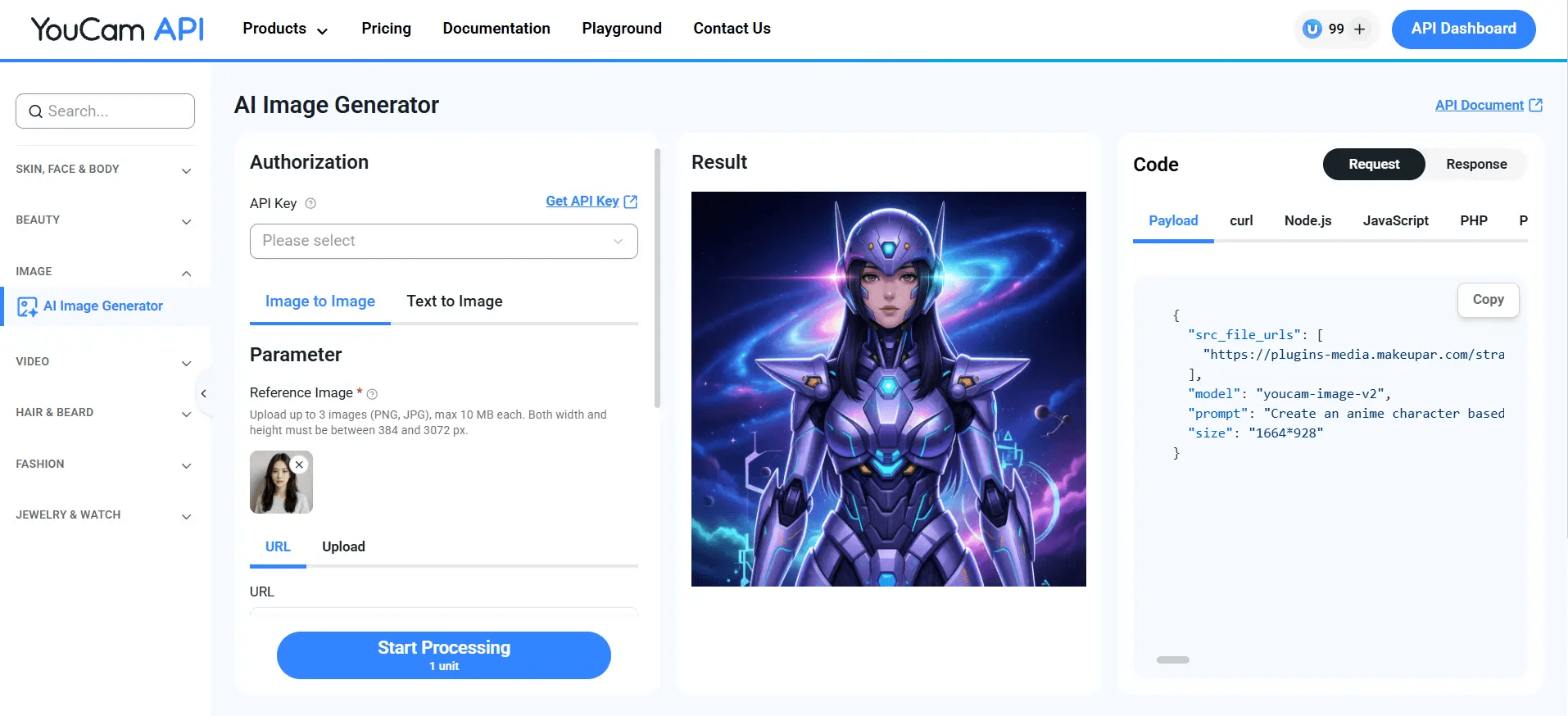
No credit card gymnastics required.
Copy your API key from the dashboard. The tool never saves it, it lives only in your browser session and is sent securely with each request.
Step 3: One Photo In, Several Videos Out
Back in your local tool:
- Paste your API key at the top.
- Upload your photo. A thumbnail preview appears.
- Pick your motion styles. Tick Dance, Hug, or Kiss for ready-made templates, or check Custom and type your own motion in plain English, something like "camera pans left, hair moves in the wind."
- Click the button. Each style gets its own card with a spinner, then its own finished clip, playable right there, with a full-size link. Three styles process at a time, and if one fails, the rest keep going.
One photo, several finished videos, zero re-uploads. That is the whole batch, testing four motion ideas at once instead of four separate rounds of "generate, wait, download, repeat.
Is This the Same as Claude "Generating" a Video?
Worth being precise here, since this trips a lot of people up. Claude itself does not render pixels or frames. What it does in this workflow is read the API's rules, write the server code, wire up the upload and polling logic, test it, and hand you a working tool.
The actual video generation, the motion, the frames, the rendering, happens on YouCam's video-generator engine once your tool calls it.
Output Limits
| Spec | Limit |
|---|---|
| Source photo format | JPG or PNG |
| Source photo size | Up to 10MB |
| Output format | MP4 |
| Output length | Up to 10 seconds |
| Output resolution | Up to 1080p |
FAQ: Claude AI Video Generation
Can Claude generate videos on its own?
No, not natively. Claude reads text and images and writes code, it does not render video frames by itself. What it can do very well is build the tool that calls a video generation API for you, which is exactly the workflow above: one prompt, and Claude wires up the whole pipeline.
Is Claude AI video generation free?
Building the tool with Claude Cowork costs nothing beyond your existing Claude access. Running it uses YouCam API credits, and you get 40 free credits just for signing up, enough to generate a solid first batch of clips.
What's the best way to generate video with Claude?
Connect Claude to a video generation API, either through a general-purpose MCP connector or, as shown here, a direct API with a one-time prompt that builds you a dedicated local tool.
Do I need to know how to code?
No. Claude Cowork builds the entire tool from the prompt above. Your job is copy, paste, upload a photo, and pick a motion style. If you can code, the YouCam API also plugs directly into your own apps.
How is this different from Sora, Veo, or Kling?
YouCam's Video Generator API is purpose-built for turning a single photo into short, templated motion clips (or custom-prompted ones), with a workflow tuned for speed and batch output rather than long-form cinematic generation.
Is my photo and API key safe?
Yes. The tool runs entirely on your own machine. Your key lives in a browser variable, gets sent per-request via a secure header, and is never written to disk or logged. Photos are sent straight to YouCam's API, with no third-party site in between.
What if something doesn't work?
Reach out, contact the Perfect Corp. team and we'll help you get your video workflow running.



