 Author:


How Does Beauty Brands Begin the Journey of Agent to Agent?
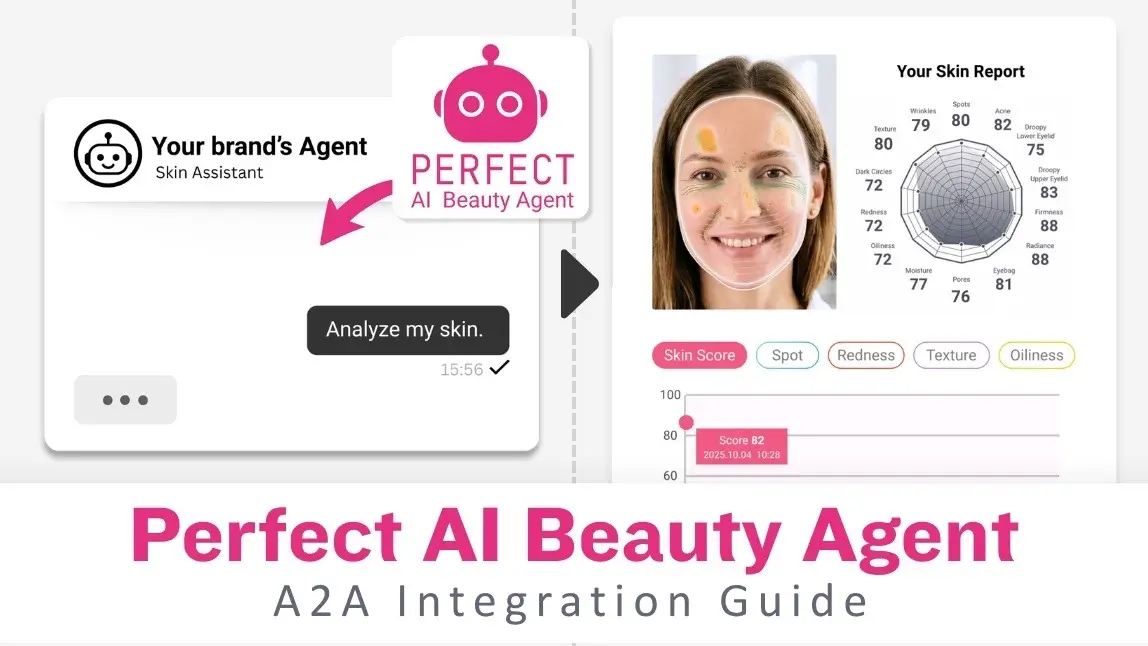
Perfect AI Beauty Agent is a brand-isolated, ready-to-invoke AI agent built by Perfect Corp. In an Agent-to-Agent (A2A) setup, your agent acts as the host — it receives the user's request, delegates beauty tasks via a SKILL.md interface, and returns the result. Your agent retains full conversational control; Perfect AI Beauty Agent contributes the beauty intelligence.
Why Not Just Use a Generic LLM?


Why Not Just Use a Generic AI Agent in Agent-to-Agent (A2A) Workflows?
Note: This guide covers Phase 2 (Agent Skill interface). Details subject to change before GA.
Architecture of the Agent-to-Agent (A2A) Flow
The flow has two sides:
- Client side — End User → Brand Website/App → Client AI Agent loads SKILL.md → invokes Perfect AI Beauty Agent. Image input (selfie / live camera) is captured via Perfect CameraKit or the device's native camera.
- Perfect Corp side — Perfect AI Agent routes through: LLM (OpenAI or LLM of choice) for intent understanding → RAG for brand knowledge, SKU, and recommendation logic (sourced from Perfect Console) → Services Catalog for execution.
brand_id.
Nothing crosses brand boundaries.
Intents & Available Capabilities in Agent-to-Agent (A2A) Systems

Each capability is exposed as a named intent. Your host agent registers these as tools. The agent runtime selects and invokes the correct intent based on the user's request.
| Intent | Trigger example | Required input | Response includes |
|---|---|---|---|
| skin_analysis | "Analyze my skin" / "Help with skincare" | brand_id + image (CameraKit) | Skin type, concern scores, full report, SKU picks |
| product_recommendation | "Recommend a serum for dark spots" | brand_id + concern or analysis_id | Ranked SKU list with match scores and reasons |
| try_on | "Let me try this lipstick" | brand_id + sku_id + mode | AR session token or rendered try-on image |
| beauty_consultation | "What foundation suits oily skin?" | brand_id + prompt | Natural language response grounded in brand RAG |
Agent-to-Agent (A2A) Request & Response
4.1 Request — Input Fields
| Field | Type | Required | Description |
|---|---|---|---|
| intent | string | Yes | Capability to invoke: skin_analysis | product_recommendation | try_on | beauty_consultation |
| brand_id | string | Yes | Your brand namespace. Scopes all SKU, RAG, and history data to this brand. |
| prompt | string | Yes | User's natural language query or instruction. |
| image | base64 / URL | Conditional | Required for skin_analysis and try_on. Selfie or product image, captured via Perfect CameraKit. |
| sku_id | string | Conditional | Required for try_on. Product SKU from the brand's catalogue. |
| mode | string | No | For try_on: live_camera (default) or photo. |
| context | object | No | Prior conversation turns or a previous analysis_id to chain results. |
4.2 Response — Output Fields
| Field | Type | Required | Description |
|---|---|---|---|
| message | string | Always | Natural language reply ready to surface to the end user. |
| image | URL / base64 | Conditional | Returned for skin_analysis (annotated report) and try_on (rendered result). |
| data | object | Conditional | Structured payload — skin scores, SKU list with match scores, concern breakdown. |
| intent_handled | string | Always | Echo of the intent that was executed. Use for logging and chaining. |
| analysis_id | string | Conditional | Returned by skin_analysis. Pass into product_recommendation for a chained personalized flow. |
4.3 Example: Chained Flow (Skin Analysis → Recommendation)
# Step 1 — Host agent sends skin analysis request{"intent": "skin_analysis",
  "brand_id": "acme-beauty",
  "prompt": "Help me with my skincare routine.",
  "image": "<base64 selfie from CameraKit>"}# Step 1 — Perfect AI Beauty Agent response{"intent_handled": "skin_analysis",
  "message": "Your skin type is Normal. Top concerns: Moisture (mild), Dark Circles (mild).",
  "image": "<annotated skin report URL>",
  "analysis_id": "ana_abc123",
  "data": {"skin_type": "Normal",
    "concern_scores": { "moisture": 68, "dark_circles": 72 }}}# Step 2 — Host agent chains into recommendation{"intent": "product_recommendation",
  "brand_id": "acme-beauty",
  "analysis_id": "ana_abc123",
  "prompt": "Suggest serums for my top concerns."}# Step 2 — Perfect AI Beauty Agent response{"intent_handled": "product_recommendation",
  "message": "Based on your skin report, here are 2 serums for moisture and dark circles.",
  "data": {"recommendations": [{ "sku_id": "SERUM-VC01", "name": "Vitamin C Serum", "match_score": 0.94, "reason": "Targets dark circles and hyperpigmentation" },
      { "sku_id": "SERUM-HA02", "name": "Hyaluronic Acid Serum", "match_score": 0.89, "reason": "Deep hydration for moisture-deficient skin" }]}}
SKILL.md — Manifest Reference
Drop the skill folder into your agent's skills directory. Your agent reads SKILL.md at startup, registers the intents as callable tools, and selects the correct one automatically based on user intent.
Folder Structure
perfect-ai-beauty-agent/
├── SKILL.md                  # manifest — capabilities, auth, data isolation
├── references/
│   ├── intent-schemas.md     # full input/output field definitions
│   └── brand-onboarding.md   # brand setup checklist
└── assets/
    └── arch-overview.md      # A2A architecture notes
Key Frontmatter Fields
---
name: perfect-ai-beauty-agent
description: >
  Invoke Perfect AI Beauty Agent for skin analysis (CameraKit),
  skincare product recommendations, virtual try-on, or beauty consultation.
  Brand-scoped: all data partitioned by brand_id.
  Trigger: skin analysis, skincare advice, product recommendation,
  virtual try-on, beauty consultation, skin score, CameraKit.
license: Proprietary — contact api-support@perfectcorp.com
metadata:
  author: Perfect Corp RD
  version: 0.1-draft
---
Step-by-Step Setup & Onboarding for Agent-to-Agent (A2A) Systems
Provision a Brand API Key
Log in to the Perfect Console → Settings → Integrations → Agent Skill. Generate a Brand API Key. Note your brand_id — required on every API call.
Add the skill to your agent
Clone or download the perfect-ai-beauty-agent/ folder. Place it in your agent's skills directory. Your agent will discover and register the intents at startup.
Configure CameraKit (for image-based intents)
Initialize the Perfect CameraKit SDK in your host app. CameraKit handles selfie capture for skin_analysis and live AR rendering for try_on. Sessions are token-scoped and ephemeral.
Import SKUs and looks via Perfect Console
In the Perfect Console, import your brand's makeup SKUs, skincare products, and looks. These populate the SKU catalogue and are automatically linked to recommendation and try-on intents.
Test brand isolation
Make a test call with your brand_id. Verify that only your brand's products appear in recommendations. Confirm a request with an unrelated brand_id returns a 403.
Error Codes & How to Handle
| Code | Name | When it occurs / how to handle |
|---|---|---|
| 400 | Bad Request | Missing required field (intent, brand_id, or image where needed). Check request payload. |
| 401 | Unauthorized | Invalid or missing Brand API Key. Verify the key in Perfect Console. |
| 403 | Forbidden | brand_id in request does not match the API key's authorized brand. Cross-brand access denied. |
| 404 | SKU Not Found | sku_id not found in the brand's catalogue. Verify SKU is imported in Perfect Console. |
| 415 | Unsupported Image | Image format not supported or resolution too low. Use JPEG/PNG, min 480×480 px. |
| 429 | Rate Limit Exceeded | Too many requests. Implement exponential backoff. Contact support to raise quota. |
| 503 | Service Unavailable | CameraKit session or downstream model temporarily unavailable. Retry with backoff. |
Ensuring Data Isolation & Security in Agent-to-Agent (A2A) Workflows
- brand_id is required on every request. All SKU catalogues, RAG corpora, recommendation rules, and user history are partitioned by
brand_idat the data layer. - API Keys are brand-scoped. A key issued for brand A cannot access brand B's data — requests return
403. - CameraKit sessions are ephemeral and token-scoped. No video frames or images are retained server-side after the session closes.
- user_id is an opaque token. No real PII is required or stored. Brands opt in to persistent user history — disabled by default.
- API Keys can be rotated any time from the Perfect Console. Old keys are revoked immediately on rotation.