Author:


Buying an engagement ring used to mean a jeweler, a velvet tray, and a lot of guessing. Now you can try on virtual engagement rings from your couch, in about ten seconds, using nothing but a phone camera or a single photo of your hand. The catch is that not every virtual try-on is built the same. Some render a diamond that behaves like a real diamond. Others paste a flat sticker on your finger and hope you do not zoom in. This guide breaks down every way to try rings on virtually, which methods are actually accurate, what the technology is doing behind the glass, and how jewelry brands build these experiences into their own storefronts.
Table of Contents
- What Does It Actually Mean to Try On Virtual Engagement Rings?
- How Do You Try On Virtual Engagement Rings Right Now?
- Which Virtual Try-On Method Is Most Accurate?
- How Do You Try On a Virtual Engagement Ring Step by Step?
- What Makes a Virtual Ring Actually Look Real?
- Can Virtual Try-On Tell You Your Ring Size?
- Why Does Your Virtual Engagement Ring Look Wrong?
- What Should You Compare When Trying On Rings Virtually?
- Virtual Try-On, Ring Simulator, or 3D Configurator: What Is the Difference?
- How Do You Try On Virtual Engagement Rings for a Surprise Proposal?
- What Are the Limits of Virtual Engagement Ring Try-On?
- Which Jewelers Offer Virtual Engagement Ring Try-On?
- How Do Jewelry Brands Build Their Own Virtual Ring Try-On?
- Virtual Engagement Ring Try-On FAQs
What Does It Actually Mean to Try On Virtual Engagement Rings?

Want to see the difference for yourself? Try a ring on your own hand in the live demo, no app or download needed.
A virtual engagement ring try-on is a digital experience that places a photorealistic 3D or 2D ring model onto your hand so you can see how it looks before you buy. Two things separate a good one from a gimmick. First, the ring has to sit on your finger, not float above it, which means the software has to understand where your finger is in three dimensions. Second, the metal and the stone have to react to the light in your actual room.
That is a much taller order than it sounds. A diamond is not a color. It is a light behavior. A yellow gold band picks up the warmth of your kitchen lamp. A platinum band goes cool and blue near a window. If the render ignores all of that, your brain notices immediately, even if you cannot articulate why.
The category also splits into two very different jobs that people constantly confuse:
- Style visualization. Does this setting suit my hand? Is the halo too much? Does the band width overwhelm my finger?
- Size measurement. What number ring do I actually wear?
Most free tools do the first and pretend to do the second. Only a handful genuinely do both, and we will get into why later.
How Do You Try On Virtual Engagement Rings Right Now?
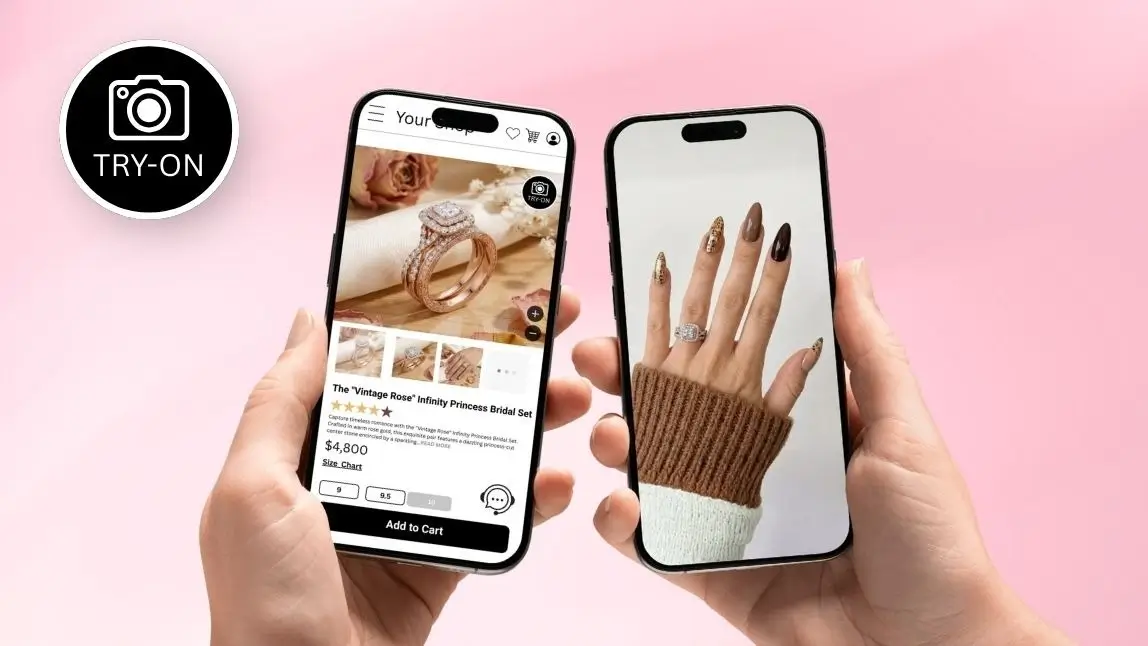
All three routes in one place: the Perfect Corp ring try-on demo runs in your browser and lets you flip between 3D and 2D modes.
There are three practical routes, and they suit different moments. Here is what each one actually feels like to use.
Method 1: Live AR Try-On Through Your Camera

Turn on your camera and swap settings live, exactly as shown here.
You open a jeweler's product page on your phone, tap a try-on button, and grant camera access. Your hand appears on screen. The ring appears on your finger. You move your hand, and the ring moves with it, staying anchored as you rotate your wrist. You tap a different setting and it swaps instantly.
This is the closest digital equivalent to the velvet tray. The best implementations track your finger frame by frame, so the ring stays put at any angle, and they render the stone using real lighting math rather than a static sparkle graphic. Perfect Corp's AR Virtual Ring Try-On works this way, with no marker or printed reference card required, which used to be a standard requirement in earlier generations of ring AR.
Best for: comparing settings quickly, checking proportion on your own hand, sharing a screen recording with whoever is helping you decide.
Method 2: AI Photo Upload Try-On

Curious how a flat image stacks up against a full 3D model? The demo has a 2D mode you can compare side by side.
You upload a still photo of your hand, pick a ring, and the tool generates a composited image. No camera permission, no live tracking, works on a laptop.
Photo upload tools exploded in 2025 and 2026 because generative image models made the compositing look convincing without a full 3D pipeline. They are genuinely useful for one thing: producing a shareable image. The limitation is that you are seeing one frozen angle under one lighting condition, and generative models sometimes invent details that are not in the actual product, like an extra row of pavé or a slightly different prong count. If you are about to spend four figures, that matters.
Best for: a quick vibe check, a social post, or trying a style you cannot find in a live AR catalog.
Method 3: In-Store Tablets and Virtual Appointments

This is the same experience a store tablet runs. Open the demo store and try it from wherever you are.
Plenty of jewelers now run the same try-on software on a store tablet, or over a video appointment where a consultant drives the interface while you watch. It sounds redundant when you are already in a store, but it is not. A boutique cannot physically stock every setting in every metal in every carat weight. The tablet closes that gap, and the associate can pull up an eight-carat oval that exists nowhere in the building.
This is also the format most likely to catch sizing issues, because someone experienced is watching the hand alongside the render.
Which Virtual Try-On Method Is Most Accurate?
Accuracy is not one score. It splits into realism, sizing, and product fidelity, and the three methods rank differently on each.
| Criteria | Live AR Try-On | AI Photo Upload | In-Store Tablet |
|---|---|---|---|
| Proportion on your hand | High, seen from many angles | Medium, one fixed angle | High |
| Metal and stone realism | High with physically based rendering | Variable, model dependent | High |
| Matches the actual SKU | High, built from product 3D files | Low to medium, can invent details | High |
| Ring size measurement | Possible with auto size detection | Generally not supported | Yes, plus physical confirmation |
| Setup effort | Camera permission | One photo | Travel required |
| Shareable output | Screenshot or recording | Excellent | Limited |
Short version: if you want to know how a ring will look on your hand in real life, use live AR from the jeweler that actually sells the ring. If you want a pretty image to text to your sister, an AI photo tool is fine. Do not use the second one to make the purchase decision.
How Do You Try On a Virtual Engagement Ring Step by Step?

Follow the eight steps with a real catalog: start a ring try-on session.
The flow is nearly identical across jewelers. Here is how to get a result you can actually trust.
- Use your phone, not your laptop. Phone cameras sit closer to your hand and give the tracking more to work with. Laptop webcams are wide, soft, and badly lit.
- Find real light. Stand near a window or under a lamp with the light in front of you, not behind you. Backlighting is the single fastest way to make a rendered diamond look dead.
- Grant camera access, then hold your hand about a foot from the lens. Fingers slightly spread, palm angled naturally as if you were showing someone a ring, because that is exactly what you are doing.
- Start with the shape, not the setting. Round, oval, emerald, pear, cushion. Shape drives the whole silhouette, so lock that first before you get lost in halos and hidden accents.
- Swap the metal on your favorite shape. Same stone, yellow gold versus white gold versus platinum versus rose. This is where virtual try-on beats a physical store, because no boutique stocks all four of everything.
- Rotate your wrist and watch the stone. A well-rendered diamond changes as it moves. If it looks the same at every angle, the sparkle is a texture, not a simulation.
- Screenshot the top three, side by side. Judging one ring at a time is how everyone ends up choosing the one they saw last instead of the one they liked most.
- Run the ring sizer separately. Looks and fit are two different tools. Do both.
What Makes a Virtual Ring Actually Look Real?

Judge the rendering quality yourself. Put a diamond on your hand and look for the three things above.
Three pieces of technology decide whether you believe the image. When any one of them is missing, the ring reads as fake even if you cannot say which part is off.
Finger Detection and Tracking
Switch to multiple fingers mode in the demo and watch the rings hold position as you move.
The software has to locate the ring finger, understand its width, its angle, and its depth relative to the camera, and then hold that lock while your hand moves. Perfect Corp's AgileHand technology handles this in real time, which is why the ring does not slide down your knuckle when you turn your wrist. It also handles occlusion, meaning the band correctly disappears behind your finger where it should be hidden. Skip occlusion and you get the classic tell of cheap ring AR: a full circle of metal drawn on top of the finger like a bracelet in the wrong place.
Physically Based Rendering

Rotate your wrist in the demo and watch the stone catch light differently at every angle.
Physically based rendering, or PBR, simulates how light actually behaves when it hits a surface. It accounts for reflection, refraction, light scattering inside the stone, and the specific way brushed metal differs from polished metal. It is also what lets a ring pick up the ambient color of the room you are standing in, so a rose gold band looks warm in lamplight and neutral in daylight, exactly as it would in your hand.
Tissue Compression Emulation
A real band presses into your finger. There is a slight indentation, a small shadow, and a subtle change in the skin's contour where metal meets flesh. Tissue compression emulation reproduces that. It is the least discussed and most convincing detail in the whole stack, because it is the thing your brain checks without asking permission.
Can Virtual Try-On Tell You Your Ring Size?

Measure before you commit: run the online ring sizer, which also opens a printable size chart.
Some can, and this is the feature that separates a marketing toy from a commerce tool. Ring size is where jewelry e-commerce bleeds money, because a ring that arrives in the wrong size becomes a return, an exchange, or a resize, and all three cost the retailer.
Auto ring size detection works by establishing a real-world scale reference, usually a standard object of known dimensions such as a credit card placed beside the hand, or a calibrated camera distance, then measuring finger width against it and converting to a ring size. Perfect Corp bundles this into the same module as the try-on, so the customer measures and visualizes in one session instead of ordering a sizing kit and waiting three days.
Two honest caveats. Fingers swell and shrink with heat, salt, and time of day, so measure in the afternoon at a normal room temperature. And if the ring has a wide band, size up slightly, because wide bands fit tighter than thin ones at the same nominal size. No software fixes physiology.
Worth reading next if sizing is your sticking point: how to measure ring size online.
Why Does Your Virtual Engagement Ring Look Wrong?
If your render looks off, it is almost always one of six fixable things rather than a broken tool.
| What you see | Likely cause | Fix |
|---|---|---|
| Ring slides or jitters | Hand moving too fast or partially out of frame | Slow down, keep the whole hand visible |
| Diamond looks grey and flat | Backlighting or very dim room | Face the light source, add a lamp |
| Ring looks too big | Hand too close to the lens | Move to roughly one foot from the camera |
| Band sits on top of the finger | Occlusion not supported by that tool | Try a jeweler with 3D AR rather than a 2D overlay |
| Detection keeps dropping | Busy background or long decorated nails | Plain background, keep the finger base clear |
| Metal color looks wrong | Screen color profile or warm indoor bulbs | Check again in daylight before judging metal |
What Should You Compare When Trying On Rings Virtually?
Hold the pose steady and change one thing at a time. Line up shapes and metals back to back in the demo.
Virtual try-on is only useful if you compare like for like. Hold the hand pose, the lighting, and the angle constant, then change one variable at a time.
Diamond Shapes on Your Hand
Shape changes the entire read of a hand. Elongated shapes such as oval, pear, and marquise stretch the finger visually. Round and cushion sit compact and traditional. Emerald cuts trade sparkle for a clean architectural flash that looks larger per carat than it weighs. Try at least three shapes at the same carat weight before you decide you have a favorite, because most people are surprised.
Setting Styles and Band Width
Band width is the most underrated variable in the entire process. A half millimeter changes how delicate or substantial the ring reads, and it changes the fit. Halos add perceived carat size. Three stone settings add horizontal width. Bezels protect the stone and suit anyone who works with their hands. All of this is visible in a good try-on and invisible in a product photo shot on a hand that is not yours.
Virtual Try-On, Ring Simulator, or 3D Configurator: What Is the Difference?
See where a try-on ends and a configurator begins: flip between single ring, stacking and sizer modes.
Shoppers use these three terms interchangeably. Retailers should not, because they solve different problems and sit at different points in the funnel.
| Tool | What it shows | Question it answers | Where it belongs |
|---|---|---|---|
| Virtual try-on | The ring on your own hand | Does this suit me? | Product page, in-store tablet |
| Ring simulator or 3D viewer | The ring alone, rotatable | What is this ring actually like? | Product gallery |
| 3D configurator | A ring you assemble yourself | What could this ring become? | Design your own flow |
| Ring sizer | Your finger measurement | What size do I order? | Checkout and cart |
The strongest engagement ring experiences chain all four. A shopper configures a setting, views it in 3D, tries it on their hand, measures their finger, and adds to cart without ever leaving the page. Each step alone converts modestly. Chained together, they remove the specific doubts that stop a high-consideration purchase. More on how these fit together in 3D virtual try-on for jewelry and watches.
How Do You Try On Virtual Engagement Rings for a Surprise Proposal?
Here is the problem nobody designs for. The person buying the ring frequently cannot put it on the hand it is meant for, because the whole point is that she does not know yet. This is where virtual try-on earns its keep in a way no store visit can match.
Three approaches actually work:
- Use an existing photo of her hand. You almost certainly have hundreds. Look for a well lit shot with the hand roughly flat and fingers visible, then use a photo upload try-on. It will not be perfect, but it tells you whether a wide band overwhelms her finger or a pear shape suits her.
- Try it on a hand of similar proportions. A sister, a close friend, or your own hand if the finger width is close. Style suits hand shape more than it suits a specific person, so this gets you most of the way.
- Borrow a ring she already wears. Not for the try-on, for the sizing. A ring she wears on the same finger, measured against a printable or digital sizer, is the most reliable size signal you will get without asking her.
What to avoid: judging carat weight from a photo of someone else's hand. Finger width scales the whole illusion, and a stone that reads generous on a size 5 finger reads modest on a size 8. If you are unsure, size the stone against her existing jewelry rather than against a render.
One practical note for retailers. Surprise proposal shoppers behave differently. They browse longer, at odd hours, on mobile, and they rarely convert on the first session. Try-on sessions that let a shopper save and revisit their comparisons are disproportionately valuable for this segment, because the decision genuinely takes weeks.
What Are the Limits of Virtual Engagement Ring Try-On?
Being straight about this builds more trust than overselling it, so here is the honest list.
- You cannot feel weight. A 3 carat stone has a physical presence on the hand that no screen conveys.
- Screens are not calibrated. Your phone's color profile shifts the exact tone of champagne diamonds, morganite, and rose gold. Treat metal color as a strong indication rather than an exact match.
- Sparkle is simulated, not sampled. PBR gets remarkably close, but the specific fire of a specific stone is unique to that stone.
- Sizing is an estimate. A good one, and often within a half size, but confirm before you commit to a final resize.
- Catalogs vary. Not every SKU has a 3D model. If a style is missing from the try-on, it does not mean the jeweler cannot make it.
None of that argues against using it. It argues for using virtual try-on to narrow twenty candidates down to two, then confirming those two properly.
Which Jewelers Offer Virtual Engagement Ring Try-On?

Benchmark your own storefront against a working build: try the reference ring experience.
Virtual ring try-on has moved from novelty to expectation. Major online and omnichannel jewelers now offer some version of it, including Brilliant Earth, Blue Nile, Zales, Jared, Shane Co., Kendra Scott, VRAI, and Jean Dousset, alongside a growing set of independent designers using white label AR modules. Coverage differs in one important way: some run true 3D AR built from the product's own CAD files, while others run 2D image overlays that look fine head on and fall apart the moment you tilt your hand.
A quick way to tell which you are using: rotate your wrist ninety degrees. If the ring keeps its correct perspective and the band hides behind your finger, it is 3D. If it stays a flat circle, it is not.
The market pressure behind all of this is not subtle. The online jewelry market is projected to reach roughly $59.7 billion in 2026, around 60% of jewelry consumers now prefer to start their search on digital platforms, interactive 3D and AR content has been associated with conversion rates up to 94% higher than static product images, and session times rise by more than 40% on pages that include try-on. Perfect Corp's own jewelry deployments point the same way, with returns down by around 8% and conversion rates roughly 2.5 times higher after AR try-on is added. For a category where a single sale can carry the week, those are not marginal numbers.
How Do Jewelry Brands Build Their Own Virtual Ring Try-On?

Everything described below is live in the ring demo store, built on the same modules you would license.
If you sell rings, the build path is more straightforward than most teams expect. The heavy engineering, meaning real time hand tracking, occlusion, and light simulation, is available as a licensed module rather than something you write from scratch.
- Prepare your assets. 3D models give the richest result and support material swaps across metals and stones from a single file. High quality 2D images are a valid faster path for a first launch or a long tail catalog.
- Pick an integration surface. A web module drops into product pages across major browsers. A mobile SDK covers iOS and Android apps. An API suits custom builds and internal tools, with client support across Python, Node.js, and JavaScript.
- Add the sizer. Try-on without sizing solves half the problem and leaves the expensive half, returns, untouched.
- Enable stacking. Engagement and wedding band pairing is a real buying moment. Multi-finger and multi-ring support lets customers build the stack they will actually wear.
- Instrument it. Track try-on starts, styles compared per session, and try-on to add to cart. These become your merchandising signal for which SKUs to promote.
Perfect Corp works with 800+ brand partners across beauty, fashion, and jewelry, and the ring module runs on the same rendering and tracking stack used across those deployments. See how other categories have implemented AR commerce in the Perfect Corp showcase, or read the broader business blog for implementation patterns.
Want to test the technology before you scope a project? Try the API in our AI Playground and see the output on your own product images, or contact Perfect Corp for a demo to walk through catalog onboarding for your ring collection.
Virtual Engagement Ring Try-On FAQs
What is a virtual engagement ring try-on?
It is a digital tool that renders an engagement ring onto your hand, either live through your camera or composited onto an uploaded photo, so you can judge how a style looks on you before buying. The better versions use 3D models and real light simulation rather than flat image overlays.
How does virtual engagement ring try-on work?
The software detects your hand and locates the ring finger, estimates its width, angle, and distance from the camera, then places a 3D ring model in that position and renders it with lighting that matches your environment. It also hides the parts of the band that should sit behind your finger, which is what sells the illusion.
Is virtual ring try-on accurate?
For proportion and style, live AR from the jeweler selling the ring is very accurate, because the model is built from the actual product file. For exact metal color and the specific sparkle of an individual stone, treat it as a close approximation, since your screen is not color calibrated. AI photo tools are the least reliable for product fidelity.
Can you try on engagement rings virtually for free?
Yes. Every major jeweler offering try-on provides it free on their site, and a number of standalone AI photo tools are free or freemium. You are trading nothing but a camera permission or a hand photo.
Do you need an app to try on rings virtually?
Usually not. Most jeweler try-ons run directly in a mobile browser, so you scan a code or tap a button on the product page and the camera opens. Dedicated apps exist and can offer deeper catalogs, but they are not a requirement.
Can virtual try-on tell me my ring size?
Some can. Tools with auto ring size detection measure finger width against a known scale reference, such as a standard credit card in frame, and convert that to a ring size. Measure in the afternoon at normal room temperature, and size up slightly for wide bands.
Does virtual try-on show the real diamond size?
Relative size, yes. A 1 carat and a 2 carat oval will look correctly different on your hand if the models are built to scale. Absolute perceived size still depends on your screen and how close your hand is to the camera, so compare carat weights against each other rather than judging one in isolation.
Which jewelers offer virtual engagement ring try-on?
Brilliant Earth, Blue Nile, Zales, Jared, Shane Co., Kendra Scott, VRAI, and Jean Dousset are among the widely available options in the US, plus many independent designers using licensed AR modules. Check whether a given tool is true 3D by rotating your wrist and seeing if the perspective holds.
Can virtual try-on replace trying rings on in person?
It replaces the browsing stage extremely well and the final confirmation stage poorly. Use it to go from twenty options to two, then confirm weight, exact metal tone, and final fit with the jeweler before you commit.
Does virtual ring try-on work on every skin tone?
Well built hand tracking is trained across a wide range of skin tones and lighting conditions, so detection should be consistent. Where you may notice differences is in rendering, since metal reflects surrounding color, so try both warm and cool metals in daylight before ruling either out.
Can you try on multiple rings or stack them virtually?
Yes, with tools that support multi-finger and multi-ring rendering. This matters most for engagement and wedding band pairing, where the profile of the two together is the thing you actually want to see, not either piece alone.
Why does my ring look fake in the virtual try-on?
Most often it is lighting. Backlighting kills the render. Face a window or a lamp instead. Other common causes are holding your hand too close to the lens, a cluttered background disrupting detection, or a tool that uses flat 2D overlays without occlusion, which makes the band sit on top of your finger rather than around it.
Can you try on an engagement ring virtually without the other person knowing?
Yes, and it is one of the most common ways the tool gets used. Upload an existing photo of her hand to a photo based try-on, or test styles on a hand of similar proportions. Use a ring she already wears for sizing rather than trying to estimate size from an image.
What is the difference between virtual try-on and a 3D ring configurator?
A try-on puts a finished ring on your hand and answers whether it suits you. A configurator lets you build a ring by choosing setting, metal, and stone, and answers what the ring could become. Retailers get the best results by chaining a configurator, a 3D viewer, a try-on, and a sizer in one flow.
Does virtual try-on reduce jewelry returns?
It helps on the two biggest return drivers, which are wrong size and the ring not looking as expected. Pairing try-on with a size measurement tool addresses both in the same session, which is why most retailers deploy them together rather than separately.