


 Author: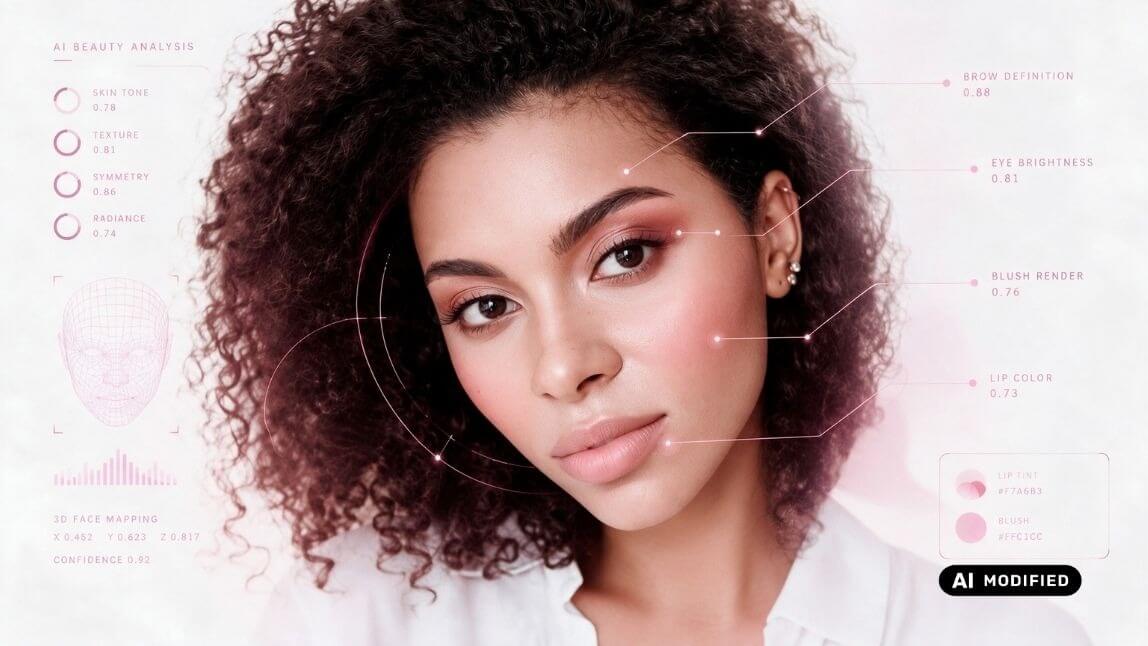
When a shopper taps "try on" and a lipstick appears on their lips a fraction of a second later, it feels effortless. Under the hood, it is anything but. A convincing virtual makeup try on has to solve three hard problems in real time: finding the face, mapping every relevant feature, and then rendering the product so faithfully that the shopper trusts what they see — down to whether the lipstick is matte, glossy, shimmer, or holographic.
Most beauty AR on the market quietly solves the first two problems and skips the third. That gap is exactly where brands win or lose consumer confidence, because a lipstick that looks wrong in texture is a lipstick that gets returned.
Here is how the rendering pipeline actually works, layer by layer — and what to look for when evaluating virtual makeup try on technology for your brand.
Layer 1: Facial Mapping — Finding the Canvas
Everything starts with real-time facial mapping. Before a single pixel of lipstick can be rendered, the engine has to locate the face area in the camera feed and lock onto it.
Perfect Corp.'s virtual makeup try on uses patented AgileFace® technology — AI deep learning models that detect facial features in real time, jitter-free, in both photo and live camera mode. The practical difference this makes:
- 300+ feature points update frame by frame, so the virtual lipstick stays glued to the lips even when the user turns their head, talks, or smiles.
- Detection works across all ages and ethnicities and under imperfect real-world lighting — a requirement most off-the-shelf libraries fail.
- Low-latency processing is what makes the experience feel like a mirror instead of a filter. Lag or jitter breaks trust instantly.
For a brand, this is the foundation of ROI: if the alignment slips, nothing rendered on top of it matters.
Layer 2: Feature Mapping & 3D Face Geometry
A face is not a flat image. Lips curve, blush sits on the apples of the cheeks, foundation must follow the contours and texture of skin. So the engine builds a live 3D understanding of the user's face from the 2D camera feed — depth, curvature, and orientation of every region where makeup will sit.
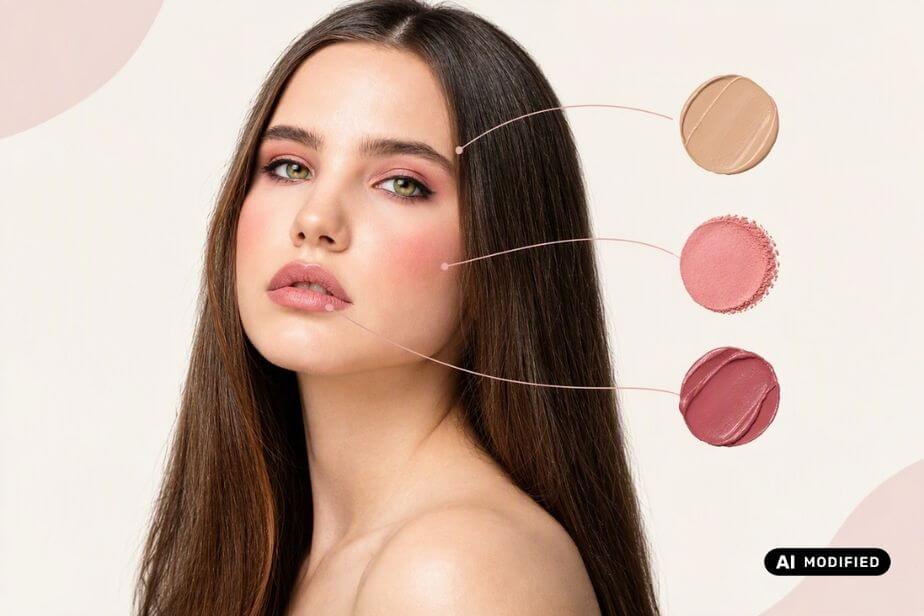
Virtual makeup units are then applied to this virtual face and optimized for all ages and ethnicities. This is what allows:
- Lipstick to respect the natural lip line, lip texture, and the two-tone shading between upper and lower lip.
- Blush to sit accurately on the cheeks' high points across different face shapes — including multi-tone, contoured 3D blush application that mimics how a makeup artist actually layers product.
- Foundation to blend across the jaw, cheeks, and T-zone while preserving the user's own skin texture underneath, instead of looking like a sticker.
Layer 3: Texture Rendering — The Part Competitors Skip
Color matching is table stakes. The genuinely hard engineering problem — and the one most virtual try-on competitors shortcut — is texture.
A physical lipstick is not just "red." It is a matte red that diffuses light, a gloss red that reflects it, a shimmer red with visible light-catching particles, or a holographic red that shifts with the viewing angle. Rendering that correctly on live video requires simulating how light interacts with product finish — while the user's head is moving and room lighting is changing.
The lip color try-on experience translates the shade, texture, intensity, and application patterns of physical products into digital try-ons. Each of those four variables needs its own rendering logic:
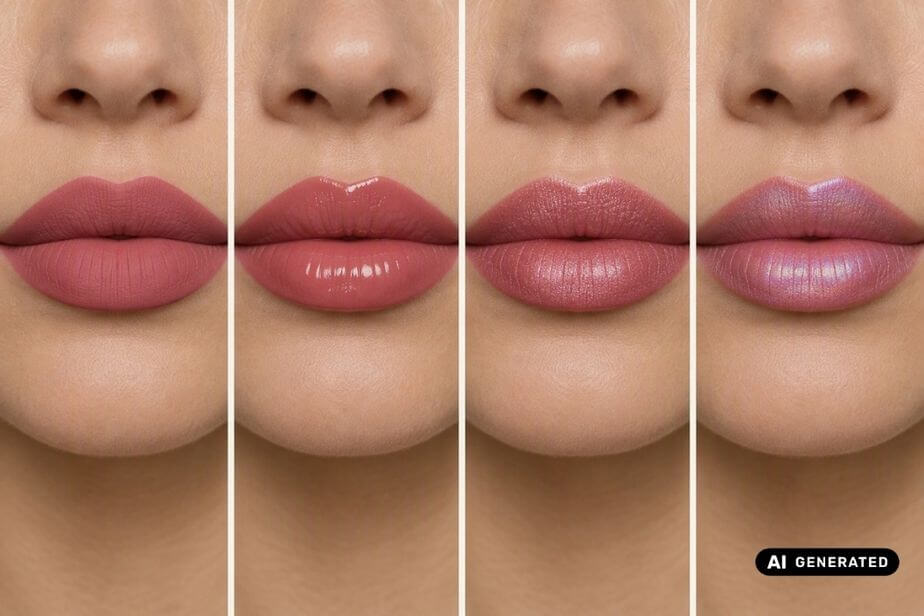
| Texture | What the renderer must simulate |
|---|---|
| Matte | Light diffusion, flat velvety finish, high color density |
| Gloss / Sheer | Specular highlights, transparency, light reflection that moves with the head |
| Shimmer | Visible micro-particles that catch light dynamically |
| Holographic | Color shift that changes with viewing angle |
Layer the same challenge onto blush (satin vs. matte vs. dewy) and foundation (coverage level, skin-tone matching, finish), and you can see why "close enough" rendering fails commercially. This is also where virtual makeup try on diverges from general AI image generation: generative AI can invent a pretty picture, but it hallucinates colors and cannot map a real SKU — which makes it useless for a product page that needs to sell the actual item in the basket.
Why it matters for brands: accuracy is not a vanity metric. Industry data consistently links try-on realism to business outcomes — products with 3D/AR content convert dramatically higher than those without, and AR try-on sessions measurably reduce return rates. If the rendering undersells the product, you capture neither benefit.
See Virtual Makeup Rendering in Action
The fastest way to evaluate rendering quality is not a spec sheet — it is watching a gloss finish catch the light on your own lips while you turn your head. That is exactly what global makeup brands have done with Perfect Corp.'s virtual makeup try on.
Real-world results: Partners reported a 200% boost in customer engagement and strong virtual try-on conversion after deploying Perfect Corp. digital tools. Read the full M·A·C success story.
Want to see the rendering quality for yourself? Try our live virtual makeup try on demo — test matte, gloss, shimmer, and holographic finishes on your own face in real time.
What This Means for Your Beauty Brand
If you are shortlisting virtual makeup try on vendors, here is a practical evaluation checklist distilled from how the technology actually works:
- Alignment quality first. Test on diverse faces, in bad lighting, mid-motion. Jitter-free AgileFace® processing across all ages and ethnicities is the baseline that makes everything above it possible.
- Texture, not just shade. Ask vendors to show you one SKU in matte, gloss, shimmer, and holographic. If they cannot, they skipped the hard part — and your consumers will notice.
- Real products, not AI guesses. The try-on must map to your actual SKUs and application patterns, not a generated approximation.
- Omnichannel readiness. The same virtual SKUs should deploy across web, mobile, and in-store mirrors so you render once and sell everywhere.
Perfect Corp.'s virtual makeup try on technology is trusted by 600+ brands — including Estée Lauder, Benefit Cosmetics, and AVON — precisely because it was engineered around all three rendering layers, including the texture problem most of the market avoids. Top beauty brands have seen up to a 200% increase in conversion rate after integrating the solution.
Want to see your own products rendered this accurately on your customers' faces? Contact our team for a demo and integration consultation — our team will get back to you within 1–3 business days.
Frequently Asked Questions
How does virtual makeup try-on work?

Virtual makeup try on uses AI face tracking to detect facial features in real time, builds a 3D understanding of the face, and then renders products onto it with accurate shade, texture, intensity, and application patterns. Perfect Corp.'s solution uses patented AgileFace® technology for real-time, jitter-free tracking in both photo and live camera modes, optimized for all ages and ethnicities.
Why is texture important in virtual makeup try on?
Because consumers buy the finish, not just the color. A matte lipstick absorbs and diffuses light; a gloss reflects it; shimmer and holographic finishes shift with movement. If a try-on only renders color, the product on screen won't match the product in the store — which erodes purchase confidence and increases returns.
Is virtual makeup try on accurate?
Accuracy depends on the quality of face tracking and rendering. Solutions built on AI deep-learning tracking (such as AgileFace®) with per-texture rendering for matte, gloss, shimmer, and holographic finishes deliver lifelike results that move naturally with the user in real time.
How can my brand add virtual makeup try on to its website?
Brands can integrate via Web SDK, Mobile SDK, API, or a self-serve SaaS solution with plug-ins for Shopify, WooCommerce, Wix, and Squarespace. Talk to our team to find the right integration for your platform.
Can virtual makeup try on work in-store as well as online?
Yes. The same virtual SKUs can power in-store smart beauty mirrors, enabling hygienic, tester-free try-ons alongside your e-commerce experience — consistent across every channel.



