


AI Makeup Filter Online: Try On Virtual Makeup Instantly



Perfect Corp's AI makeup filter simulates makeup looks in real time, so every lipstick, eyeshadow, and blush shade lands exactly where it should — live on camera or on any photo you upload.
More Makeup Items to Try
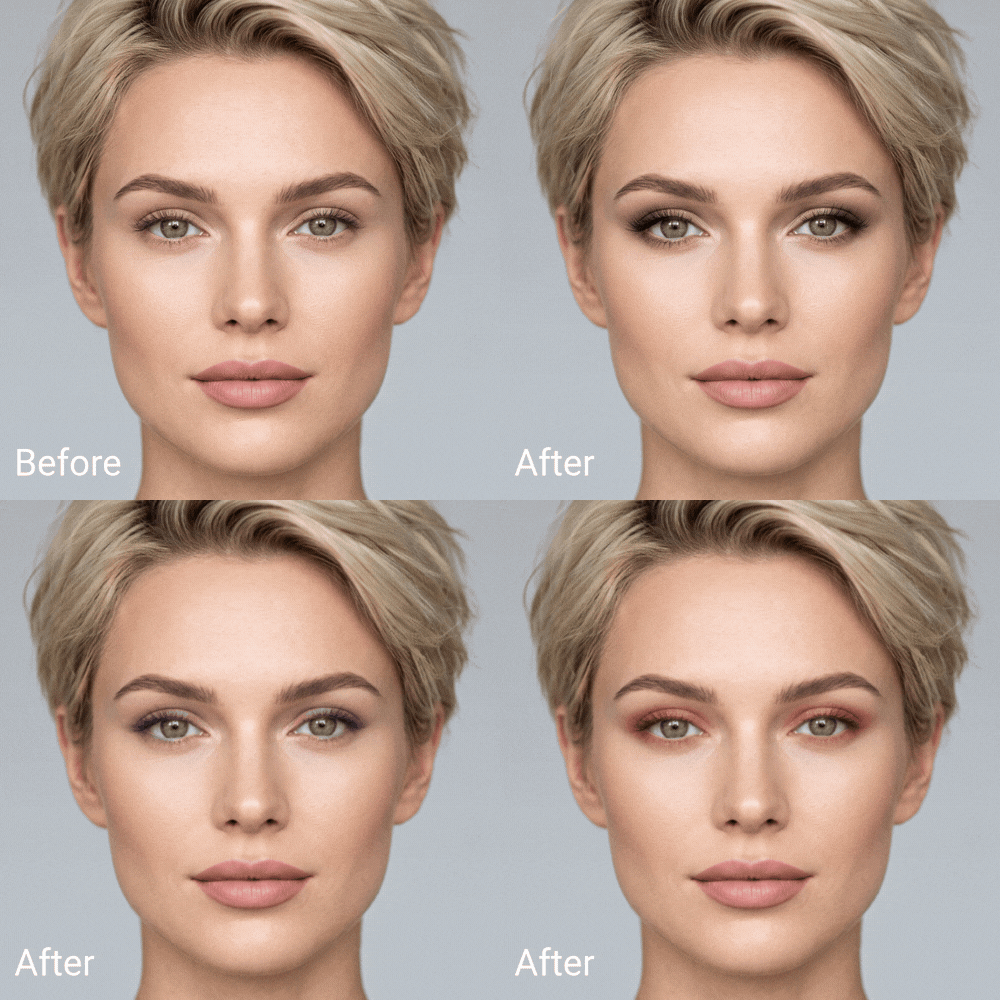
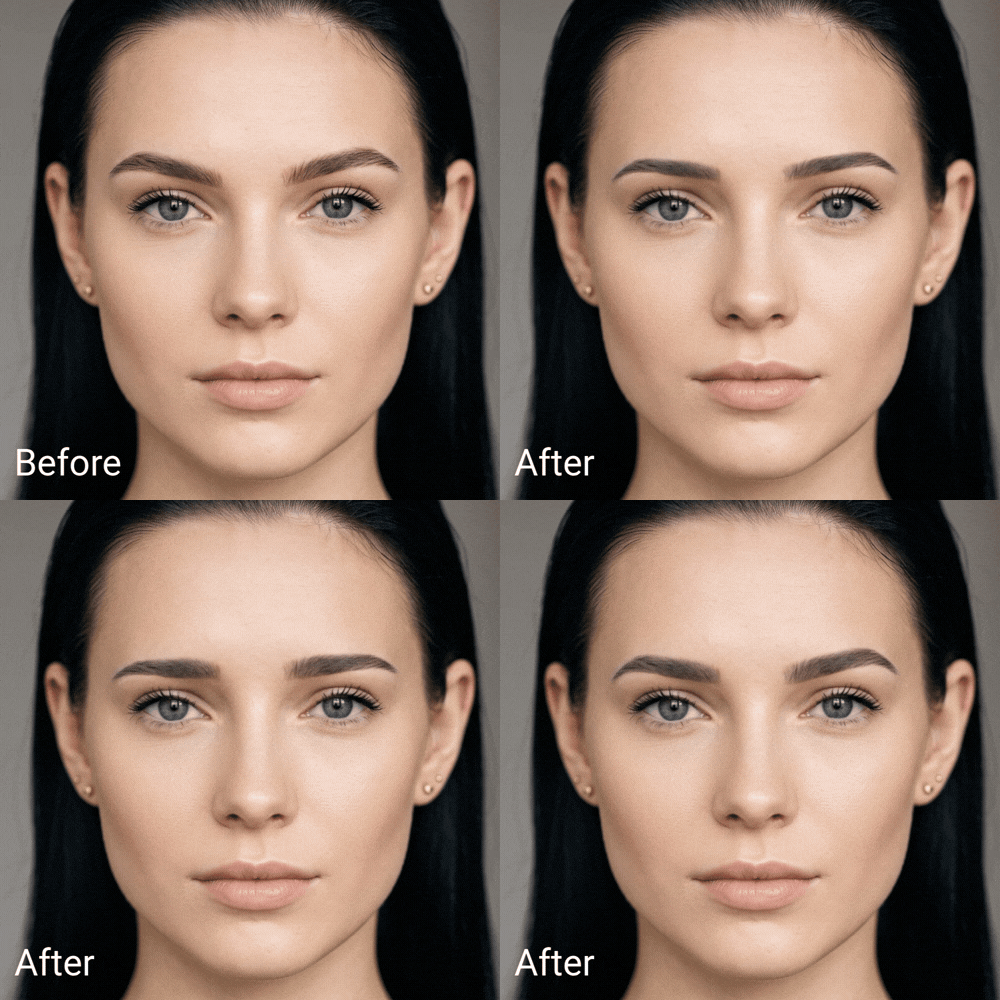
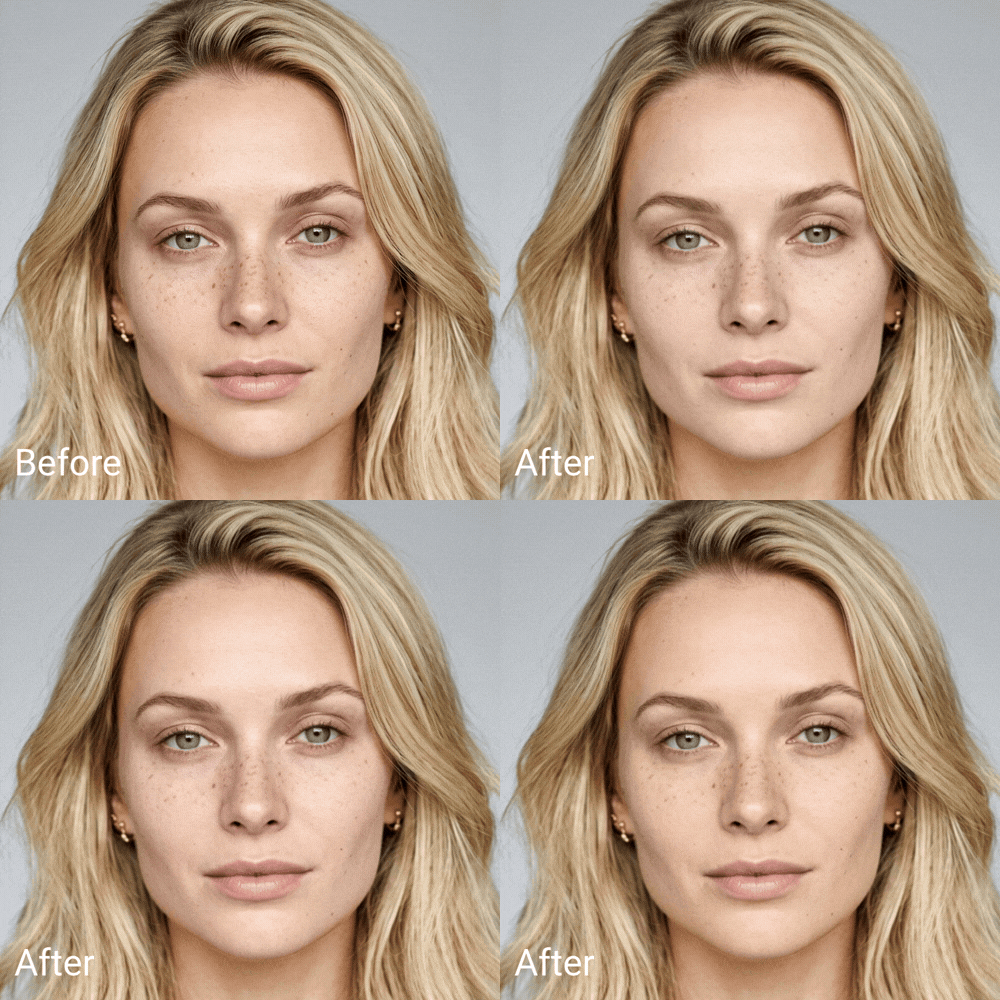
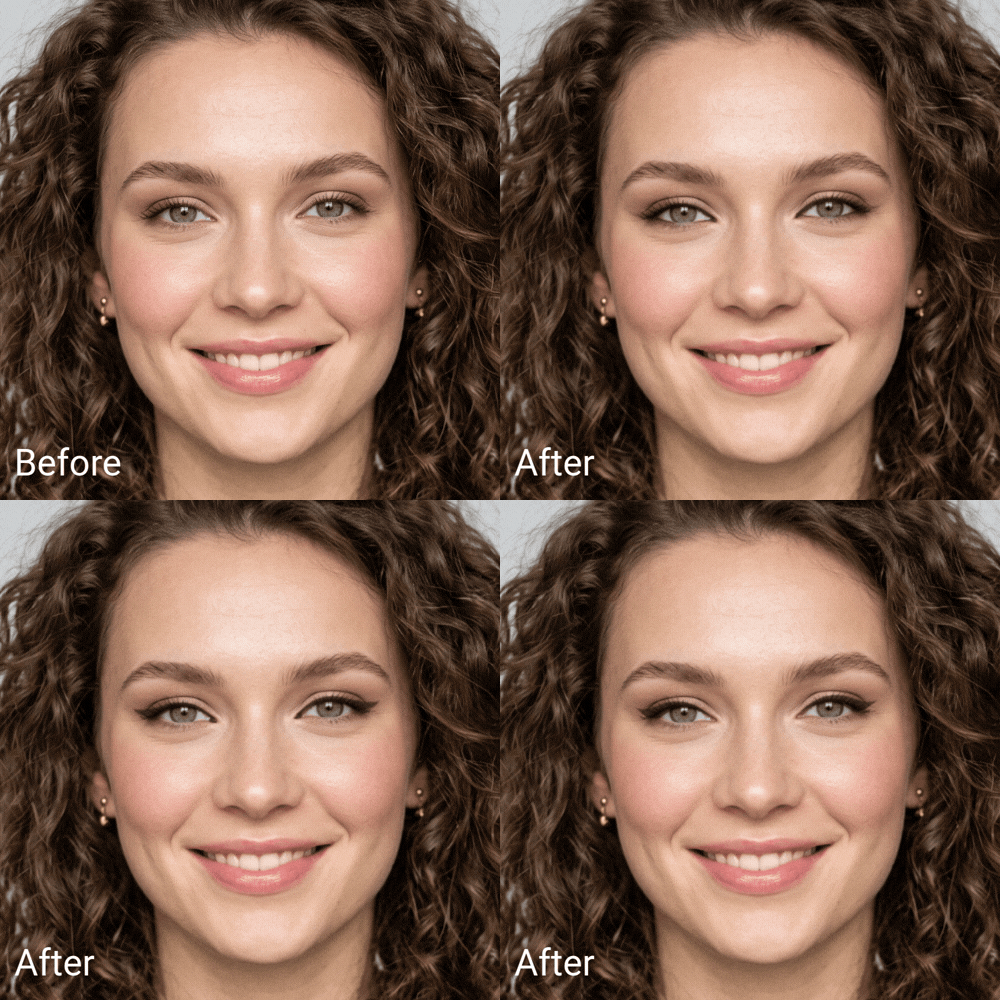
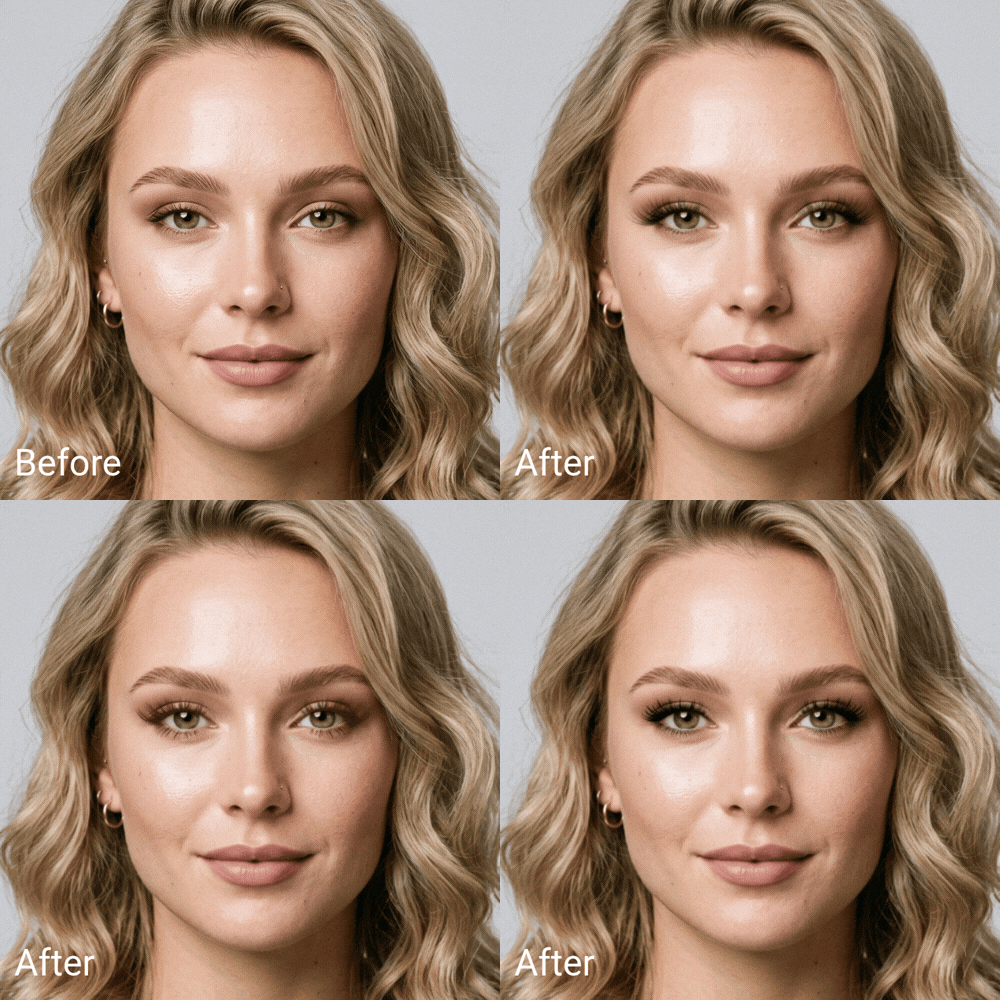
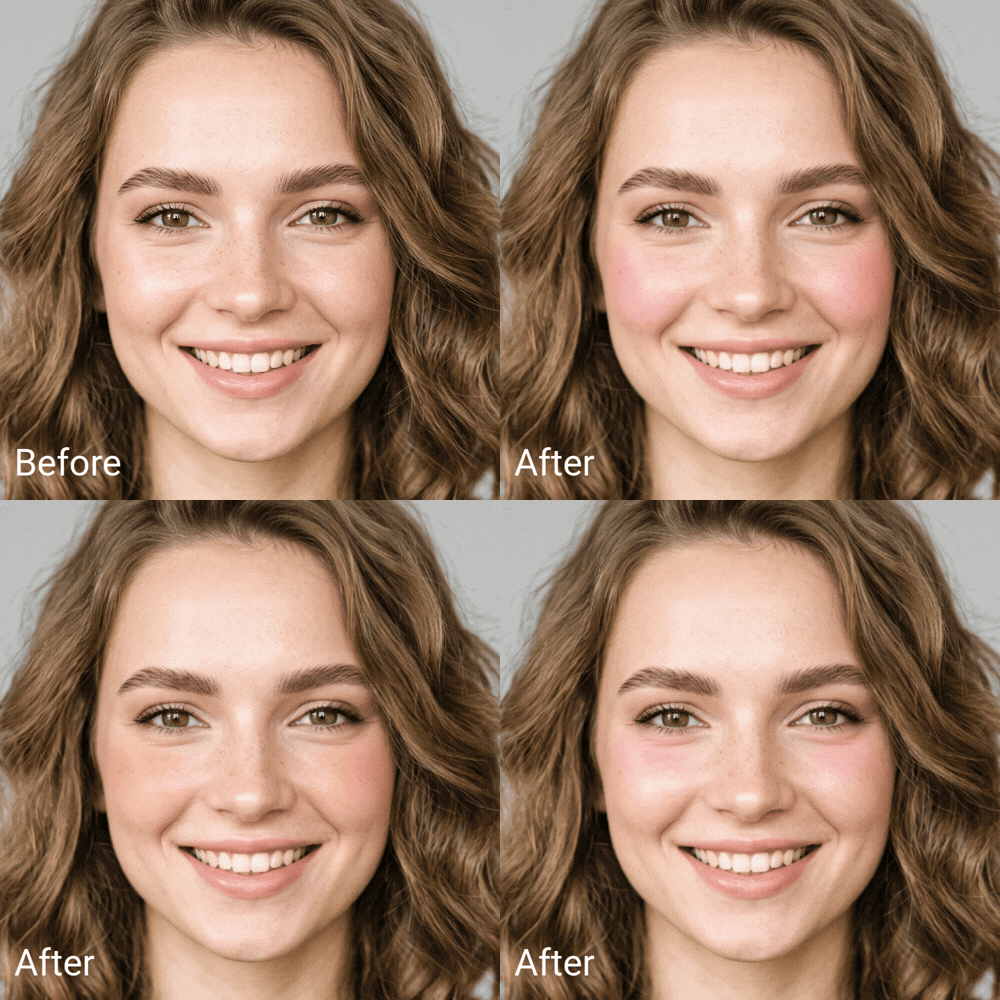
140+ different blush patterns and several hyper-realistic textures. Now supporting multi-color blush combinations.
What Is a Makeup Filter?
A makeup filter is an AI tool that overlays realistic cosmetics, lipstick, eyeshadow, blush, contour, onto a face in a photo or live video.
Basic filters just stretch a flat color over your skin. Perfect Corp's version detects facial attributes first, so color follows the curve of your lips and the shape of your eyes instead of floating on top of them.
How to Use the Makeup Filter? Two Simple Steps!
Upload a Photo or Turn On Your Camera
Drop in a selfie or switch on live camera mode. The AI locks onto your face in under a second and stays locked even as you move, blink, or turn your head.

Pick a Look and Apply Instantly
Browse looks from bare-faced natural to full glam, tap one, and watch it render on your face in real time. Swap shades or intensity as many times as you like before saving.
Where Can You Use an AI Makeup Filter?
Because the filter runs on real facial mapping instead of a flat overlay, it holds up across a lot more than just selfies.
Content Creation & Social Media
Test a look before you commit to filming it.
Creators use the filter to preview eyeshadow and lip combinations for reels, thumbnails, and TikTok trends .
Try-Before-You-Buy Shopping
Beauty retailers embed the filter on product pages so shoppers can see a lipstick or foundation shade on their own face before adding it to cart.
Event & Photoshoot Planning
Brides, party-goers, and models use the filter to test a bold or subtle look ahead of a big day, then show the reference image straight to their makeup artist.
HOW IT WORKSFacial-Detection AI Built for Precision
Facial-Detection AI Built for Precision
The AR makeup result holds up under head turns, blinking, and changing light, on skin tones ranging from fair to deep.
WHY PERFECT CORPTrusted by 800+ Beauty Brands Worldwide
Trusted by 800+ Beauty Brands Worldwide
Perfect Corp's virtual try-on technology already powers makeup experiences for more than 800 global brand partners, from mass retailers to luxury houses. The same engine behind this makeup filter runs live camera and photo try-on, real-time shade matching, and can be embedded into a brand's own app or site through the YouCam SDK and API.
Makeup Filter FAQ
Is the makeup filter free to use?

Perfect Corp's makeup filter is available to try free in the demo linked on this page. Brands that want to embed the same technology into their own site or app work with Perfect Corp on a licensed SDK or API integration.
Does an AI makeup filter look fake or artificial?
It depends on how the filter maps the face. Flat overlay filters can look pasted on because they ignore facial contour. Perfect Corp's filter detects facial attributes first, so color follows your natural lip line and eye shape rather than sitting on top of it.
Can I apply a makeup filter to a saved photo, not just live video?
Yes. The filter works both ways — upload an existing photo for a one-time edit, or turn on your camera for a live, real-time preview that updates as you move.
Will the makeup filter match my skin tone accurately?
The AI reads your skin tone and lighting conditions before applying color, which is designed to keep shades looking true across a wide range of skin tones rather than applying one universal tint.
Can businesses integrate a makeup filter into their own app or website?
Yes. This is the same virtual try-on technology Perfect Corp licenses to over 800 beauty brand partners through its YouCam SDK and API, so retailers can add live or photo-based makeup try-on directly to their own product pages.


