


See a realistic rhinoplasty before and after in seconds. Perfect Corp's AI Face Reshape reads 70+ facial attributes and lets patients adjust nose bridge, tip, width, lift, and wings on their own selfie, so consultations start with a shared visual goal instead of guesswork.
Rhinoplasty Before and After: AI Nose Job Simulator
See a realistic rhinoplasty before and after in seconds. Perfect Corp's AI Face Reshape reads 70+ facial attributes and lets patients adjust nose bridge, tip, width, lift, and wings on their own selfie, so consultations start with a shared visual goal instead of guesswork.
What Is a Rhinoplasty Before and After Simulation?
A rhinoplasty before and after simulation shows how a nose job could change a patient's face before anyone books the OR. Real surgical photo galleries show other people's results. A simulator shows yours potentially.
Perfect Corp's AI maps the nose and surrounding features, then previews changes to the bridge, tip, width, lift, and wings while keeping skin texture, lighting, and expression true to the original photo.
It is a communication tool, not a promise, and that is exactly why surgeons love it.
How to Use the Rhinoplasty Before and After Simulator? Two Simple Steps!
Upload or Snap a Front-Facing Photo
Take a selfie or upload a clear, front-facing photo with even lighting and hair pulled back.
The AI detects the face instantly and isolates the nose area for editing. No special camera, no 3D scanner, no waiting.

Adjust the Nose and Compare
Use the sliders to refine the bridge, lift the tip, narrow the width, or reshape the wings.
Drag the before and after divider to compare side by side, then save the version you like best to bring into a consultation.
Who Uses an AI Rhinoplasty Before and After Preview?
From consultation rooms to clinic websites, AI previews turn "what if" into a picture everyone can agree on.

Plastic Surgery and Facial Plastic Clinics
Patients point at a picture instead of describing "a little smaller, but not too small," which saves time and reduces mismatched expectations.
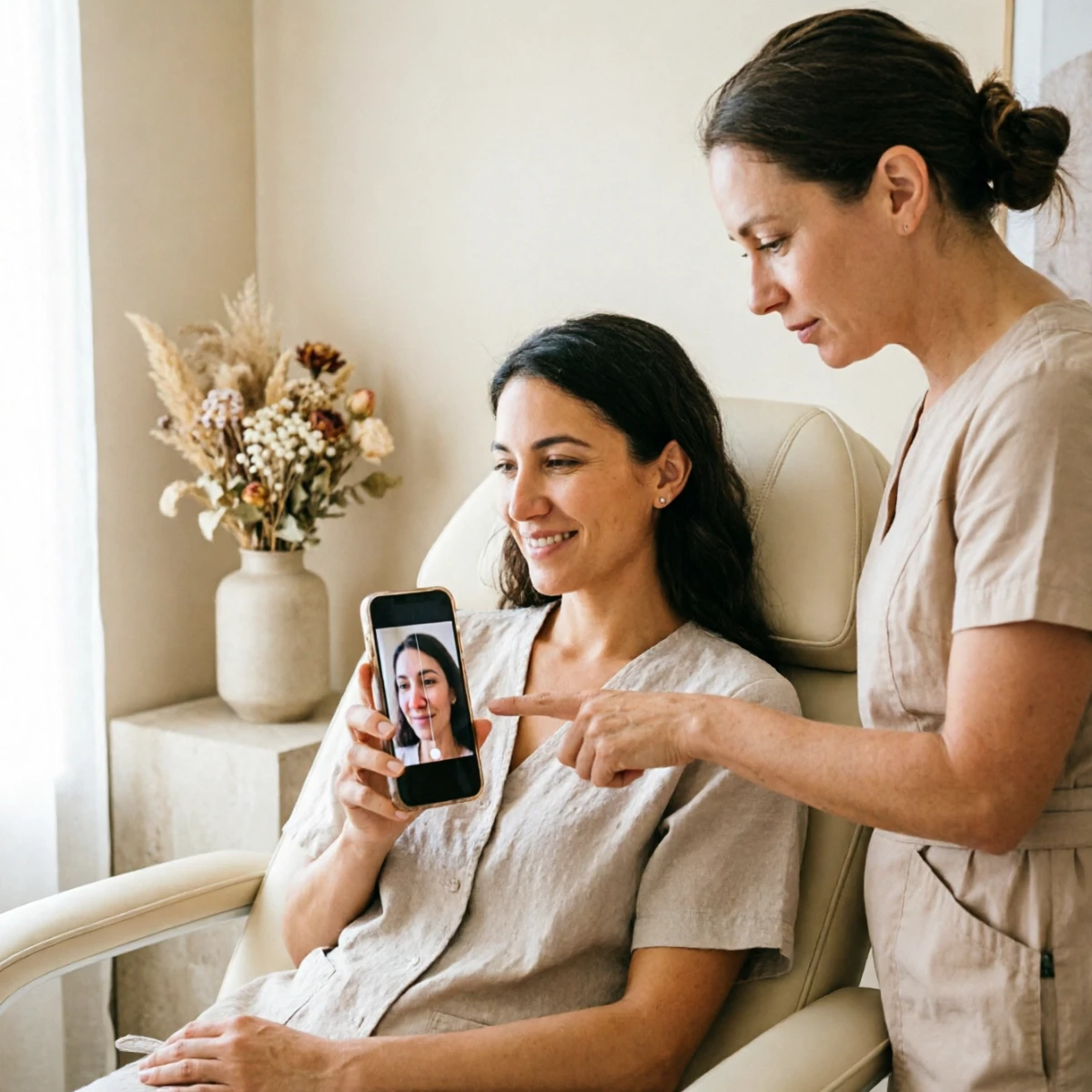
Med Spas Offering Non-Surgical Nose Jobs
Liquid rhinoplasty with dermal filler can smooth a hump or lift a tip without surgery. A quick AI preview helps med spa staff show what subtle filler changes might look like.

Clinic Websites and Lead Generation
Embed the simulator on your website or app with Perfect Corp's API and SDK quickly. So the visitors try their own rhinoplasty before and after preview at home, then book a consultation with a saved result in hand.
HOW IT WORKSFive Nose Controls for a Realistic Rhinoplasty Preview
Five Nose Controls for a Realistic Rhinoplasty Preview
Perfect Corp's AI Face Reshape gives you few independent controls:
- Bridge to refine height
- Straighten a dorsal hump
- Tip to reshape a bulbous or droopy tip
- Lift to rotate the tip upward
- Width to narrow the nasal base
- Wings to adjust the nostrils.
Each change blends into the original skin and lighting, so the after image still looks like the same person.
SET REAL EXPECTATIONSSimulated Results vs. Real Rhinoplasty Recovery
Simulated Results vs. Real Rhinoplasty Recovery
An AI preview shows the target. Healing takes time to get there.
Showing a simulated after image next to a realistic recovery timeline helps patients stay patient, reduces anxious follow-up calls, and builds trust in your practice.
Rhinoplasty Before and After FAQ
How long does it take to see rhinoplasty before and after results?

Most visible swelling fades within the first 4 to 6 weeks, and about 90% is gone by 3 months. The nasal tip is usually the last area to settle, so the true final result typically appears around 12 months after surgery.
Can I see what I would look like after a nose job?
Yes. An AI rhinoplasty simulator like Perfect Corp's Face Reshape previews nose changes on your own photo in seconds. You can adjust the bridge, tip, lift, width, and wings, then compare before and after side by side. Treat it as a visual guide to discuss with a board certified surgeon, not a guaranteed outcome.
How accurate are nose job simulators?
A good simulator is realistic about what a nose can look like, but no tool can predict exact surgical results. Bone structure, skin thickness, and healing vary from person to person. AI previews are most accurate as a communication tool that helps patients and surgeons agree on a direction.
What are the different types of rhinoplasty?
Common types include open rhinoplasty for major reshaping, closed rhinoplasty for smaller changes, functional rhinoplasty to improve breathing, revision rhinoplasty to correct a previous surgery, and non-surgical rhinoplasty using dermal fillers. A simulator can preview the potential aesthetic goal for any of them.
Is rhinoplasty permanent?
Surgical rhinoplasty results are generally permanent, though the nose continues to age naturally with the rest of the face. Non-surgical liquid rhinoplasty with filler is temporary and usually lasts several months to around a year, depending on the product used.


