 Author:


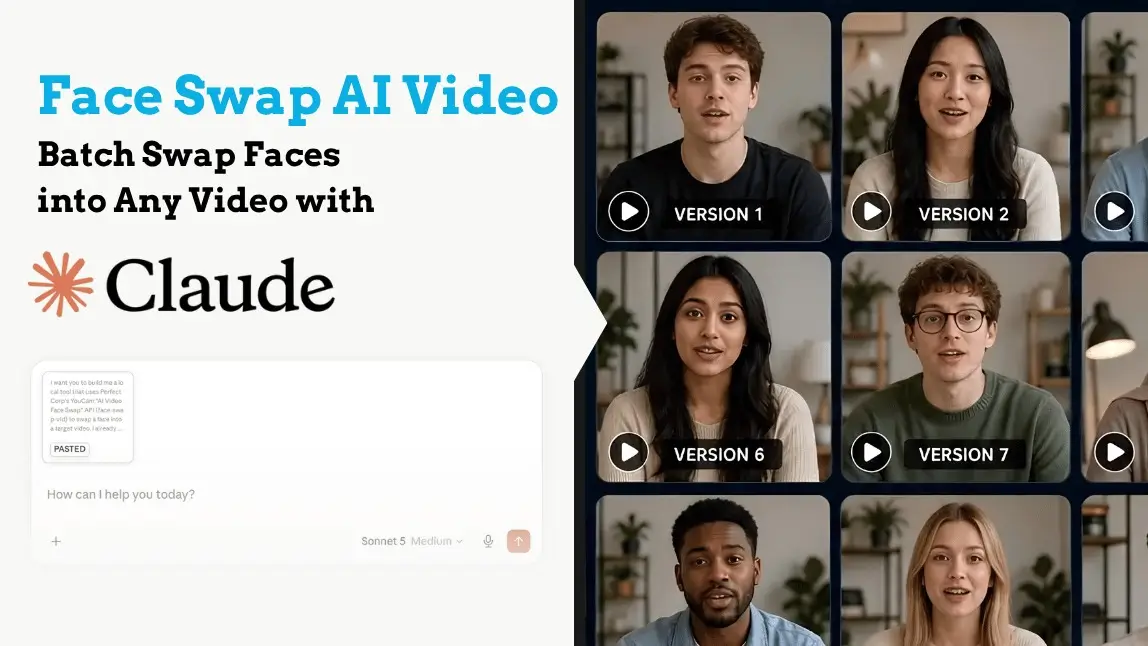
You've seen the face swap AI video trend everywhere — friends starring in movie scenes, creators playing every character in their own skits, brands swapping presenters without a reshoot. Fun. But here's the version nobody's showing you: what if you could take one video and generate ten different versions of it, each with a different face, all in one batch, with a tool that runs privately on your own computer?
That's exactly what we're building today, using the YouCam AI Video Face Swap API and Claude. No coding skills. No uploading your videos to some mystery website. One prompt, one free API key, and you've got your own batch face swap machine.
Three steps. Let's go.
What You'll Need Before You Start
- Claude Cowork: Anthropic's agentic workspace app. It builds the tool for you.
- A YouCam API key: free to sign up, and you get 40 free credits to start swapping right away.
- One target video: the video whose face gets replaced.
- A few face photos: the faces you want to swap in, up to 10 at a time. Each face produces its own separate swapped video.
That's it. No editing software, no watermarks from random freemium tools.

Step 1: Ask Claude to Build Your Face Swap Video Tool
Open Claude Cowork and paste in the prompt below. Claude will build a small local web tool, upload one video, drop in multiple face photos, and it runs a separate AI face swap for each face against the same video, showing results as they finish.

Here's the prompt — copy the whole thing:
I want you to build me a local tool that uses Perfect Corp's YouCam "AI Video Face Swap" API (face-swap-vid) to swap a face into a target video. I already have a YouCam API key and will paste it into the tool's UI — don't ask me for it in this prompt. Functional requirements * Build a web UI (served locally) where I can: * Upload ONE target video (the video whose face will be replaced). Show a preview player and auto-read its duration once it loads. * Upload MULTIPLE reference face photos at once (up to 10), with thumbnail previews, and remove any of them before submitting. * Set the output length in seconds (dst_duration), pre-filled automatically from the uploaded video's actual duration (rounded up, capped at 30), editable by me. * Click one button to kick off the whole batch. For each reference face photo, run a separate face-swap task against the SAME target video — reuse the one video upload, don't re-upload it per face. Show results as they complete. Don't make me wait for the slowest one before seeing the first result — one card per face: thumbnail of the face, a spinner while processing, then the final swapped result video (playable inline) plus a link to open it full-size. If one face swap fails, only that card should show an error; the rest of the batch keeps going. Technical facts about this API you need to know * Base URL: https://yce-api-01.makeupar.com * Auth: V2 API — just "Authorization: Bearer YOUR_API_KEY" on every request, no separate token-exchange call. * File upload flow: POST /s2s/v2.0/file/face-swap-vid with body { "files": [{ "content_type", "file_name", "file_size" }] }. This same endpoint is used to register BOTH the target video and each reference face image — just call it once per file with the right content_type ("video/mp4" or "image/jpeg" etc). The response contains a file_id plus a presigned upload URL (requests[0].url / requests[0].method) — calling this endpoint does NOT upload the file; you must separately PUT the raw file bytes to that URL. Do not forward a Content-Length header on that PUT; let the HTTP client set it, or the upload fails. The exact JSON nesting of file_id / requests can vary by doc version, so parse the registration response defensively (search recursively for these keys) rather than assuming one fixed shape. * File limits: target video must not exceed 30 seconds, 4K resolution, or 30 FPS; container mov/mp4; file size up to 100MB. This API supports videos with a single face only. * Task creation: POST /s2s/v2.0/task/face-swap-vid with body { "src_file_id": <video file_id>, "ref_file_id": <face file_id>, "dst_duration": <seconds> } → returns { "data": { "task_id" } }. * Polling: GET /s2s/v2.0/task/face-swap-vid/{task_id} → check task status. Doc versions are inconsistent here — sometimes the result shows as a bare top-level url once done with no explicit status field, sometimes it's nested under data.task_status / data.results.url like other YouCam task APIs. Parse defensively: treat finding a result URL as success; otherwise look for an explicit task_status (running / success / error), defaulting to running if nothing is found yet. * Rate limit: roughly 250 requests / 300 seconds per API key. When uploading/creating tasks for multiple faces in one batch, cap concurrency (e.g. 3 at a time) instead of firing everything at once. * This is a server-to-server API. Calling it directly from browser JavaScript fails with CORS errors ("Failed to fetch"). Build a small local Node.js/Express server that holds the API key and proxies all calls to Perfect Corp server-side. The browser UI must only talk to this local server (e.g. http://localhost:3939), never directly to yce-api-01.makeupar.com. * The API key should never touch disk. Have the browser hold it in a plain JS variable (from the UI input field) and send it on every request to the local server via a custom header (e.g. X-YCE-API-Key); the local server reads that header per-request and forwards it as "Authorization: Bearer <key>" upstream. Don't write it to a config file, env file, or log it. UI implementation guardrail (avoid a known bug) * For each upload trigger ("click to upload a video" / "click to upload face photos"), wire the click-to-open-file-picker behavior exactly ONCE. A common mistake: wrapping the hidden <input type="file"> in a <label> AND also calling input.click() from a JS click handler on that same label. The label's native click-forwarding plus the manual .click() call fires the file picker twice per click, and in most browsers the second call cancels the dialog the first one just opened — so clicking appears to do nothing at all, with no error. Use a plain non-<label> container (e.g. a <div role="button" tabindex="0">) as the dropzone/click target, and trigger the file input via a single JS click handler (plus a keydown handler for Enter/Space so it's still keyboard-accessible). Delivery / packaging requirements * Plain Node.js + Express + multer. No build step, no frontend framework. * Single-page HTML/CSS/JS frontend served as static files by the same Express server (same origin, so no CORS config is needed on the server itself). * Include a package.json with the dependencies. * Include double-click launchers for BOTH macOS and Windows: a .command file for macOS and a .bat file for Windows. Each should: cd into its own folder, run npm install only if node_modules doesn't exist yet, open http://localhost:3939 in the browser automatically after a short delay, then run npm start. When running npm install, point it at a project-local cache directory (--cache "$(pwd)/.npm-cache" on Mac, --cache "%cd%\.npm-cache" on Windows) instead of the global npm cache — some machines have a corrupted or permission-broken global npm cache that breaks installs otherwise, and this avoids that failure mode entirely. * Test the server logic yourself before handing it to me — verify the file-upload / task-creation / polling request shapes actually work against the real API. If I haven't given you a real key yet, validate with a deliberately invalid one and confirm you get the expected 401 responses at each step, so we know the endpoints and payload shapes are wired correctly. * Also sanity-check the frontend's upload UI yourself (e.g. confirm there's exactly one click-to-file-picker binding per dropzone, per the guardrail above) rather than only testing the server routes.Claude will build it, test the API wiring, and hand you back a folder. Double-click start-mac.command (Mac) or start-windows.bat (Windows), and your face swap studio opens at localhost:3939.

Step 2: Grab Your Free YouCam API Key (and 40 Free Credits)
The tool runs on the same YouCam AI Video Face Swap engine that powers YouCam's online face swap. To use it, head to the YouCam AI API page, sign up, and claim your 40 free credits — they're yours the moment you register.

Copy your API key from the dashboard. The tool never saves it, it lives only in your browser session and is sent securely with each request. Not written to disk, not logged, not anyone's business but yours.
Step 3: One Video In, Ten Face Swaps Out
Back in your local tool:
- Paste your API key at the top.
- Upload your target video — the tool previews it and auto-fills the output duration for you.
- Drop in up to 10 face photos. Thumbnails appear; remove any you change your mind about.
- Click the button. Each face gets its own card with a spinner, then its own finished swap — playable right there, with a full-size link. Three swaps process at a time, and if one fails, the rest keep going.

This is where the batch magic pays off. Testing which creator's face works best in an ad? Making a personalized clip for everyone in your group chat? Localizing one video with different presenters? That's one click instead of ten separate editing sessions.
What Kind of Video Works Best for AI Face Swap?
A few ground rules so the AI can do its best work:
| Requirement | The sweet spot |
|---|---|
| Video length | Up to 30 seconds |
| Format | MP4 or MOV, up to 100MB |
| Resolution / frame rate | Up to 4K, up to 30 FPS |
| Faces in video | Exactly one clear, front-facing subject — multi-person videos aren't supported |
| Face photos | Sharp, well-lit, front-facing, nothing covering the face |
One more thing, and it matters: swap responsibly. Only use videos you have the rights to and faces you have permission to use.
Face swap is for creativity, skits, campaigns, fan content with consent, not for impersonation or deception.
Many platforms now ask creators to label AI-generated content, and that transparency is good for your brand anyway.
Why Build It with the YouCam API Instead of Using a Random Free Tool?
Fair question. Free face swap sites are everywhere. But this route gets you things they don't:
- Batch by design. Ten faces against one video in a single run — most free tools make you do one swap at a time.
- Privacy by architecture. The tool runs locally and talks directly to YouCam's API. No third-party site holding your videos hostage behind a paywall.
- A path to production. This is the same developer API you'd use to put face swap inside your own app or campaign workflow. Today it's a desktop tool; tomorrow it's a feature you ship.
It pairs nicely with the rest of the YouCam AI stack, too, we've shown the same Claude-plus-API pattern with skin analysis.
Ready to make your first swap? Sign up for the YouCam AI API, grab your 40 free credits, and you'll have a batch of face swap videos before lunch.
FAQ: Face Swap AI Video with YouCam & Claude
What is an AI video face swap?
It's AI replacing a face in a video with another face, frame by frame, while keeping the original expressions, head movement, and lighting so the result looks natural instead of pasted on. The YouCam face-swap-vid API does the tracking and blending automatically.
Is the YouCam AI Video Face Swap API free to try?
Yes — you get 40 free credits when you sign up, enough to run your first batch of swaps and judge the quality yourself. After that, it's pay-as-you-go.
Can I swap multiple faces at once?
Yes and no, and the distinction matters. The target video itself must contain only one face; this API doesn't swap multiple people within a single video. What the batch tool does is run up to 10 separate swaps against that one single-face video, one new face per run, one finished video per face. So: one face in the video, ten different versions out.
How long does a face swap video take?
Each swap typically finishes in well under a minute for short clips, and the tool runs three at a time, so a full batch of 10 doesn't take 10x the wait.
Is my content safe?
The tool runs on your own machine and your API key is never written to disk or logged. Uploads go straight to YouCam's secure API — there's no third-party website in the middle.
Is face swapping legal?
Using your own content, or content you have permission to use, for creative purposes — yes. Impersonating real people for fraud, harassment, or deception is not okay (and not allowed). When sharing publicly, label AI-generated content where platforms require it.
What if I get stuck?
Reach out — contact the Perfect Corp team and we'll help you get your face swap workflow running.