


 Author:
Disclaimer: Some images in this article may have been created or modified by AI
You have found the watch. Forty-one millimeters, brushed steel, an integrated bracelet that looks incredible on the product photo. Then the doubt arrives. Will it swallow your wrist? Will the lugs hang over the edge? Virtual watch try-on answers that question in about four seconds, using the camera you are already holding. It maps your wrist in real time, drops a true-to-scale 3D watch onto it, and lets you rotate your arm to watch the light move across the crystal. For shoppers it removes the guesswork. For retailers it removes the returns. This guide covers how the technology works, how accurate the sizing really is, what separates live AR from AI generated try-on images, and what to look for if you are putting it on your own storefront.
Table of Contents
- What Is Virtual Watch Try-On, Exactly?
- How Does Virtual Watch Try-On Actually Work?
- Live AR or AI Generated Photo: Which One Do You Need?
- How Accurate Is Virtual Watch Try-On for Sizing?
- Can You Try On a Watch Online Without Downloading an App?
- Does Virtual Try-On Work for Smartwatches and Straps?
- What Does Virtual Watch Try-On Do for Retailers?
- Which Watch Brands Are Already Doing This?
- How Is Watch Try-On Different From Ring or Eyewear Try-On?
- What Should You Look For in AR Watch Try-On Software?
- How Do You Add Watch Try-On to Your Store?
- Virtual Watch Try-On FAQ
What Is Virtual Watch Try-On, Exactly?
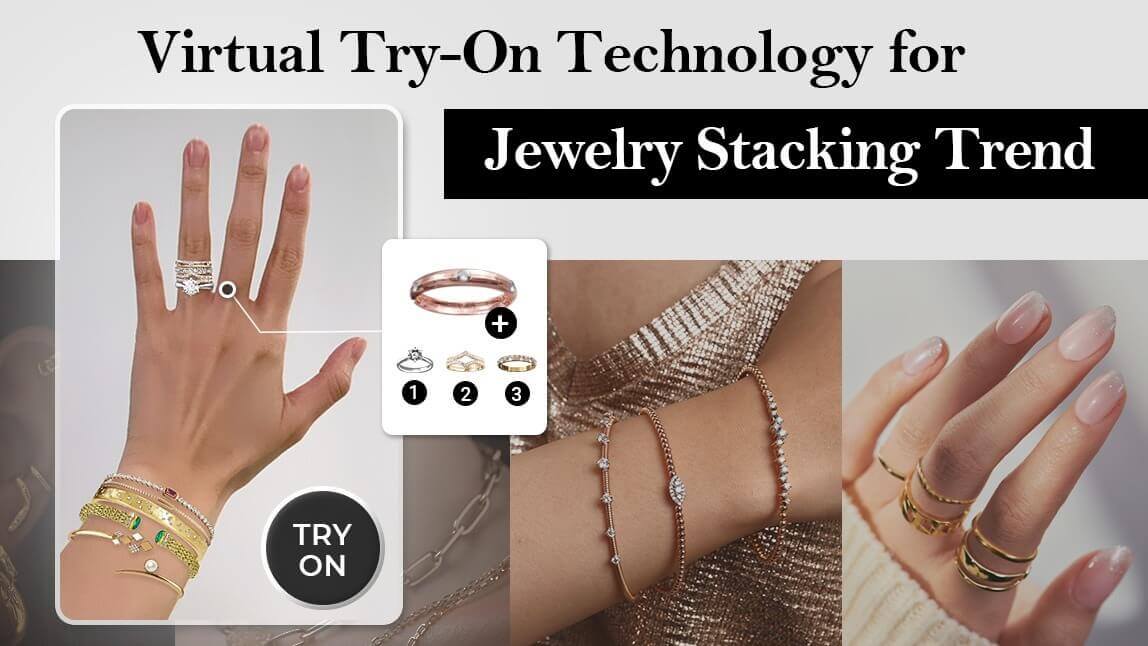
Try it on your own wrist in the AR watch demo.
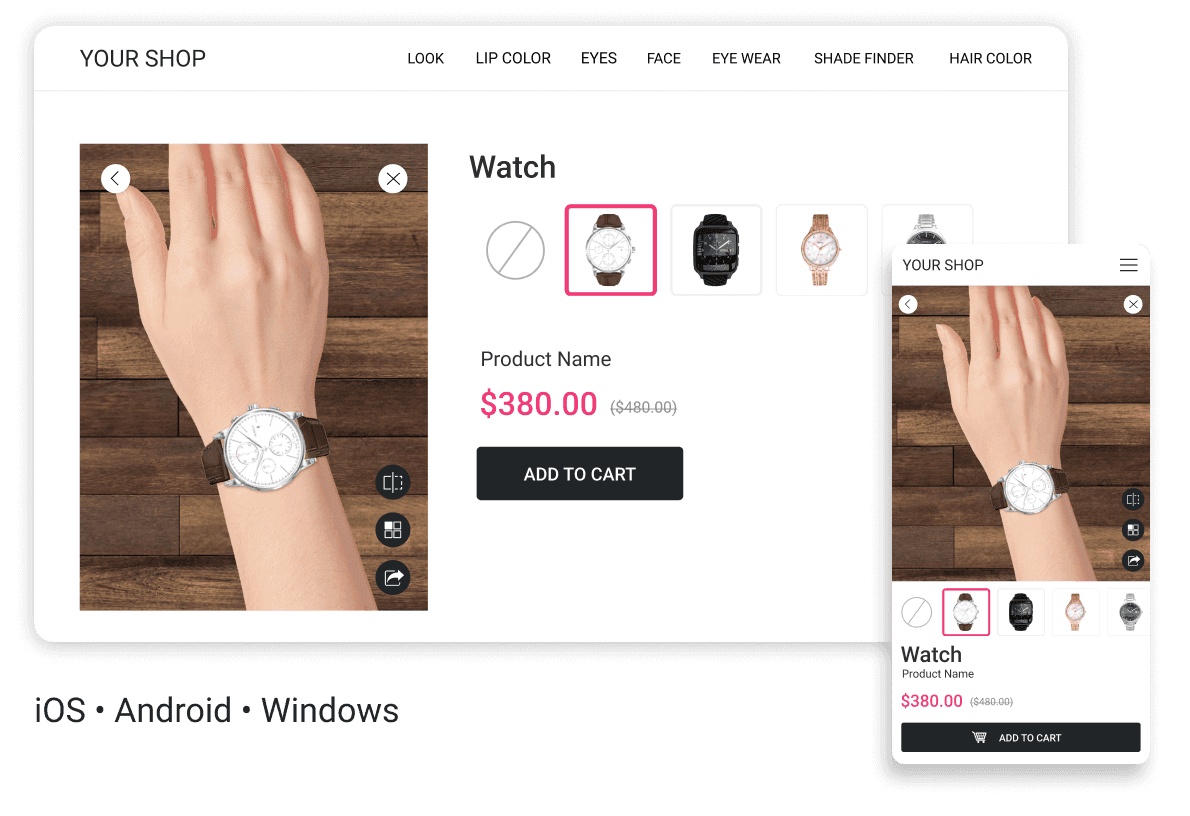
Virtual watch try-on is augmented reality applied to your wrist. Your camera feed becomes the background, computer vision works out where your wrist is and how it is angled, and a 3D model of the watch is composited on top of it at the correct scale. Move your arm and the watch moves with it. Turn your wrist toward a window and the crystal catches the light.
That last detail is the part people underestimate. A watch is not a flat sticker. It is a small sculpture of polished steel, brushed steel, ceramic, sapphire and leather, and every one of those materials behaves differently under light. A try-on experience that renders a watch as a flat cutout reads as fake instantly. One that renders reflections correctly reads as a photograph.
Two distinct groups search for this technology, and they want slightly different things:
- Shoppers want to know whether a 42mm case looks absurd on a 6.25 inch wrist, and whether the brown strap or the black one suits them.
- Brands and retailers want a try-on module that plugs into a product page, loads fast, works without an app, and pulls the size question out of the returns pile.
The good news is that both groups are served by the same underlying stack. The difference is only whether you are using the tool or licensing it.
How Does Virtual Watch Try-On Actually Work?
Three technologies have to cooperate. Get one wrong and the illusion collapses.
Wrist detection and real-time tracking
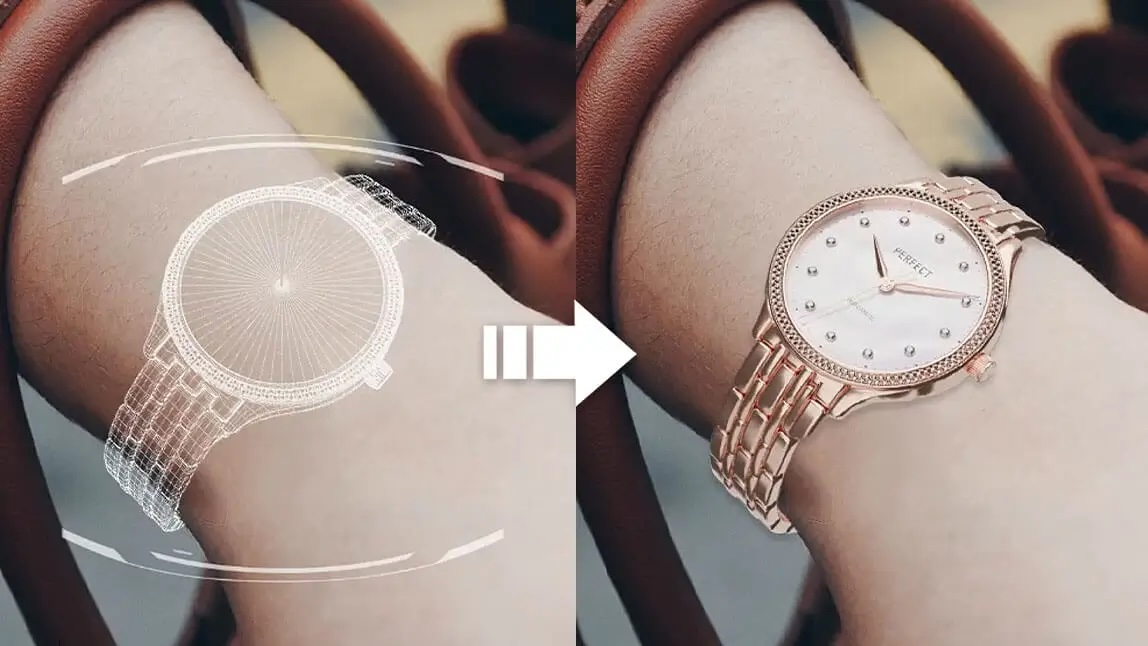
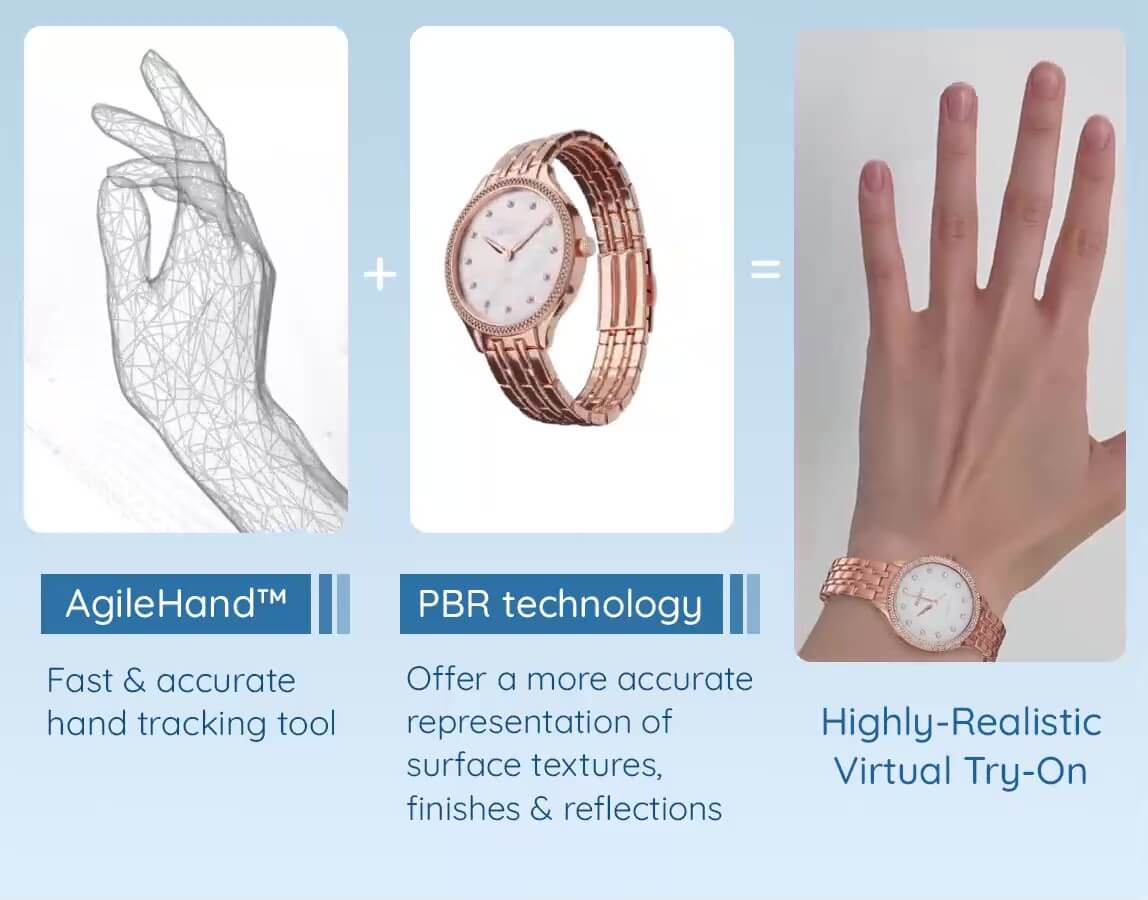
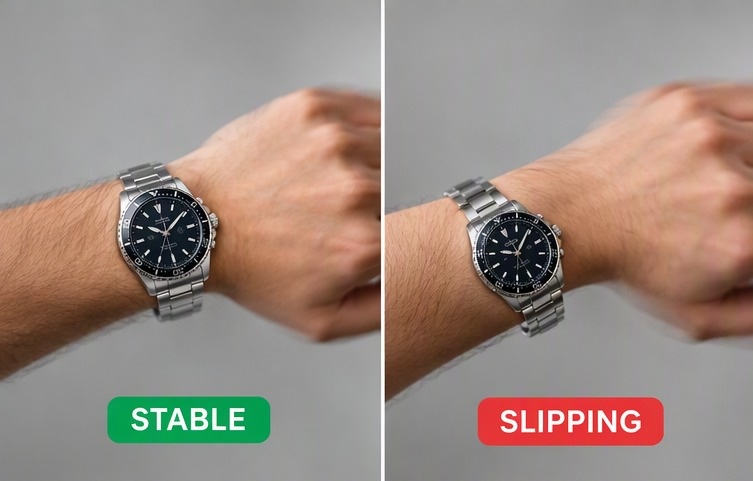
The system first has to find your hand and forearm in the video frame, then estimate their position and rotation in three dimensions, then keep doing that thirty or sixty times a second while you move. Modern hand tracking models such as Perfect Corp's AgileHand technology hold the watch locked to the wrist through fast motion, partial occlusion (your other hand crossing in front) and awkward angles, which is where earlier AR attempts used to slip and slide.
Marker-free tracking matters here. Early augmented reality for watches asked you to print a paper marker and wrap it around your wrist so the camera had something to anchor to. Nobody did that. Marker-free means you roll up a sleeve and go.
Physically based rendering (PBR)
See how PBR rendering works in the AR Watch solution.
PBR is the reason a virtual watch can look like metal instead of like a screenshot. Instead of painting a fixed texture onto the model, PBR describes each surface by its physical properties: how rough it is, how metallic it is, how much light it absorbs. The renderer then calculates what that surface would look like under the lighting conditions in your actual camera feed.
The practical result is that a polished bezel picks up the window behind you, a brushed case shows directional grain, a sapphire crystal produces a believable highlight rather than a white blob, and an alligator strap shows the grain and the stitching. For luxury watch retail, this is not a nice extra. It is the whole point.
Turning a flat product photo into a 3D asset
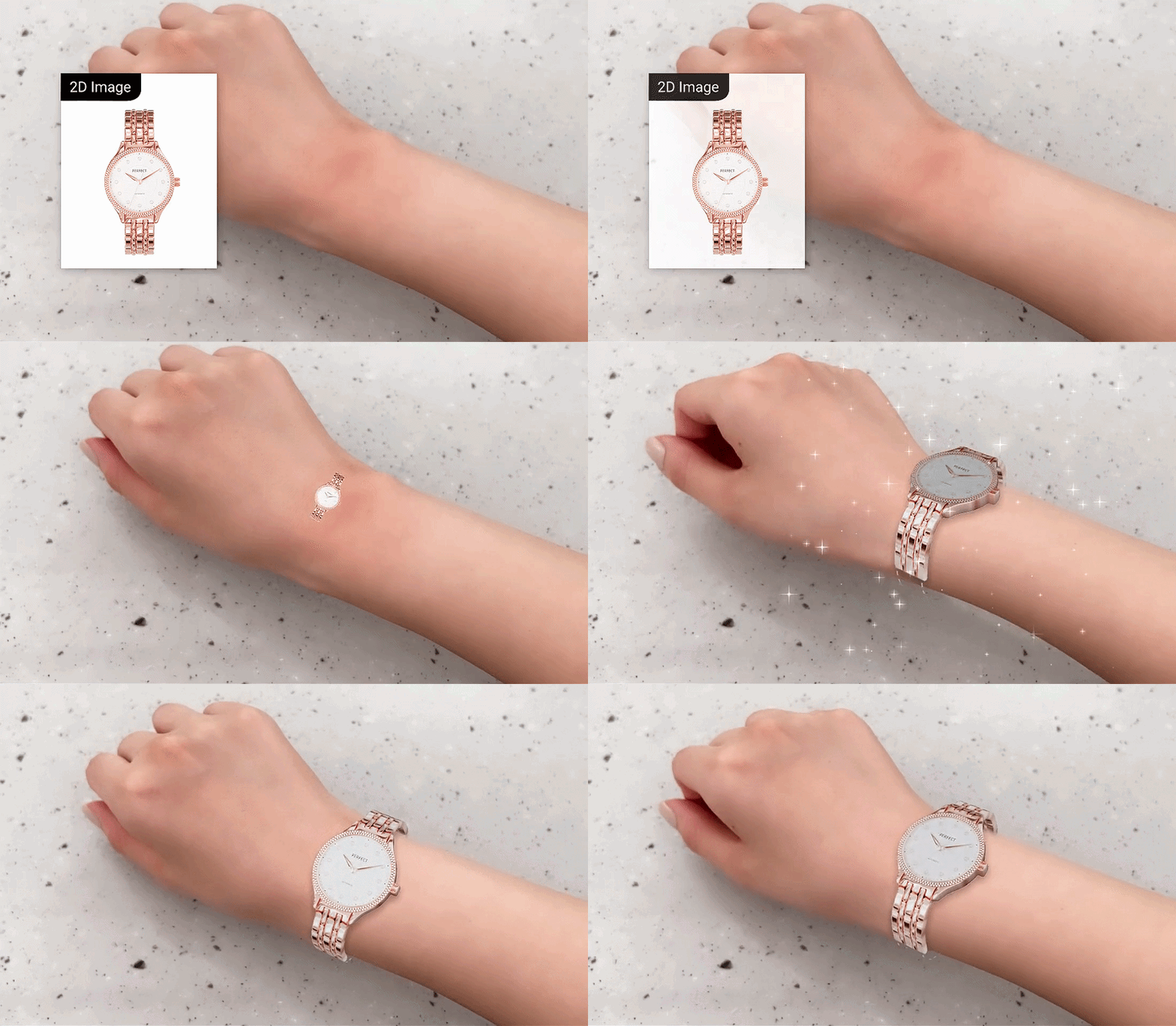
The historical blocker for watch AR was asset production. Building a photorealistic 3D model of a single reference used to mean a studio, a scan, and a bill. Catalogs with eight hundred references quietly gave up.
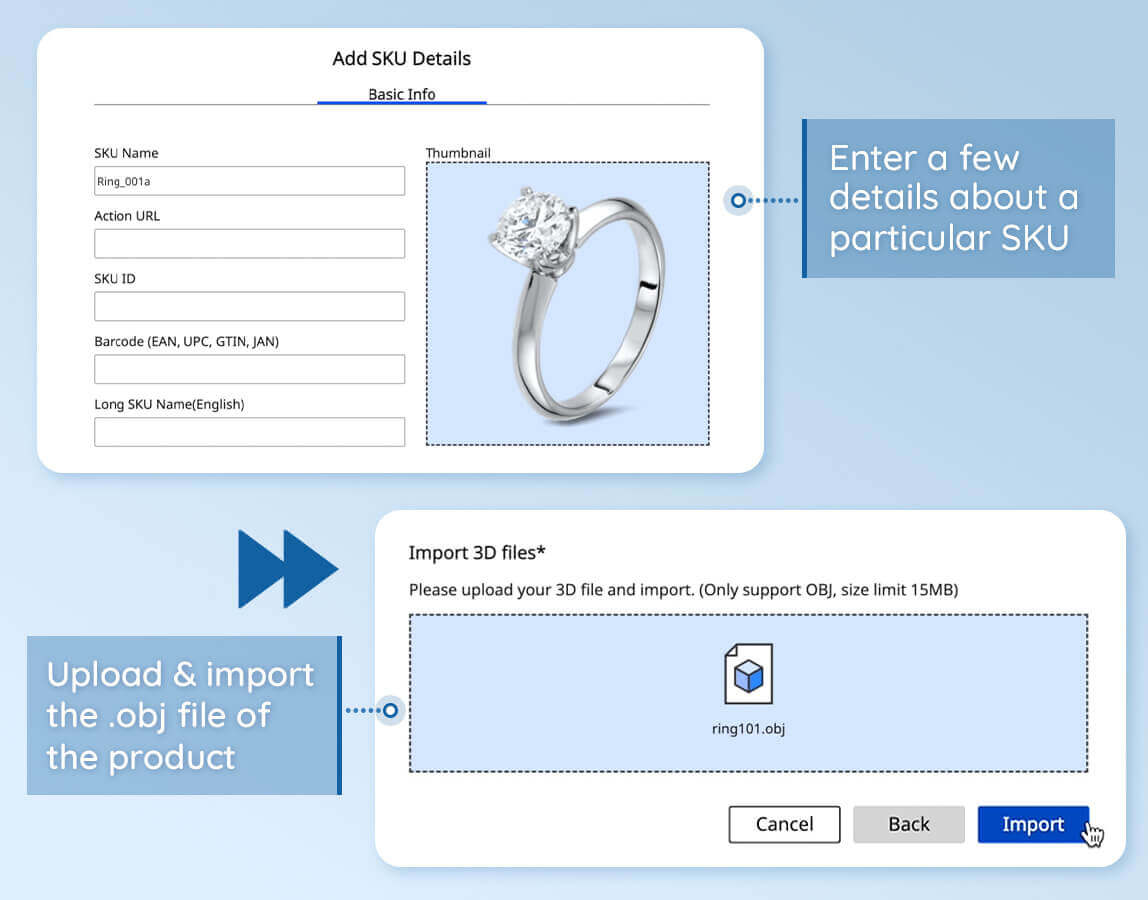
Current pipelines shorten this dramatically. Perfect Corp's AR Watch virtual try-on solution can generate a try-on ready asset from a single 2D product image, which means the catalog you already photographed for your product pages can become the catalog you offer try-on for. That changes the economics from "we will pilot ten hero SKUs" to "we will turn it on across the range."
Live AR or AI Generated Photo: Which One Do You Need?
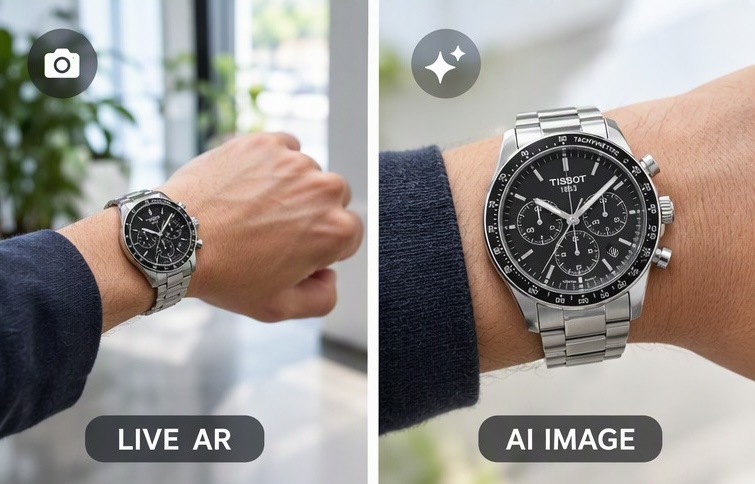
Test generative try-on endpoints in the AI Playground.
Search results for watch try-on now mix two genuinely different products, and choosing the wrong one wastes a quarter. Live AR streams your camera and renders in real time. AI image try-on takes a still photo of your wrist, or a stock wrist, and generates a composite image of the watch on it.
| Consideration | Live AR try-on | AI generated try-on image |
|---|---|---|
| What the shopper does | Points the camera at their wrist and moves | Uploads one photo and waits a few seconds |
| Motion and angles | Full 360 degree exploration in real time | Single fixed viewpoint per generation |
| True-to-scale sizing | Yes, when paired with a wrist measurement step | Approximate, scale is inferred not measured |
| Material realism | Deterministic, driven by the actual 3D asset | Convincing but can drift from the real reference |
| Best use | Product pages, in-store tablets, apps | Social content, catalog imagery, campaign visuals |
| Main risk | Needs camera permission and decent light | Can invent details that the real watch does not have |
If your shopper is deciding whether to spend four figures, live AR is the honest answer, because it is anchored to a real model at a real scale. If your goal is producing one hundred lifestyle images for a campaign without booking a hand model, generative try-on is the cheaper path. Plenty of brands run both, and there is no reason not to. You can experiment with generative try-on endpoints in the YouCam AI Playground before committing engineering time.
How Accurate Is Virtual Watch Try-On for Sizing?
This is the question that actually decides purchases, and the honest answer is: accurate enough to prevent the two mistakes that drive most watch returns, and not a substitute for a caliper.
Virtual try-on is very good at proportion. It shows you whether the case dominates your wrist, whether the lugs overhang, whether the bracelet reads chunky or delicate. It is less good at weight, clasp comfort and how a bracelet drapes after eight hours. More on that below.
What case diameter actually suits your wrist?
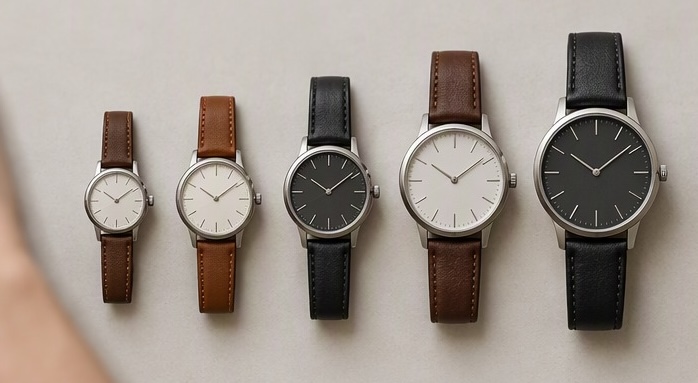
Case diameter is the number everyone shops by, so start there. These ranges are the conventional retail guidance, useful as a starting point rather than as law, since a slim dress watch and a dive watch of identical diameter wear completely differently.
| Wrist circumference | Comfortable case diameter | Reads oversized above |
|---|---|---|
| 5.5 to 6.0 in (14.0 to 15.2 cm) | 34 to 38 mm | 40 mm |
| 6.0 to 6.5 in (15.2 to 16.5 cm) | 36 to 40 mm | 42 mm |
| 6.5 to 7.0 in (16.5 to 17.8 cm) | 38 to 42 mm | 44 mm |
| 7.0 to 7.5 in (17.8 to 19.0 cm) | 40 to 44 mm | 46 mm |
| 7.5 in and above (19.0 cm +) | 42 to 46 mm | 48 mm |
Lug-to-lug is the number that decides the fit
Browse every Perfect Corp virtual try-on showcase.
Here is the detail most try-on content skips. Case diameter tells you how the watch looks. Lug-to-lug, the distance from the tip of the top lug to the tip of the bottom lug, tells you whether it physically fits. If lug-to-lug exceeds the flat width of your wrist, the lugs hang past the edge and the watch rocks. A 38mm case with long straight lugs can measure 48mm lug-to-lug and overhang a wrist that a 42mm case with short curved lugs sits on perfectly.
A good virtual try-on shows you this immediately, because you can see the lug tips against the edge of your own wrist from above. A spec sheet never will. If you are a retailer, publishing lug-to-lug next to diameter and letting try-on do the rest is one of the cheapest trust signals available to you.
How a digital wrist sizer replaces the paper strip
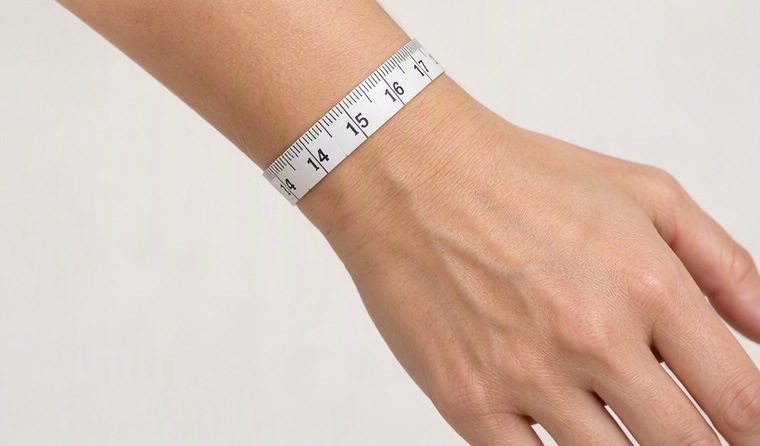
Scale has to come from somewhere. Rendering a watch at plausible size is not the same as rendering it at correct size, and the gap between the two is exactly where returns live. This is why a built-in wrist sizer matters: it measures the wrist from the camera and gives the renderer a real-world reference, so a 40mm case is genuinely drawn at 40mm rather than at whatever looks reasonable.
Perfect Corp introduced wrist and finger sizing technology for precisely this reason, and it is built into the AR watch try-on demo, alongside a printable size guide. No string, no ruler, no tape measure hunted out of a drawer. For bracelet and strap sizing, where an extra link either fits or does not, it is the difference between a confident order and an abandoned cart.
Can You Try On a Watch Online Without Downloading an App?
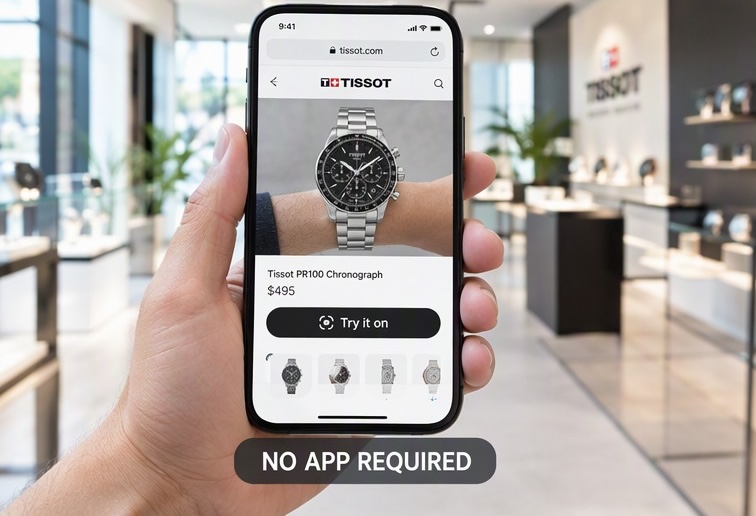
Open the demo in your browser, no download needed.
Yes, and you should insist on it. Web-based AR runs in the browser on iOS, Android, macOS and Windows, which means the try-on button on a product page opens the experience directly instead of bouncing the shopper to an app store. Fossil demonstrated the value of this approach back in 2020 when it launched web try-on with no app requirement, and app-free has been the default expectation since.
Practically, a browser-based watch try-on needs three things from the shopper: a reasonably modern device (broadly iPhone 12 and newer, Android 9.0 and newer, macOS 11 and newer), a browser such as Safari, Chrome or Firefox, and permission to use the camera. That is it. No install, no account.
For retailers, the app-free requirement is also a conversion requirement. Every install you ask for between interest and checkout is a place where the session ends.
Does Virtual Try-On Work for Smartwatches and Straps?
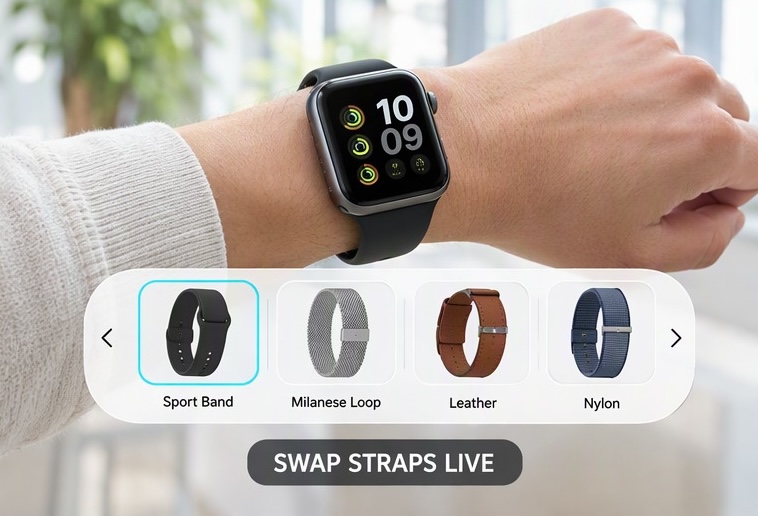
It does, and smartwatches are arguably the easiest category to sell this way, because the purchase decision is dominated by two variables that try-on answers directly: case size (most models ship in two) and band choice (most brands sell a dozen).
Three patterns are worth building for:
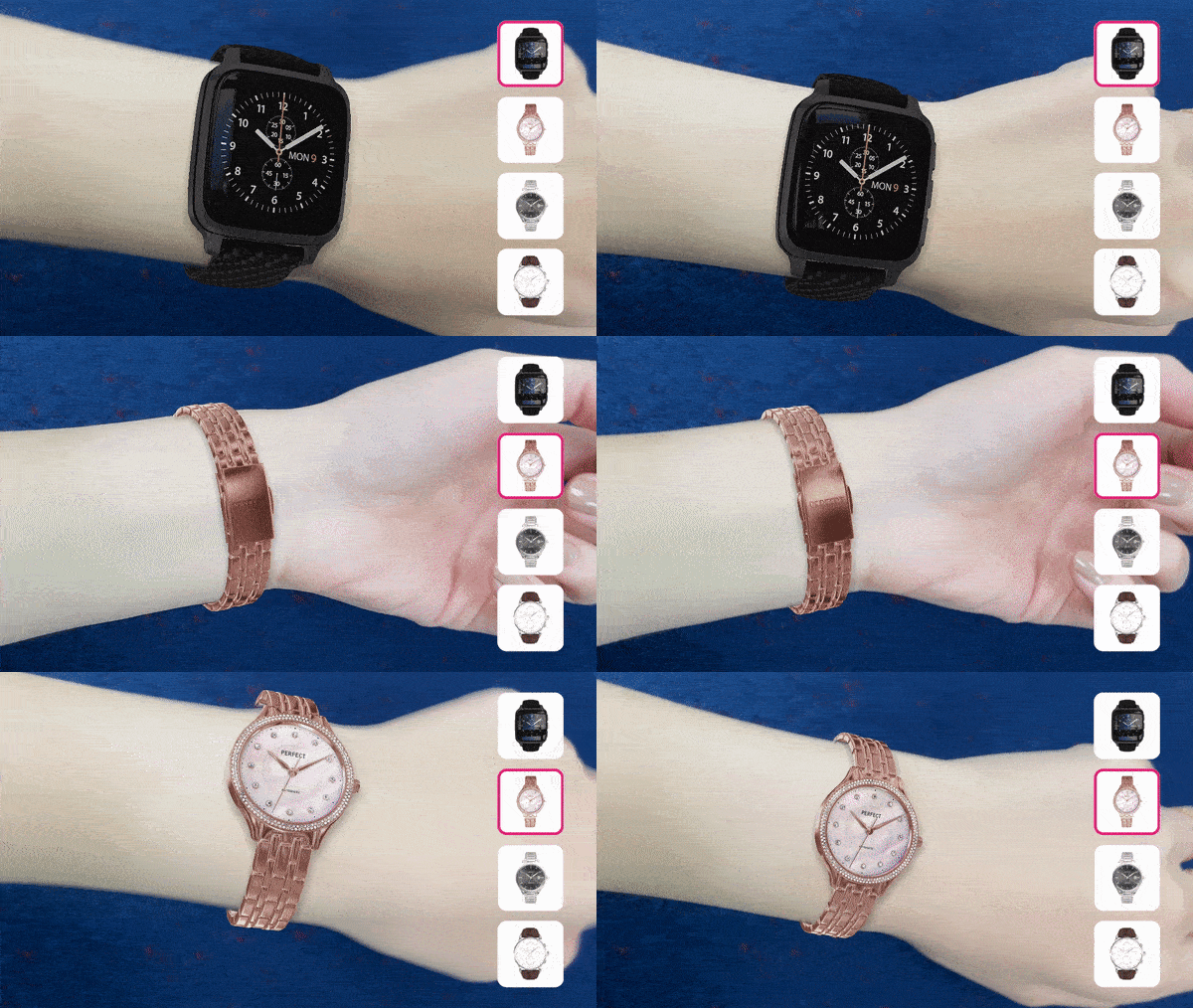
- Size comparison. Let the shopper flip between the 41mm and 45mm versions on the same wrist without leaving the view. The decision takes seconds instead of a forum thread.
- Strap swapping. Keep the case fixed and cycle through sport bands, milanese loops, leather and nylon. Strap attachment rates rise when people can see the combination instead of imagining it.
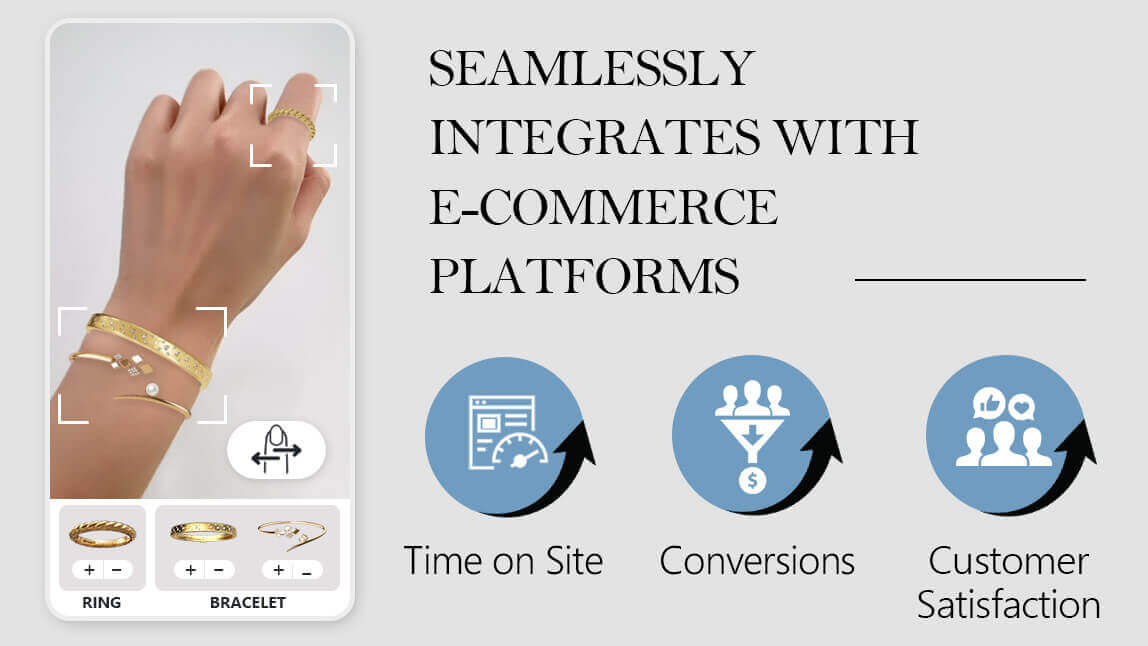
- Stacking. Watches are rarely worn alone. Mix-and-match try-on that lets a shopper wear the watch alongside bracelets, bangles and rings turns a single product view into a basket. Perfect Corp's AR Watch solution supports exactly this combination try-on across jewelry categories, which is also why it slots naturally into a broader 3D product configurator strategy.
What Does Virtual Watch Try-On Do for Retailers?
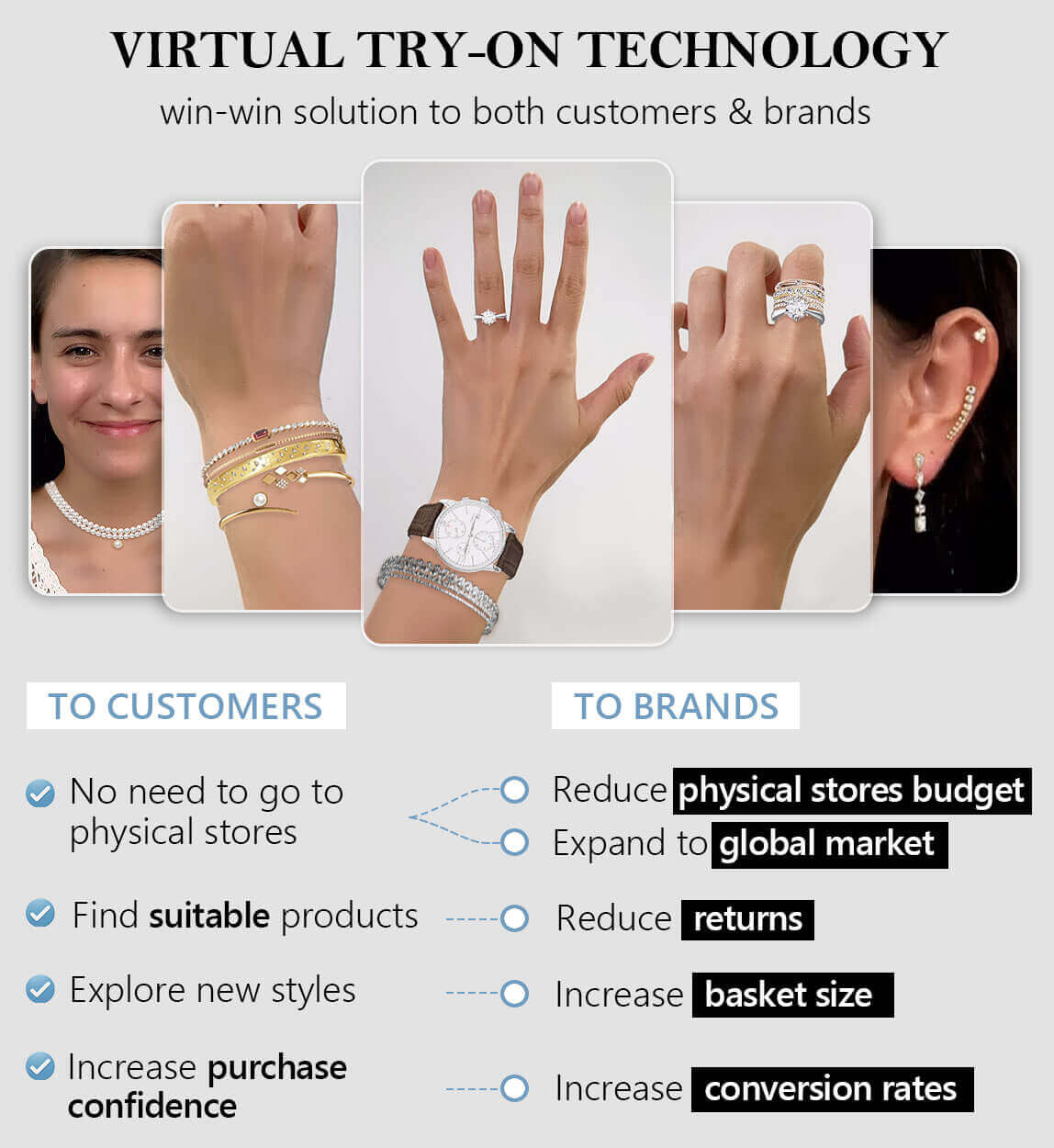
Watches sit in an uncomfortable spot for ecommerce. Average order values are high, the product is intensely personal, and a large share of buyers still prefer to see the piece in person before committing. Try-on is the tool that narrows that gap.
It attacks the size return, which is the expensive one
Talk to Perfect Corp about your own return rate.
Returns in accessories and apparel are driven overwhelmingly by fit and by "it did not look like the photo." Both are exactly what a true-to-scale AR preview addresses. When a shopper has measured their wrist, seen a 40mm case sit correctly on it and checked the lug overhang from above, the size return largely disappears. What remains are taste returns, which are far rarer and far cheaper.
It lengthens sessions and multiplies product views
Try-on turns browsing into play. Shoppers who start a session do not try one reference, they try six, and each of those is a product view that would not have happened. That behavior also produces something most watch retailers have never had: a clean signal of what people actually considered, not just what they clicked. A try-on analytics dashboard showing which references were tried, in which combinations, and where sessions ended is merchandising data you cannot buy elsewhere.
It travels into the store
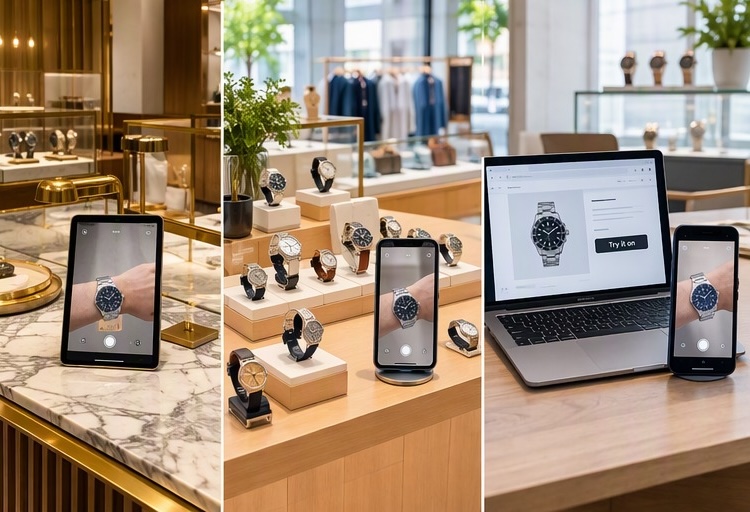
The same module on an in-store tablet quietly solves the inventory problem. A boutique that stocks forty references can offer four hundred. Sales associates stop apologizing for what is not in the case and start showing it.
Perfect Corp works with over 800 brand partners across beauty and fashion tech, and the deployment pattern that repeats is this one: web first, then app, then in-store, on the same asset library.
Ready to see it on your own wrist? Try the AR watch virtual try-on demo, no download required.
Which Watch Brands Are Already Doing This?
See what the AR Watch solution includes.
Virtual try-on stopped being a novelty in watch retail somewhere around 2020, and the adopters split into three recognizable groups.
Heritage luxury houses
The high end moved first, because the high end has the most to lose from a shopper who will not commit online. Maisons in the Swiss and Italian luxury tier have deployed AR try-on on product pages and in boutique tablets, usually with heavy attention to material rendering, since a poorly rendered bezel does more brand damage than no try-on at all. The pattern here is quality over coverage: a curated selection, rendered beautifully.
Fashion and lifestyle watch brands
Mid-market brands went the other way, prioritizing coverage. Fossil launched browser-based try-on with no app requirement in 2020 and made it a standard product page feature rather than a campaign stunt. When your catalog turns over seasonally and your buyer is deciding between six similar references, breadth beats polish.
Marketplaces and pre-owned dealers
The most interesting adopters are secondary market platforms. A pre-owned dealer may hold one example of a reference, photographed once, with a buyer three time zones away. Virtual showrooms and try-on tools built by watch marketplaces exist precisely because that buyer cannot visit, and the alternative is a long email thread about wrist shots.
If you are benchmarking, look at what each group optimized for and match it to your own constraint. Constrained by brand perception, follow the luxury pattern. Constrained by catalog size, follow the fashion pattern. Constrained by single-unit inventory, follow the marketplace pattern.
How Is Watch Try-On Different From Ring or Eyewear Try-On?

Teams that already run eyewear or jewelry try-on often assume watches are a copy and paste. They are not, and the differences decide your timeline.
| Factor | Watches | Rings and bracelets | Eyewear |
|---|---|---|---|
| Tracked body part | Wrist and forearm, wide range of rotation | Fingers, small and often occluded | Face, comparatively stable and well studied |
| Hardest technical problem | Metal and sapphire under changing light | Tiny scale plus gemstone sparkle | Lens transparency and frame fit |
| Sizing question | Case diameter, lug-to-lug, bracelet length | Ring size, bangle diameter | Pupillary distance, frame width |
| Typical session length | Long, shoppers compare many references | Medium, often stacked combinations | Short, decision made quickly |
| Asset complexity | High, multi-material with moving parts | Medium, small but detail dense | Medium, symmetric and predictable |
What Should You Look For in AR Watch Try-On Software?
Put the APIs through their paces in the AI Playground.
The vendor landscape is crowded and the demos all look good in a controlled video. Evaluate against the things that break in production.
| Requirement | Why it matters | How to test it |
|---|---|---|
| Stable wrist tracking | Slippage destroys credibility instantly | Wave your arm fast, cross your other hand in front, try low light |
| True-to-scale rendering | Without it, try-on cannot reduce returns | Try a 36mm and a 44mm back to back, confirm the difference is visible |
| PBR material quality | Metal and sapphire are the product | Rotate toward a light source, watch the reflection travel |
| Built-in sizing tool | Turns proportion into a decision | Measure your wrist twice, check the readings agree |
| 2D to 3D asset pipeline | Decides whether you launch 10 SKUs or 1,000 | Ask for cost and turnaround per reference |
| App-free web AR | Every install request costs conversions | Open the demo on a phone browser, cold |
| Deployment options | Web module, SDK and API cover different roadmaps | Confirm all three exist before you scope |
| White label control | The experience should look like your brand | Ask what is themeable versus hardcoded |
| Analytics | You cannot justify renewal without numbers | Ask to see the actual dashboard, not a slide |
One shortcut: ask every vendor to try-on the same awkward reference from your own catalog, ideally something with a busy bracelet and a polished bezel. Hero SKUs are chosen to flatter. Your hardest SKU tells you the truth.
How Do You Add Watch Try-On to Your Store?
A realistic rollout looks like this.
- Pick the pilot set. Twenty to thirty references that cover your size range and material range, not just bestsellers. You want to learn where rendering struggles.
- Produce the assets. Supply existing product photography if your vendor supports 2D to 3D conversion, or CAD files if you have them. Agree a quality bar in writing, including how bracelets and clasps must look.
- Choose the integration. An ecommerce web module is fastest for a standard storefront, a mobile SDK is right if you have an owned app, and a RESTful API suits a custom front end or a headless build.
- Place the entry point well. The try-on button belongs above the fold on the product page, next to the size selector, not buried in a tab. On mobile it should sit within thumb reach.
- Pair it with the sizer. Prompt the wrist measurement before first try-on, then remember it. Sizing once and trying twenty is the experience you want.
- Instrument everything. Track try-on starts, references per session, add-to-cart rate with and without try-on, and return rate by reason code. Give it a full return window before you judge it.
- Extend to store and social. Once web is stable, the same assets go onto in-store tablets and into campaign imagery.
Building something custom? Test the APIs in the AI Playground before you scope the sprint.
Virtual Watch Try-On FAQ
Can virtual watch try-on help me get the right fit?
Yes, for proportion and for size. A true-to-scale AR preview paired with a wrist measurement step shows you whether a case diameter suits your wrist and whether the lugs overhang the edge, which are the two fit issues behind most watch returns. It cannot tell you how heavy the watch feels or how the clasp sits after a day.
Does virtual try-on work with smartwatches?
It does, and smartwatches suit it particularly well. Most models ship in two case sizes and a long list of bands, so being able to flip between 41mm and 45mm on your own wrist, then cycle through straps, resolves the decision faster than any spec table.
Do I need to download an app to try on a watch virtually?
No. Web-based AR runs in the browser on modern phones, tablets and laptops. You need a current browser, a camera and permission to use it. App-free is now the norm, and any vendor that requires an install before a shopper can look at a product is costing you sessions.
Can I view the watch from 360 degrees?
Yes, in a live AR experience. Because the watch is rendered as a real 3D model tracked to your wrist, rotating your arm shows the case profile, the crown, the lug shape and the bracelet from any angle. AI generated try-on images give you one fixed viewpoint per generation instead.
How accurate is the sizing?
Accurate enough to make a confident decision when a camera-based wrist sizer supplies the real-world scale. Without that measurement step, a try-on renders the watch at a plausible size rather than a correct one, which looks convincing and helps far less. Always check whether the sizer is built in.
Can I customize the watch during try-on?
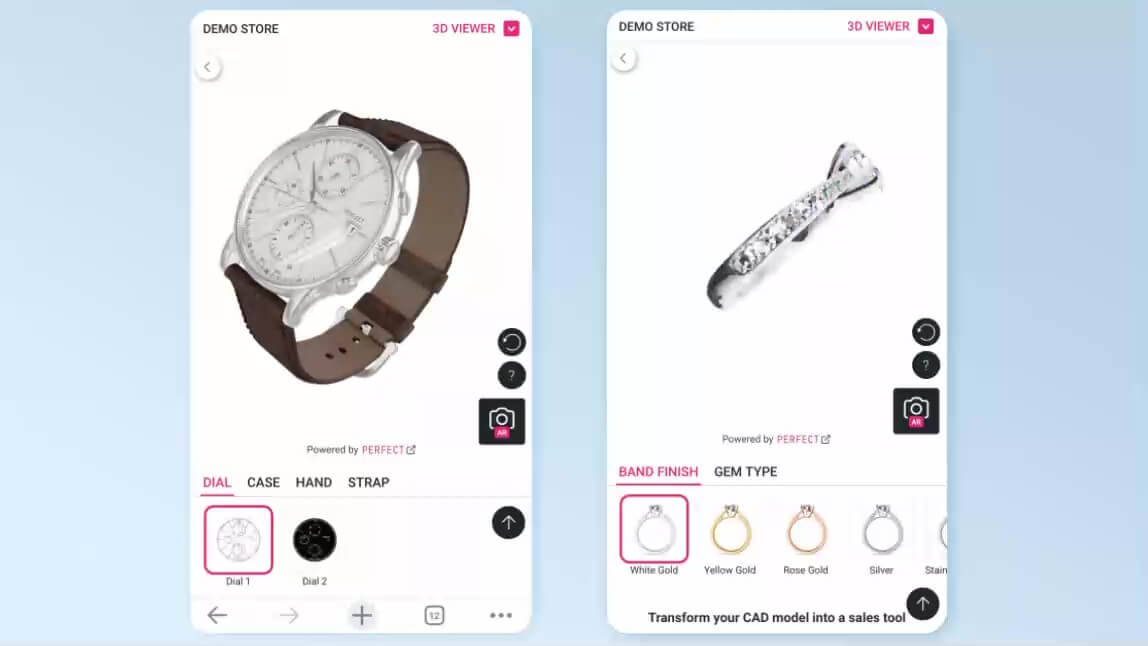
On most modern platforms, yes. Strap material, bracelet type, dial color and case finish can be swapped live, which is why watch try-on and 3D product configuration are increasingly the same feature. Combination try-on also lets you wear the watch alongside rings and bracelets.
Does it work on both iPhone and Android?
Yes. Cross-device support is standard, broadly iPhone 12 and newer, Android 9.0 and newer, plus macOS 11 and newer and the major desktop browsers. Older hardware may run at a lower frame rate rather than failing outright.
Does virtual try-on actually influence purchase decisions?
The consistent pattern across accessory retail is more product views per session, higher add-to-cart rates on try-on enabled references, and fewer size-driven returns. The effect is strongest in categories where fit anxiety is the main blocker, which describes watches precisely.
How many watches can I offer try-on for?
That depends on your asset pipeline, not on the AR. If your vendor can build try-on ready 3D assets from a single 2D product image, an entire catalog is reachable. If every reference needs a bespoke scan, expect to be limited to a hero selection.
Can I use virtual watch try-on in a physical store?
Yes, and it is one of the highest return deployments. An in-store tablet running the same try-on lets associates show references that are not in the case, which turns limited floor inventory into the full catalog without holding the stock.
See how it performs on your own catalog. Explore the AR Watch virtual try-on solution or contact Perfect Corp for a demo.



