 Author:



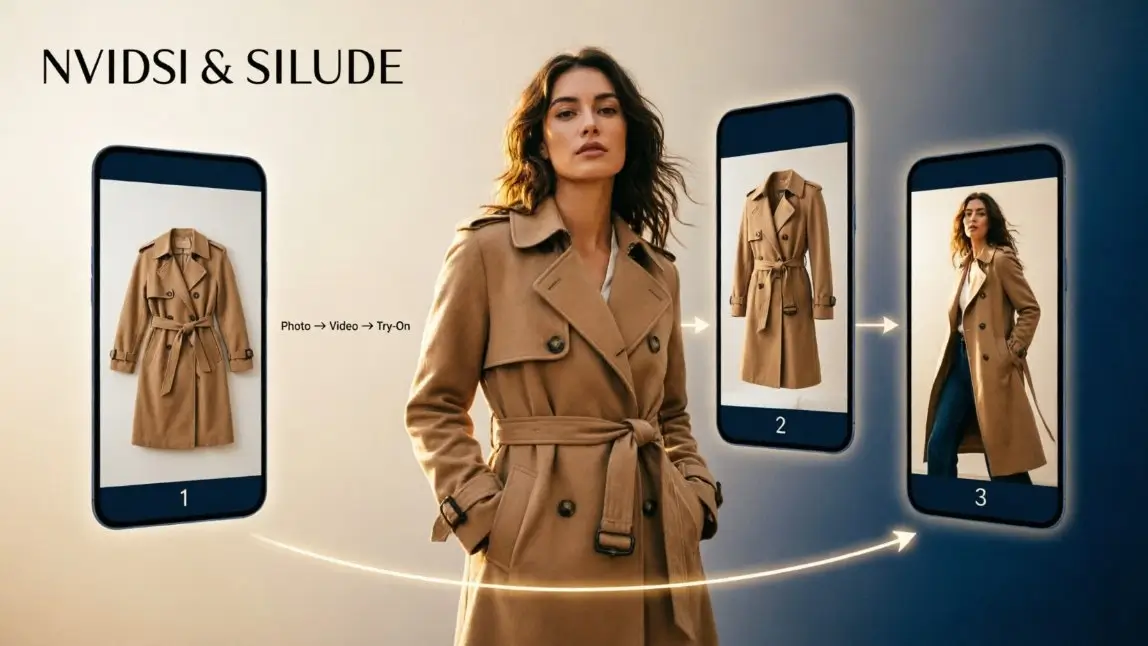
*Images designed by YouCam AI
Your product photos are fine. Your shoppers just stopped looking at photos. Feeds autoplay, product pages loop, and marketplaces push sellers toward video at every turn. The problem? A traditional video shoot can cost several times more than a photo shoot, and a 5,000-SKU catalog doesn't wait for a film crew.
An AI video generator for ecommerce solves the volume problem: upload a product photo, pick a style, and get a short clip in under a minute. But volume isn't the same as sales. The videos that convert answer one question every shopper has: "What will this look like on me?" That's where AI virtual try-on turns a pretty loop into a buying decision.
This guide breaks down the types of AI video tools, what they cost, how to build a workflow that scales, and how to add try-on video to the mix.
Table of Contents
- What is an AI video generator for ecommerce?
- Why are ecommerce brands switching to AI product videos?
- What types of AI video generators exist for online stores?
- Why does virtual try-on video convert better than a product spin?
- How do you make an ecommerce product video with AI?
- How do you choose the right AI video generator for your store?
- How much does AI video generation cost for ecommerce?
- What mistakes make AI product videos look fake?
- FAQ
What Is an AI Video Generator for Ecommerce?

It's software that turns static inputs — product photos, a product URL, a text prompt, or a model shot — into short videos you can publish on product pages, ads, and social feeds. No camera, no studio, no editing timeline.
Most tools work the same way under the hood: a generative video model reads your image, follows your prompt for camera movement and lighting, and renders a 5–10 second clip. The difference between tools is what they're optimized for: product fidelity, avatars, ad templates, or bulk catalog output.
For example, the AI product video generator in YouCam Online Editor takes one JPG or PNG product photo and returns a cinematic clip in seconds to under a minute, with multiple models to pick from and a prompt box for camera angle, lighting, and background style.
Why Are Ecommerce Brands Switching to AI Product Videos?

Three forces are pushing brands toward AI video at the same time:
- Every channel wants motion. TikTok Shop, Instagram Reels, YouTube Shorts, Amazon listings and Shopify themes all favor video placements.
- Shoots don't scale. Photoroom's industry research puts a video shoot at roughly 3–10x the cost of a standard photoshoot. Multiply that across seasonal drops and colorways, and the math breaks.
- Creative fatigue is real. Ads burn out fast. Teams need dozens of variants per product, not one hero film per quarter.
AI video doesn't replace your brand campaign. It covers the long tail: every SKU, every colorway, every channel format.
What Types of AI Video Generators Exist for Online Stores?

The SERP is full of "top 10 tools" lists. A more useful lens: what job does each type of tool do?
| Tool type | What it does | Best for | Watch out for |
|---|---|---|---|
| Product animation (image-to-video) | Animates a single packshot: spins, zooms, splashes, scene changes | Product page loops, marketplace listings | Logo and label distortion on fine detail |
| Avatar / UGC-style video | An AI presenter talks about your product, often in many languages | Explainer ads, localization | Can feel scripted; disclosure rules on synthetic people |
| URL-to-ad generators | Scrapes your product page and assembles a templated ad | Performance marketing at volume | Same-looking ads as every competitor using the template |
| Cinematic text-to-video | Builds scenes from prompts with film-like camera work | Brand mood pieces, launch teasers | Product accuracy is hardest to control |
| Virtual try-on video | Shows the real product on a person, in motion | Apparel, beauty, eyewear, jewelry, accessories | Needs a try-on engine trained for fit, color and texture |
Most stores need two of these, not five: one tool for catalog-scale product animation and one for on-body try-on content.
Product animation: the catalog workhorse

If you sell hard goods — cosmetics packaging, bags, home décor — image-to-video is the fastest win. Upload clean packshots, apply a consistent motion style, and you have a uniform video library. Developers can do the same at scale through an AI image to video API instead of clicking through a UI.
Try-on video: the conversion layer

For anything worn — clothes, lipstick, glasses, earrings — a spinning product isn't enough. Shoppers need to see fit, drape and color on a body or face. That's a different technology: virtual try-on, then animated.
Why Does Virtual Try-On Video Convert Better Than a Product Spin?

A product spin answers "what is it?" A try-on video answers "is it for me?" — and that second question is the one that blocks the purchase.
- Fit and drape: Apparel shoppers judge length, silhouette and movement. Only an on-body clip shows that.
- Color on skin: A lipstick swatch on white tells you nothing about how it reads on deep or fair skin tones.
- Scale: Earrings, watches and bags look different in hand or on a face than floating in space.
- Fewer wrong-size returns: When shoppers see the product in context, expectations match reality more often.
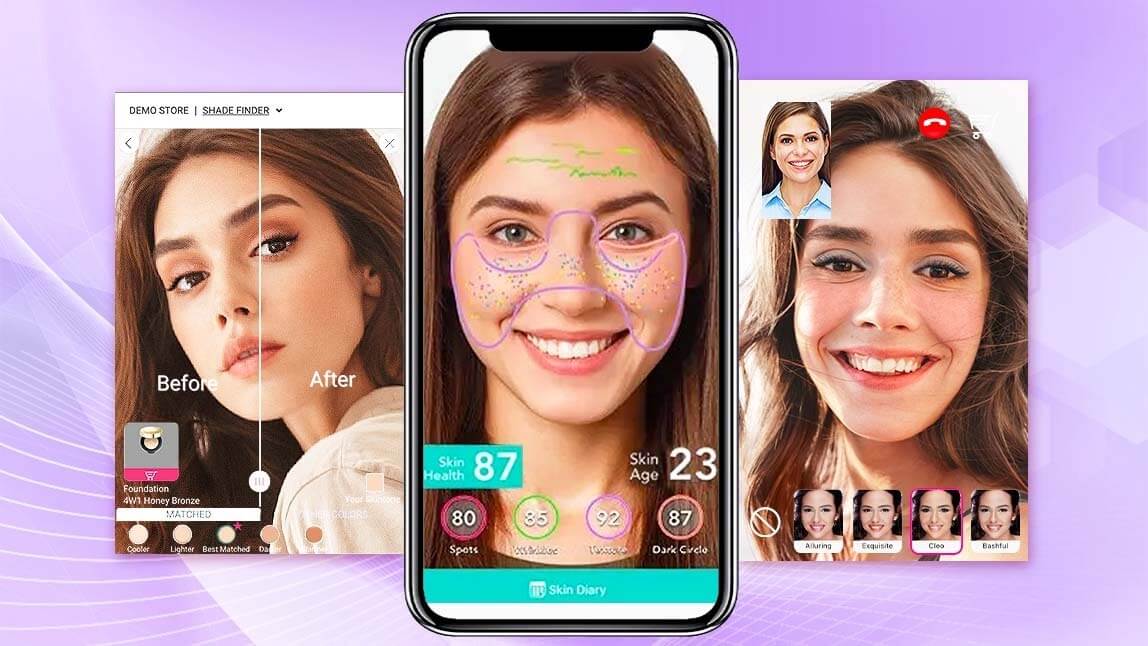
Perfect Corp.'s AI virtual try-on covers makeup, hair, eyewear, jewelry, watches and apparel, and the AI fashion try-on generates on-model images from a garment photo. Feed those on-model images into an image-to-video step, and you get try-on videos without booking models.
CTA: Explore AI Virtual Try-On →
How Do You Make an Ecommerce Product Video with AI?

Here's a workflow that works for both a 50-SKU boutique and a 50,000-SKU retailer.
- Start with a clean source image. High-resolution, even lighting, plain or removable background. Garbage in, wobbly video out.
- Decide: product or person? Hard goods go straight to animation. Wearables go through virtual try-on first to create an on-model still.
- Animate with a short, specific prompt. Name the camera move ("slow push-in"), lighting ("soft window light") and setting ("minimal beige studio"). Vague prompts invite hallucinated details.
- Check product fidelity frame by frame. Logos, prints, stitching and shade accuracy. Regenerate anything that drifts.
- Export per channel. 9:16 for Reels, Shorts and TikTok; 1:1 or 4:5 for feeds; 16:9 or 1:1 loops for product pages.
- Automate once it works. Move the proven recipe into an API pipeline so every new SKU gets a video on upload.
Want to see how content teams chain these steps together? Read how YouCam Online Editor and YouCam API streamline the ecommerce content pipeline.
How Do You Choose the Right AI Video Generator for Your Store?

Run every shortlisted tool through these five questions:
| Question | Why it matters |
|---|---|
| Does the product still look exactly like the product? | A beautiful video of the wrong shade is a return waiting to happen. |
| Can it show wearables on a person? | Apparel, beauty and accessories need try-on, not just spins. |
| Is there an API or bulk mode? | UI-only tools stall at a few hundred SKUs. |
| Does it export every format you publish? | One master clip should become 9:16, 1:1 and 16:9 without a re-shoot. |
| Are commercial rights and data handling clear? | You'll use these in paid ads; your legal team will ask. |
Beauty brands should also confirm shade accuracy across skin tones before anything goes live — see how makeup virtual try-on for ecommerce handles it.
How Much Does AI Video Generation Cost for Ecommerce?

Most AI video tools run on credits or monthly subscriptions, with entry plans often in the tens of dollars per month and enterprise or API plans priced on volume. Your real cost has three parts:
- Generation: credits or API calls per clip, including regenerations.
- Inputs: clean product photos and, for wearables, try-on generation.
- Review time: someone still checks every clip for accuracy.
For try-on specifically, our breakdown of virtual try-on API pricing walks through subscription vs. pay-as-you-go and how to estimate monthly spend. You can also test the full lineup in the YouCam API playground with free trial units.
CTA: Try the API in the AI Playground →
What Mistakes Make AI Product Videos Look Fake?

- Over-prompting motion. Fast spins and dramatic zooms are where logos melt. Slow camera moves hold detail.
- Low-res source photos. The model invents what it can't see — usually texture and text.
- Color drift. Lighting effects can shift shades. For beauty and fashion, compare the final frame to the real product.
- Uncanny bodies. Hands, hair edges and fabric folds give away weak models. Use a try-on engine built for bodies and faces.
- No disclosure plan. Some marketplaces and regions expect AI-generated content to be labeled. Decide your policy before you scale.
FAQ
Can AI turn a product photo into a video without filming?
Yes. Image-to-video tools animate a single product photo into a short clip with camera movement, lighting and background changes. Clean, high-resolution photos give the most accurate results.
What is the best AI video generator for ecommerce?
It depends on what you sell. Hard goods need a reliable product-animation tool with bulk or API support. Apparel, beauty and accessories brands should pair that with virtual try-on so shoppers see the product on a person.
Are AI-generated product videos allowed on marketplaces?
Generally yes, as long as the video accurately represents the product. Always check each marketplace's current content policy, and never show features, colors or sizes the product doesn't have.
How do I keep AI product videos accurate?
Use high-resolution source images, keep camera motion slow, write specific prompts, and review every clip against the real product for logo, print and color accuracy before publishing.
Can I generate videos for my whole catalog?
Yes, with an API. Once you've locked a prompt recipe, an image-to-video API can generate a video for every SKU automatically as products are added.
How does virtual try-on work with AI video?
Virtual try-on first places the real product on a person — a face for makeup or glasses, a body for clothes. That on-model image is then animated into a short clip, giving shoppers a try-on video without a model shoot.
Ready to Turn Every SKU Into a Video That Sells?

AI video gets your catalog moving. Virtual try-on makes it personal. Put them together, and your product pages stop being galleries and start being fitting rooms.
Explore Virtual Try-On Solutions or contact Perfect Corp. for a demo.