 Author:


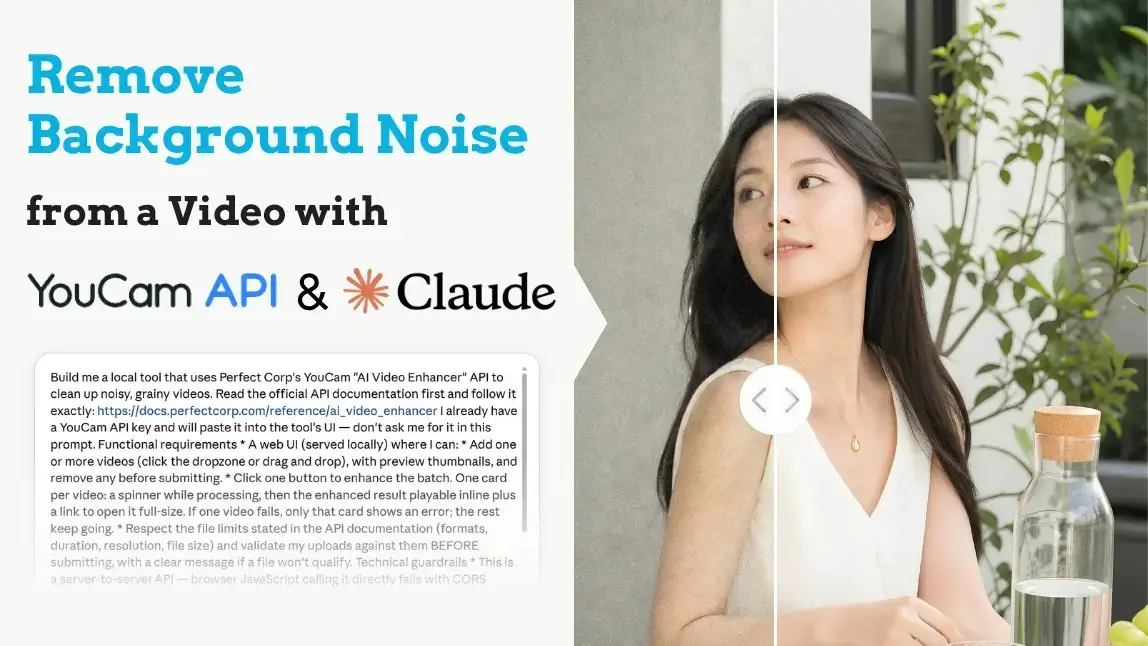
So you've got a video with "background noise" and you want it gone. Before we fix it, one quick question — because this phrase means two totally different things:
- Audio noise — the hum, hiss, traffic, or air conditioner rumbling behind your voice.
- Visual noise — the grainy, speckled, staticky look in your footage, especially in dark scenes or low-light backgrounds.
If it's the audio kind: any modern video editor (PowerDirector, Premiere) has a one-click voice isolation or noise reduction filter — run your clip through that and you're done.
If it's the visual kind — grainy footage, noisy backgrounds, that "shot in a dim restaurant" texture — that's what this guide is for. Let's see how to build a personal AI video denoiser using Claude and a simple API, in three steps, with zero coding.

Why Does My Video Look Noisy in the First Place?
Visual noise is what happens when your camera's sensor runs out of light. Low light forces the camera to crank up ISO, and high ISO means grain, those dancing speckles that get worse in shadows and dark backgrounds.
Heavy compression (hello, videos re-shared through messaging apps) makes it uglier still.
The good news: this is exactly the kind of problem AI is great at. Instead of just blurring everything (the old-school fix), an AI video enhancer analyzes footage frame by frame, learns to tell real detail apart from random noise, then removes the noise while keeping — even rebuilding — the detail.
Step 1: Ask Claude to Build Your Video Noise Remover
Open Claude Cowork and paste in the prompt below. Claude will read YouCam's API documentation and build a small local tool — drop in your videos, and it cleans them up using the AI Video Enhancer engine.

Copy the whole prompt:
Build me a local tool that uses Perfect Corp's YouCam "AI Video Enhancer" API to clean up noisy, grainy videos. Read the official API documentation first and follow it exactly: https://docs.perfectcorp.com/reference/ai_video_enhancer I already have a YouCam API key and will paste it into the tool's UI — don't ask me for it in this prompt. Functional requirements * A web UI (served locally) where I can: * Add one or more videos (click the dropzone or drag and drop), with preview thumbnails, and remove any before submitting. * Click one button to enhance the batch. One card per video: a spinner while processing, then the enhanced result playable inline plus a link to open it full-size. If one video fails, only that card shows an error; the rest keep going. * Respect the file limits stated in the API documentation (formats, duration, resolution, file size) and validate my uploads against them BEFORE submitting, with a clear message if a file won't qualify. Technical guardrails * This is a server-to-server API — browser JavaScript calling it directly fails with CORS errors. Build a small local Node.js/ Express server that proxies all calls to Perfect Corp server-side. The browser UI only talks to http://localhost:3939. * My API key must never touch disk. Hold it in a JS variable in the browser (from the UI input field), send it per-request via an X-YCE-API-Key header, and have the server forward it upstream. Don't write it to any config file, env file, or log. * Follow the documented upload flow (register the file, then PUT the raw bytes to the returned presigned URL) and the documented task create / poll pattern. Parse responses defensively. * Cap concurrency at 3 tasks at a time to stay inside rate limits. Packaging * Plain Node.js + Express, no build step. Single-page HTML/CSS/JS frontend served by the same server. * Include double-click launchers for macOS (.command) and Windows (.bat): cd into the folder, npm install only if node_modules is missing (using a project-local npm cache), open http://localhost:3939, then npm start. * Test the server wiring yourself before handing it over — with an invalid key, confirm you get the expected 401s at each step so we know the endpoints and payloads are correct.A few minutes later, you'll have a folder with your tool inside. Double-click start-mac.command (Mac) or start-windows.bat (Windows), and it opens at localhost:3939 in your browser.
Step 2: Grab Your Free YouCam API Key (and 40 Free Credits)
Head to the YouCam AI API page, sign up, and you'll get 40 free credits instantly — enough to clean up your first batch of noisy clips and see the difference yourself.

Copy your API key from the dashboard and paste it into the tool. It stays in your browser session only — never saved to disk, never logged.
Step 3: Drop In Your Noisy Videos and Let the AI Work
- Paste your API key at the top.
- Drag in your grainy videos. The tool checks each file against the API's limits before submitting, so no wasted credits.
- Click enhance. Each video gets its own card — spinner first, then the cleaned-up result, playable side by side with your memory of how bad it used to look.

Behind the scenes, the AI Video Enhancer processes every frame: reducing grain and noise, sharpening soft details, and upscaling resolution (up to 4K) in one pass.
Faces get extra care, details are restored so people look natural, not plastic. It's the same engine behind YouCam's AI Video Enhancer that creators use to rescue low-light and old footage every day.

What This AI Can (and Can't) Fix — Read Before You Enhance
Honesty corner. Here's the real capability map:
| Situation | Will it work? |
|---|---|
| Grainy low-light or high-ISO footage | ✅ Yes — this is the sweet spot |
| Noisy, speckled backgrounds in dim scenes | ✅ Yes — noise reduced, detail kept |
| Soft, slightly blurry, or compressed video | ✅ Yes — sharpened and upscaled up to 4K |
| Severely pixelated or totally out-of-focus footage | ⚠️ Limited — the AI needs some real detail left to rebuild from |
| Audio background noise (hum, hiss, chatter) | ❌ No — this API enhances the picture, not the sound. Use your editor's audio noise reduction for that |
Format-wise, keep it simple: standard formats like MP4 and MOV work best. Check the file limits in the API documentation — the tool Claude builds validates your files against them automatically, so you'll know before spending a credit.
Why Build Your Own Instead of Using a Random Online Denoiser?
- Batch, not babysitting. Clean up a whole folder of clips in one run instead of feeding a website one video at a time.
- Private by design. The tool runs locally and talks straight to YouCam's API — no third-party upload site, no watermarks, no "upgrade to download" surprises.
- It grows with you. This is a production-grade developer API. The same call that fixes your clips today can power video enhancement inside your app or content pipeline tomorrow
Ready to de-grain your footage? Sign up for the YouCam AI API, claim your 40 free credits, and turn tonight's noisy clips into tomorrow's clean ones.

FAQ: Removing Background Noise from a Video
How can I remove background noise from a video for free?
For audio noise, use the free noise reduction filter in editors like CapCut or DaVinci Resolve. For visual noise (grain), sign up for the YouCam AI API — the 40 free credits let you denoise and enhance your first videos at no cost.
Can AI really remove grain from a video?
Yes. AI denoising works frame by frame, learning to separate genuine detail from random noise — so it removes the grain without smearing the image the way simple blur filters do. It works best on footage that still has some underlying detail; severely pixelated video will see limited improvement.
Does the YouCam AI Video Enhancer fix audio noise too?
No — and we'd rather tell you straight. This API enhances the visual side: denoising, sharpening, and upscaling the picture up to 4K. The audio track is not processed. For hum, hiss, or background chatter, run the clip through your editor's audio noise reduction as a separate step.
Why do my videos get grainy in low light?
Your camera compensates for missing light by raising ISO sensitivity, which amplifies sensor noise into visible grain — especially in dark backgrounds and shadows. Compression from re-sharing makes it worse. AI denoising is the fastest fix after the fact; more light is the best fix before.
Will denoising make my video blurry?
Old-school denoising did — it basically blurred the noise away, and your details with it. AI denoising is different: it reduces noise while sharpening and even reconstructing detail, so the result is cleaner and crisper, not softer.
What if I need help or a custom solution?
We're happy to help — contact the Perfect Corp team and tell us what you're building.